Ease of use for players can be a key factor in the success of your Support-a-Creator program. We recommend the following UX considerations to make sure your program performs at its peak.
Creator codes are not case-sensitive
Section titled “Creator codes are not case-sensitive”The Nexus Support-a-Creator API is not case-sensitive, so the creator code input field in your game should not be case-sensitive either. This will lessen the possibility of creators advertising the wrong code to their audience or players entering the wrong code in game.
Make creator codes persistent once entered
Section titled “Make creator codes persistent once entered”Players want to support the creators that they follow, just as they want to support the game developers that they love. Players will only take so many extra steps before abandoning the flow, so we recommend keeping creator code redemption as low-friction as possible.
One way to reduce friction is to make creator codes persistent, meaning that when a player enters a creator code, that code will remain there as a saved entry, instead of requiring the player to re-enter the code each time. It doesn’t cost them anything extra to support a creator at checkout, so it shouldn’t cost them additional time and keystrokes, either.
This change also simplifies the job of the creator. No longer does the goal have to be “maintain code usage.” Instead, the creator focuses on introducing their creator code to as many new players as possible.
Another important part of the player experience is how and where the creator code input is placed in your game. The UI implementation is up to you. The following practices come from how our partners have integrated Support-a-Creator.
Make the creator code input easy to find
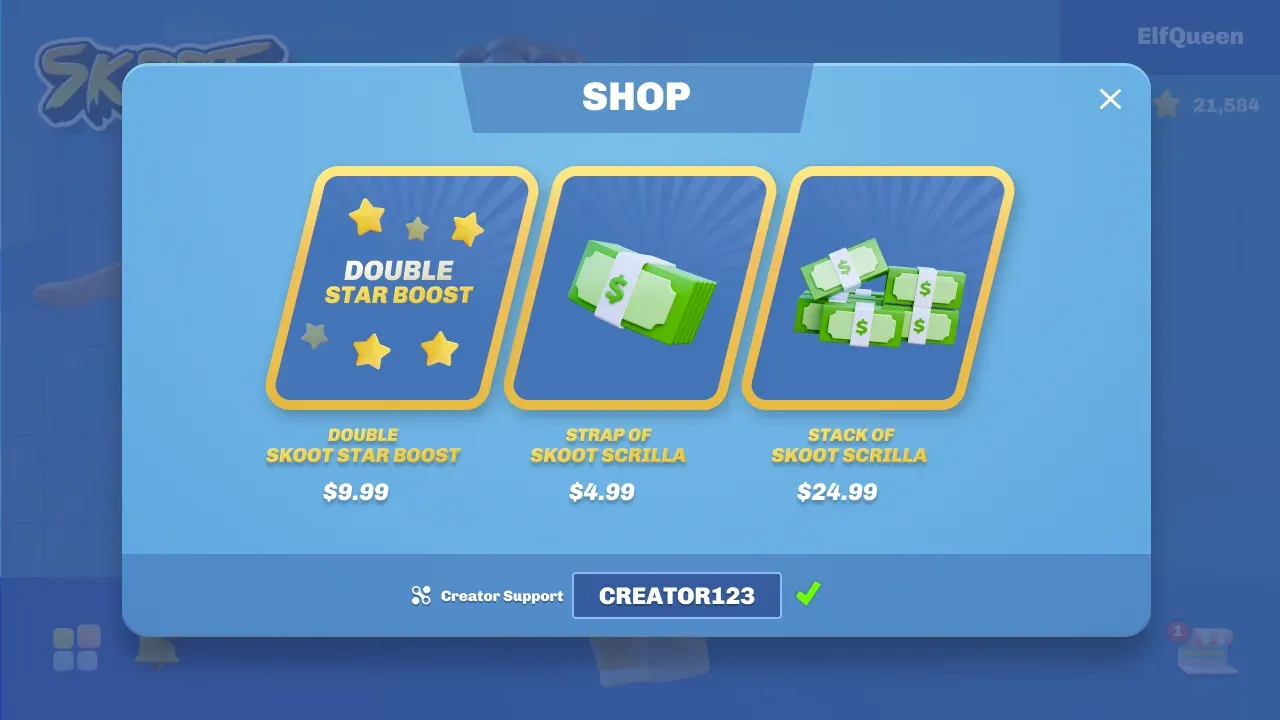
Section titled “Make the creator code input easy to find”In order to reduce player friction and maximize the use of creator codes, and therefore make your Support-a-Creator program work as well as possible, the creator code input should be in a place that’s both easy for players to find and easy for creators to show off to their audience. The best place for the button is typically somewhere in the game’s store or checkout flow. The input should also have something that clearly indicates whether or not a code is currently attributed to the player’s account.
Notify players that they supported a creator
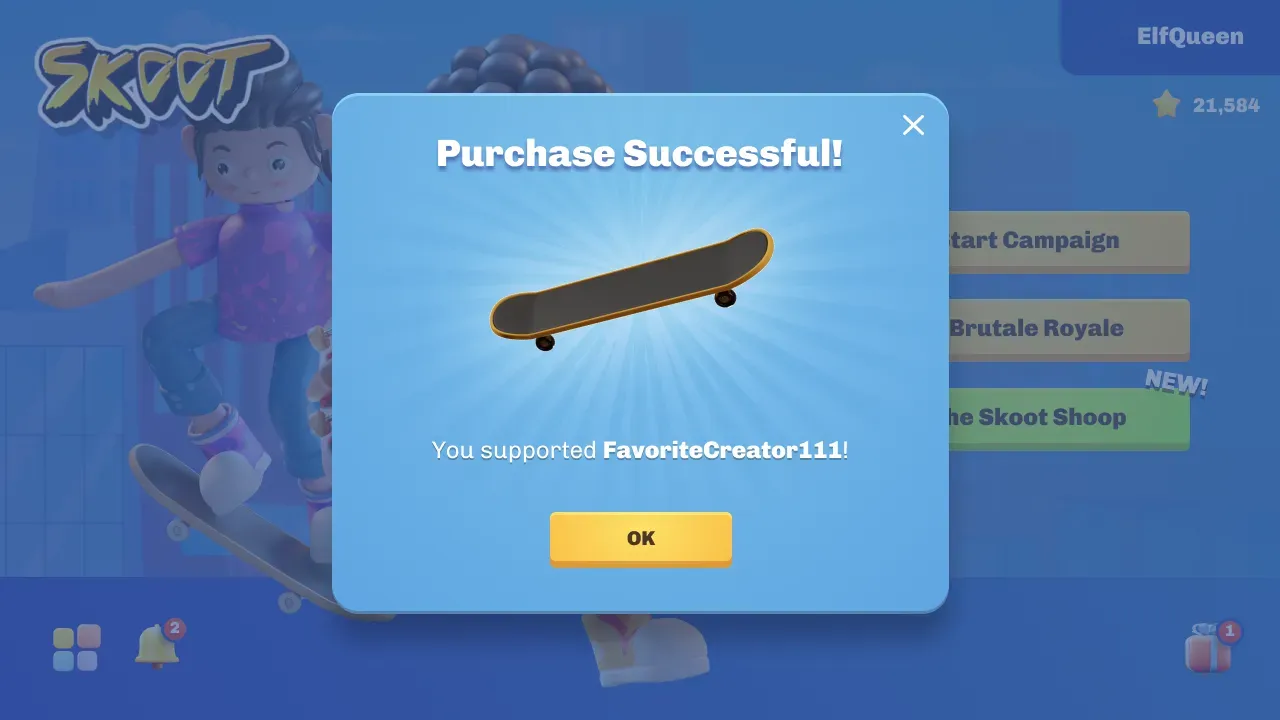
Section titled “Notify players that they supported a creator”When a player makes a purchase with a code attributed to their account, there should be some sort of indication to let them know they supported that creator. Here you can also call out how much money or revenue share was attributed to the creator.