This is the full developer documentation for Nexus Docs
# Creator codes for your game
> Let your players support their favorite creators with a code, and pay those creators a share of every purchase.
## How Nexus works
[Section titled “How Nexus works”](#how-nexus-works)
You add two calls: one from your game, one from your server. Nexus handles the attribution, reporting, and creator payouts.
1. **Your player enters a creator code**
Your game or store asks for it, and you [check it belongs to a creator in your program](/start-integrating/validate-your-first-creator-code/) with your public key.
2. **Your player buys something**
Once your payment provider confirms the purchase, your server [reports it to Nexus](/start-integrating/track-a-purchase/) with your private key.
3. **The creator earns their share**
Nexus attributes the revenue and pays the creator. You run your program, campaigns, and bounties from the [Publisher Dashboard](/publisher-guides/campaigns/run-a-campaign/).
## Prompts for your next step
[Section titled “Prompts for your next step”](#prompts-for-your-next-step)
Each prompt points your agent at the page it needs, so it works from the docs instead of guessing.
* Purchases
Report confirmed purchases from your server, with a stable player ID so repeat buyers count.
Paste into your agentCopy
Read https\://docs.nexus.gg/start-integrating/track-a-purchase.md.Find where this project confirms a purchase on the server, and send that transaction to Nexus as the page describes, including a stable, pseudonymous playerId.Show me the plan first.
* Launch checklist
Check your integration against the go-live checklist without changing any code.
Paste into your agentCopy
Read https\://docs.nexus.gg/start-integrating/go-live-checklist.md.Review this project's Nexus integration against every item and report each one as done, missing, or can't tell, with the file and line.Don't change any code.
* Ask the docs
Get answers that stick to what the docs actually say.
Paste into your agentCopy
Use https\://docs.nexus.gg/llms-full.txt as your only source.Answer my questions about Nexus from it, and say so when the docs don't cover something instead of guessing.
## Choose your path
[Section titled “Choose your path”](#choose-your-path)
* [Integrate the API](/api-quick-start-guide/)
Get your keys, validate creator codes, and track purchases, step by step.
* [Use Roblox Studio](/game-engine-integrations/overview/)
Add creator codes to your Roblox game, or see the [PlayFab sample](/creator-code-api/sample-code/playfab/).
* [Run your program](/publisher-guides/campaigns/run-a-campaign/)
Campaigns, creator content, and keys in your Publisher Dashboard.
* [Grow with bounties](/additional-features/bounties/)
Reward your creators for milestones, and bring in new players with referrals.
## Docs for your AI tools
[Section titled “Docs for your AI tools”](#docs-for-your-ai-tools)
* [`/llms.txt`](/llms.txt) lists the machine-readable versions of these docs.
* [`/llms-full.txt`](/llms-full.txt) is the full text of the docs in one file.
* Add `.md` to a guide or endpoint page’s URL, or use its **Copy page** button, to get that page as Markdown.
# API quick-start guide
> Log in to your dashboard, grab your keys, and prepare your project
This guide gets you ready to call Nexus APIs from your app or scripts. Create your keys, keep secrets off the client, and verify everything with runnable examples.
Note
You need a Nexus publisher account to get API keys. If you don’t have one yet, email to get set up.
Note
The code samples use Node and cURL. Any HTTP client works.
## What you will do
[Section titled “What you will do”](#what-you-will-do)
1. Sign in to the Nexus dashboard
2. Create a **program-scoped** Public key and Private key in **Sandbox**
3. Save keys in environment variables
4. Validate a creator code with your Public key
5. Post a test attribution with your Private key
## Keys at a glance
[Section titled “Keys at a glance”](#keys-at-a-glance)
Use **program-scoped** keys by default. They implicitly target a single creator program group, which means you do not need to pass a `groupId` on each request and you avoid cross-program mistakes.
* **Public key**: client-side only for safe reads like creator code validation. Treat it as sensitive.
* **Private key**: server-side only for writes like posting attributions after a purchase. Never ship this to a client.
> Global keys exist but are rarely needed. If you choose a global key you must pass the `groupId` on each request. See [if you must use a global key](#if-you-must-use-a-global-key).
## Create your keys
[Section titled “Create your keys”](#create-your-keys)
1. Sign in to
2. Open **Settings**, then **Developer**
3. In the scope selector at the top of the table, choose your program. Leave it on **Global** only if you need a key that works across every program
4. Select **Create API key**, then copy and securely save the key before closing the dialog. You cannot reveal it again
5. Repeat in **Sandbox** and **Production**
Existing keys continue to work. If you lose a key, create a replacement, update your integration, and delete the old key.
Record the following:
* A **Public key** for client-side validation
* A **Private key** for server-side attribution posts
## Environments
[Section titled “Environments”](#environments)
* **Sandbox** for test data: `https://api.nexus-dev.gg`
* **Production** for live data: `https://api.nexus.gg`
Keys are separate per environment. Rotate keys on a schedule or when people leave the team.
## Store secrets with environment variables
[Section titled “Store secrets with environment variables”](#store-secrets-with-environment-variables)
Keep keys out of source control. For Node, create a `.env` file for local use and a secret store in your deployment platform.
```bash
NEXUS_BASE_URL=https://api.nexus.gg/v1
NEXUS_PUBLIC_KEY=nexus_pk_your_key_here
NEXUS_PRIVATE_KEY=nexus_sk_your_key_here
```
## Step 1: validate a creator code
[Section titled “Step 1: validate a creator code”](#step-1-validate-a-creator-code)
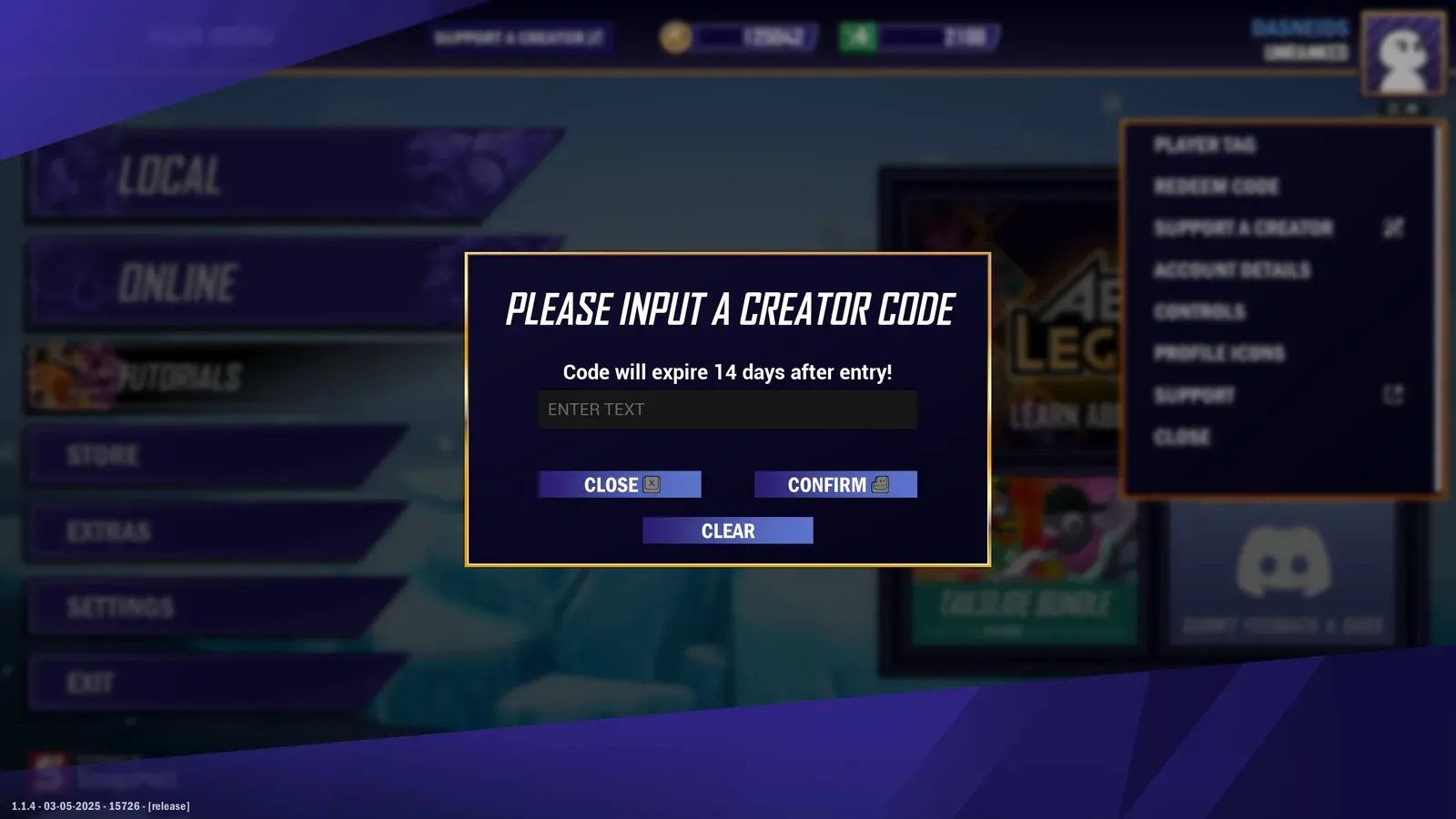
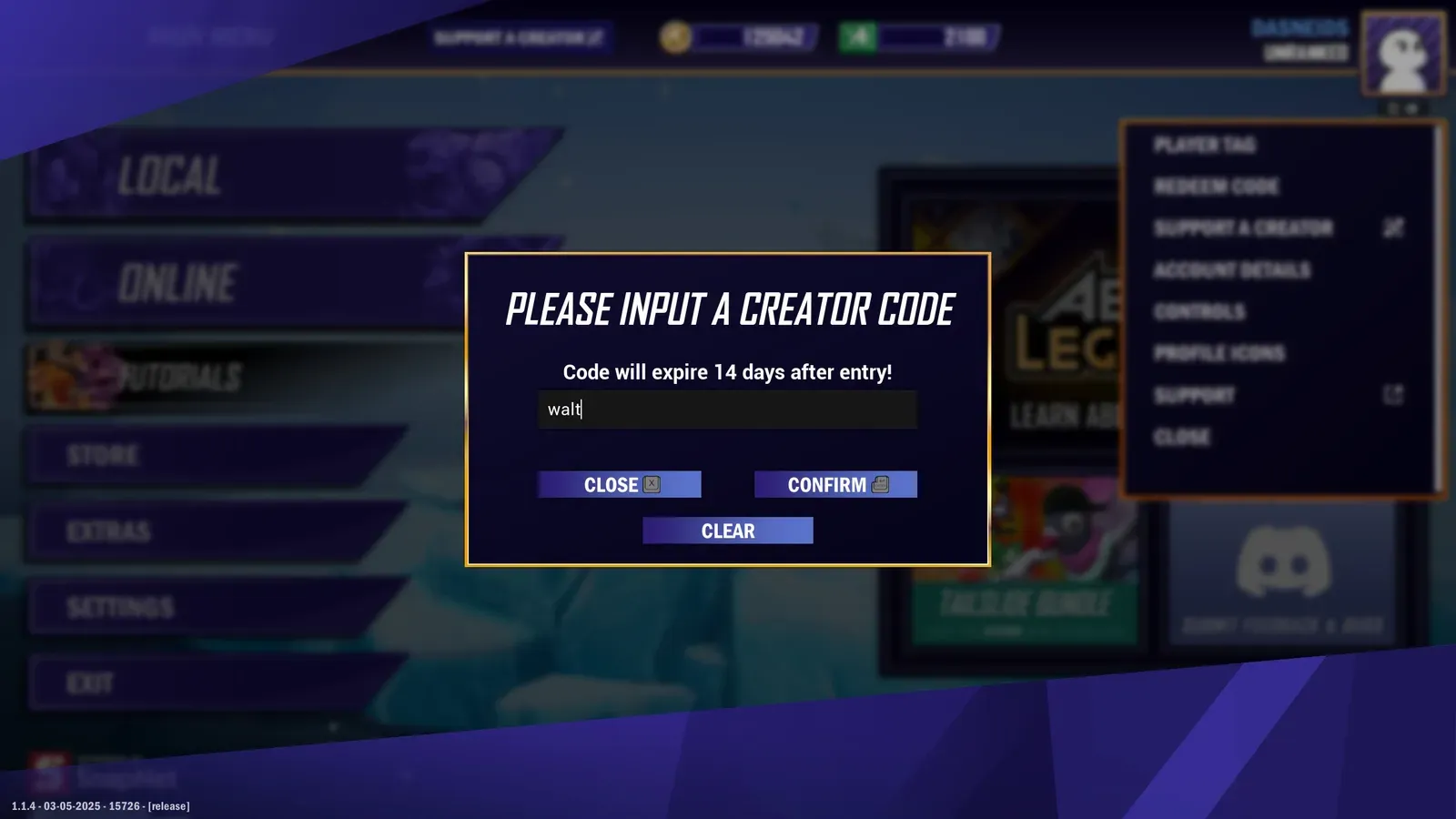
Validate a creator code with your **program-scoped Public key**. No `groupId` needed.
GET`/manage/members/{memberCode}`
[View full reference](/api/operations/getmemberbycode/)Parameters, responses, and status codes.
* cURL
```bash
curl "https://api.nexus.gg/v1/manage/members/walt" \
-H "X-SHARED-SECRET: nexus_pk_your_key_here"
```
* JavaScript
```javascript
async function validateCreatorCode(code) {
const url = `${process.env.NEXUS_BASE_URL}/manage/members/${encodeURIComponent(code)}`;
const res = await fetch(url, {
headers: { 'X-SHARED-SECRET': process.env.NEXUS_PUBLIC_KEY }
});
if (!res.ok) throw new Error(`Validation failed with ${res.status}`);
return res.json();
}
validateCreatorCode('walt')
.then(data => console.log('Valid:', data))
.catch(err => console.error('Invalid:', err.message));
```
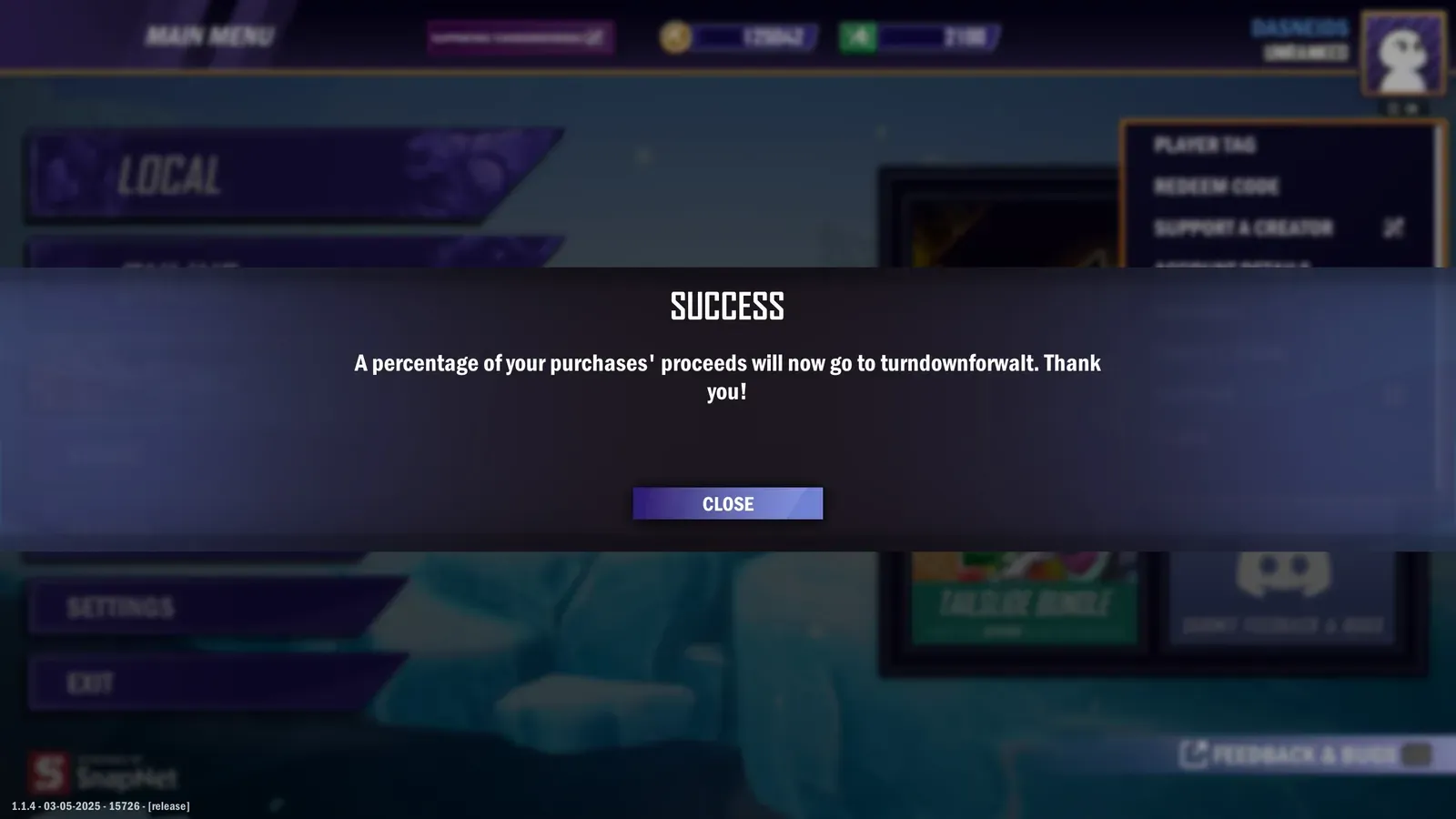
If the code belongs to your program, the status should be `200 OK` with a single member record. The JSON response body looks something like this:
* 200
```json
{
"groupId": "2ixlNNFdJh-9scoXek80w",
"groupName": "Creator Loop",
"groupDefaultRevShare": 10,
"id": "Hv98bvRCSm1jDDPhls1qC",
"name": "turndownforwalt",
"logoImage": "https://cdn.nexus.gg/FzVN5qcpr8s8irlokp/iQJWVLokKREqYXPxkO/images/logo-image.jpg",
"tier": {
"id": "M9cgAXgP3DqyuZcoszkeE",
"name": "Tier 2",
"revShare": 15
},
"codes": [
{
"code": "walt",
"isPrimary": true,
"isGenerated": false,
"isManaged": false
}
]
}
```
* 400
```json
{
"code": "CodeNotInGroup",
"message": "Member not found for groupId 2ixlNNFdJh-9scoXek80w: notacreator."
}
```
## Step 2: attribute the purchase to the creator
[Section titled “Step 2: attribute the purchase to the creator”](#step-2-attribute-the-purchase-to-the-creator)
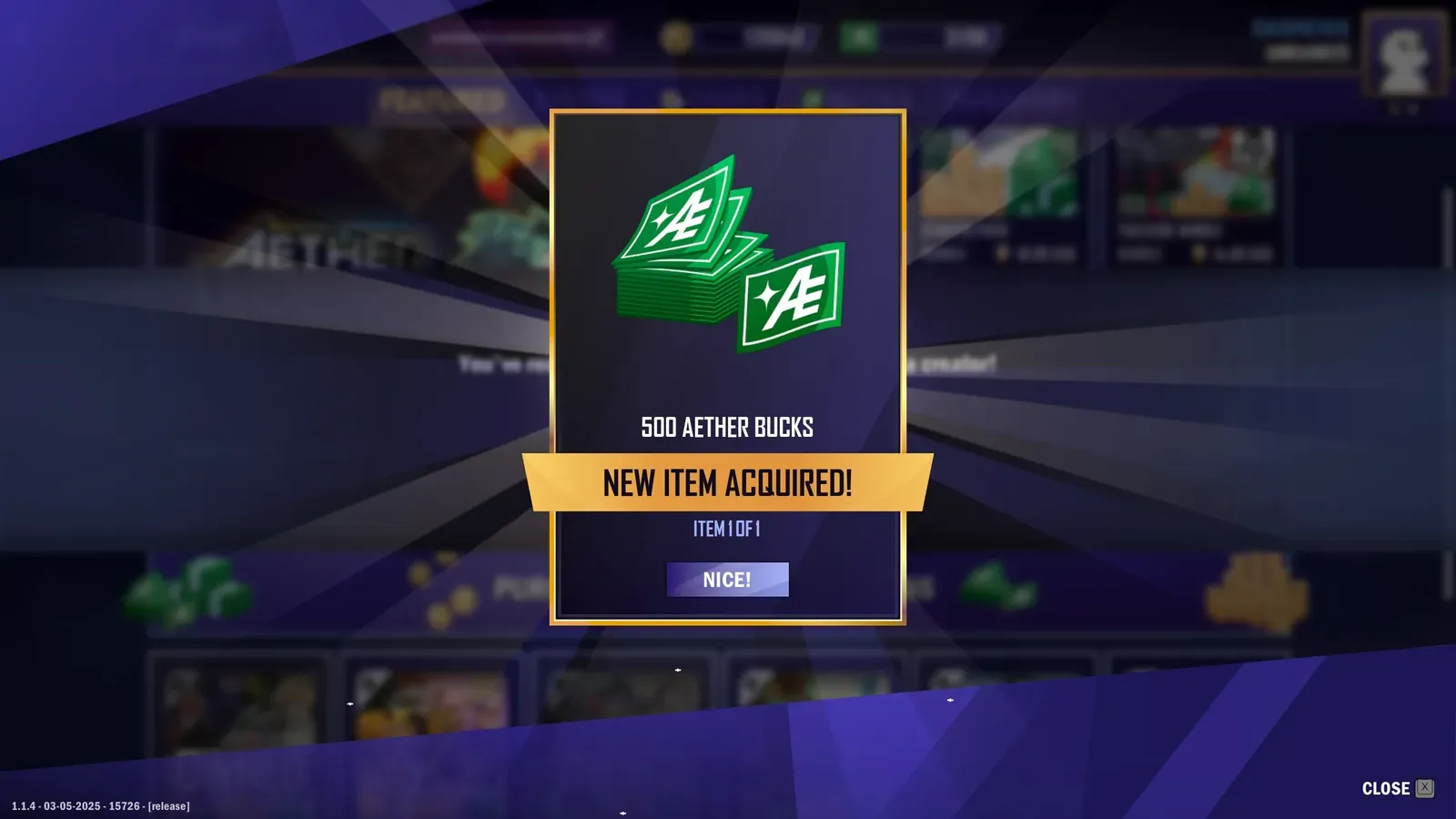
Post an attribution after purchase with your **program-scoped Private key** from your server.
POST`/attributions/transactions`
[View full reference](/api/operations/creatorattribution/)Parameters, responses, and status codes.
Note
`playerId` only needs to be unique and stable for each player. It does not need to be the id you use internally. If you treat that id as PII, send a hash or a GUID instead, as long as the same player always gets the same value.
Nexus uses it to tell one player from another, which is what makes [unique-player and repeat-purchase analysis](/creator-code-api/attributions/performance-metrics/) possible for your program.
* cURL
```bash
curl -X POST "$NEXUS_BASE_URL/attributions/transactions" \
-H "Content-Type: application/json" \
-H "X-SHARED-SECRET: $NEXUS_PRIVATE_KEY" \
-d '{
"code": "walt",
"subtotal": 499,
"currency": "USD",
"description": "500 Aether Bucks",
"skuId": "500_Aether_Bucks",
"transactionId": "71e09e4a-ea48-4cdc-acd4-092f37861731",
"transactionDate": "2025-03-13T17:32:28Z",
"playerId": "6f10c7f4-psd-123",
"metrics": {
"joinDate": "2017-07-22T17:32:28Z",
"conversion": {
"lastPurchase": {
"date": "2025-07-22T17:32:28Z",
"platform": "Android"
},
"totalSpendToDate": {
"total": 12999,
"currency": "USD"
}
}
}
}'
```
* JavaScript
```javascript
async function postAttribution(payload) {
const res = await fetch(`${process.env.NEXUS_BASE_URL}/attributions/transactions`, {
method: 'POST',
headers: {
'Content-Type': 'application/json',
'X-SHARED-SECRET': process.env.NEXUS_PRIVATE_KEY
},
body: JSON.stringify(payload)
});
if (!res.ok) {
const text = await res.text();
throw new Error(`Attribution failed: ${res.status} ${text}`);
}
return res.json();
}
postAttribution({
code: "walt",
subtotal: 499,
currency: "USD",
description: "500 Aether Bucks",
skuId: "500_Aether_Bucks",
transactionId: "71e09e4a-ea48-4cdc-acd4-092f37861731",
transactionDate: "2025-03-13T17:32:28Z",
playerId: "6f10c7f4-psd-123",
metrics: {
joinDate: "2017-07-22T17:32:28Z",
conversion: {
lastPurchaseDate: {
date: "2025-01-22T17:32:28Z",
platform: "Android"
},
totalSpendToDate: {
total: 12999,
currency: "USD"
}
}
}
})
.then(data => console.log("Attributed:", data))
.catch(err => console.error(err));
```
Caution
The `POST /v1/attributions/transactions` response will not include `memberSharePercent`, because that value is only calculated asynchronously after the attribution is processed. To retrieve it, poll `GET /v1/attributions/transactions/{transactionId}` with backoff until it becomes available, or fetch it later via the list endpoint once processing has completed.
The status should be `200 OK` with a JSON response body that looks something like this:
* 200
```json
{
"transaction": {
"creatorPaid": false,
"currency": "USD",
"description": "500 Aether Bucks",
"skuId": "500_Aether_Bucks",
"id": "PwezzrD9LbqPEF6pOm0mC",
"memberId": "oleyE4Z6zwN07YnytKuw2",
"playerId": "",
"playerName": "",
"platform": null,
"subtotal": 499,
"total": 499,
"totalCurrency": "USD",
"transactionDate": "2025-03-13T17:32:28Z",
"transactionId": "71e09e4a-ea48-4cdc-acd4-092f37861731",
"transactionStatus": "Normal",
"metrics": null,
"code": "walt"
}
}
```
* 400
```json
{
"status": 400,
"errors": [
{
"instancePath": "",
"schemaPath": "#/oneOf/0/required",
"keyword": "required",
"params": {
"missingProperty": "transactionId"
},
"message": "must have required property 'transactionId'"
}
...
]
}
```
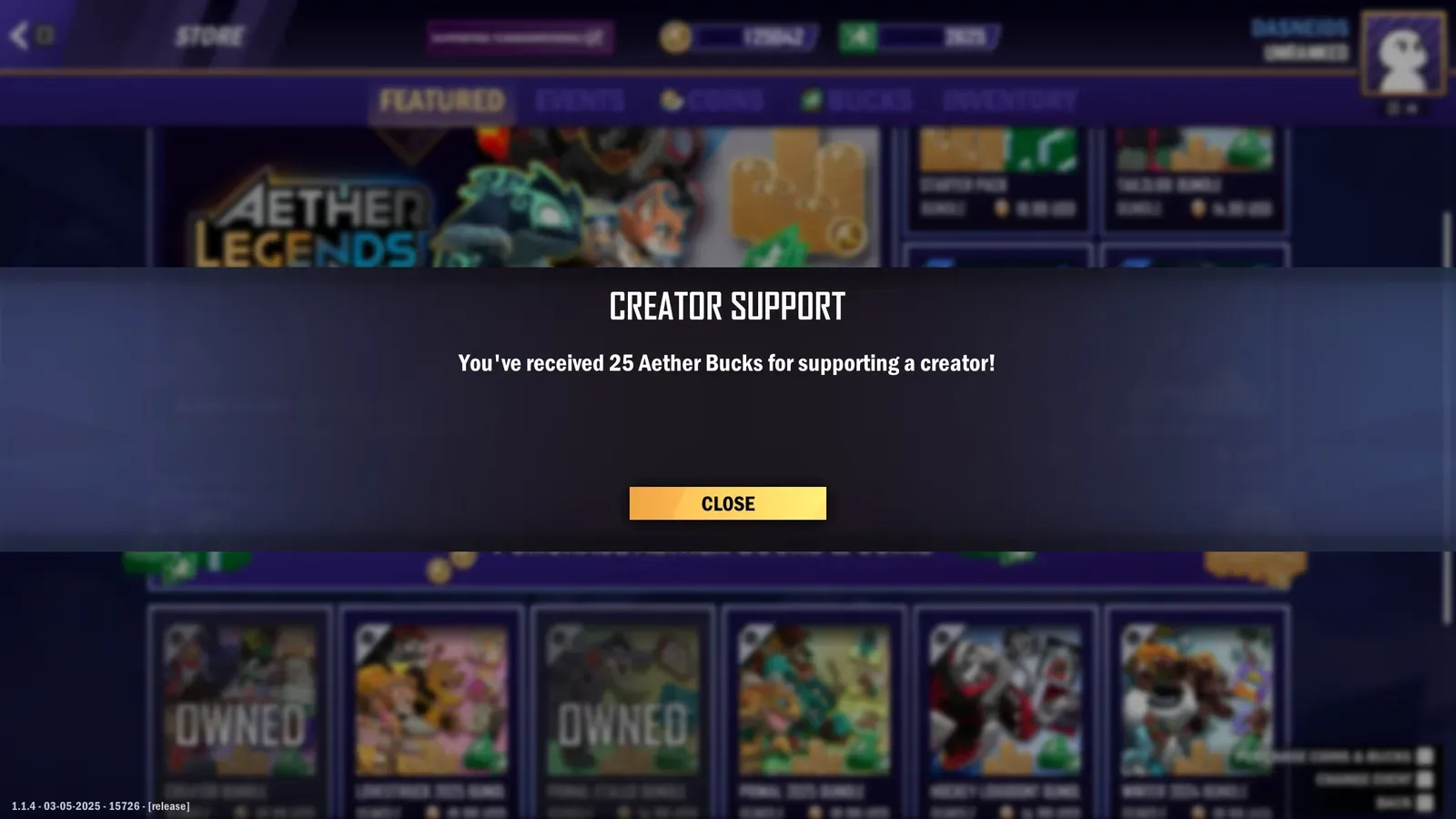
## Client versus server
[Section titled “Client versus server”](#client-versus-server)
* **Client**: validate a creator code before purchase using the Public key.
* **Server**: create attributions after purchase using the Private key. Include your internal order id in `transactionId` for reconciliation.
## Team and local tips
[Section titled “Team and local tips”](#team-and-local-tips)
* Separate `.env` files per environment
* Basic retries for server calls
* Log request ids and `transactionId` for support
* Keep one spare key per environment to make rotation easy
## Common gotchas
[Section titled “Common gotchas”](#common-gotchas)
* Posting attributions from a client: always post from your backend.
* Using the list route to check a code: put the code in the path instead, `GET /manage/members/{memberCode}`. `GET /manage/members` lists your members page by page.
## If you must use a global key
[Section titled “If you must use a global key”](#if-you-must-use-a-global-key)
Global keys require a `groupId` on every request; omitting it is a common mistake.
### curl with a global Public key
[Section titled “curl with a global Public key”](#curl-with-a-global-public-key)
```bash
curl -G "$NEXUS_BASE_URL/manage/members/NEXUSCREATORCODE" \
-H "X-SHARED-SECRET: $NEXUS_PUBLIC_KEY_GLOBAL" \
--data-urlencode "groupId=ZhyoQskfRpO7J5c1g3"
```
### curl with a global Private key
[Section titled “curl with a global Private key”](#curl-with-a-global-private-key)
```bash
curl -X POST "$NEXUS_BASE_URL/attributions/transactions?groupId=ZhyoQskfRpO7J5c1g3" \
-H "Content-Type: application/json" \
-H "X-SHARED-SECRET: $NEXUS_PRIVATE_KEY_GLOBAL" \
-d '{
"code": "NEXUSCREATORCODE",
"subtotal": 199,
"currency": "USD",
"description": "bundle_100_gems",
"transactionId": "order-123",
"transactionDate": "2025-10-16T13:01:44.000Z",
"playerId": "6f10c7f4-psd-123",
"metrics": {
"joinDate": "2017-07-22T17:32:28Z",
"conversion": {
"lastPurchaseDate": "2025-01-22T17:32:28Z",
"totalSpendToDate": {
"total": 12999,
"currency": "USD"
}
}
}
}'
```
# Bounties
> Bounties are a means for you to reward members of your Referral Program for the referrals they receive, sales of your games in their Nexus account, or even for playing your games themselves.
Bounties reward members of your Referral Program for the referrals they receive, sales of your games in their Nexus account, or even for playing your games themselves.
[How bounties work](/additional-features/bounties/overview/)
[Managing bounties](/additional-features/bounties/managing-bounties/)
[Creator group events](/additional-features/bounties/creator-group-events/)
[Bounty creator progress](/additional-features/bounties/bounty-creator-progress/)
[Bounty rewards](/additional-features/bounties/bounty-rewards/)
## UI examples
[Section titled “UI examples”](#ui-examples)
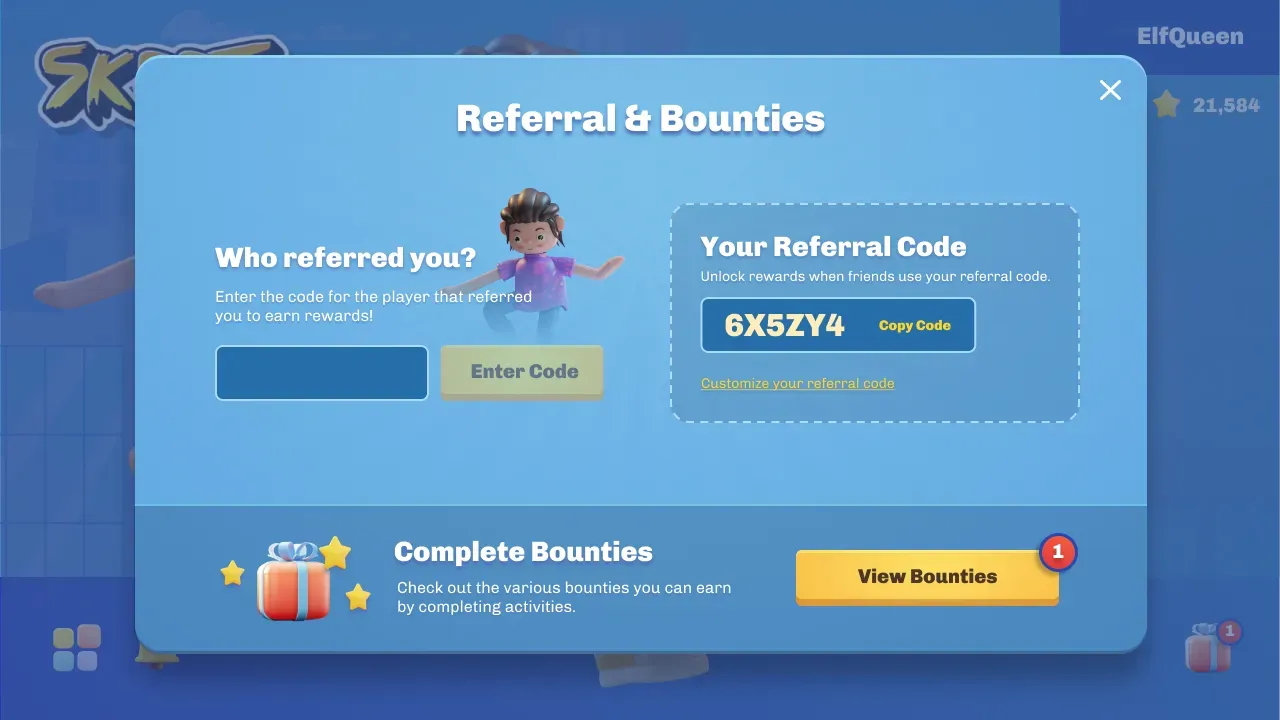
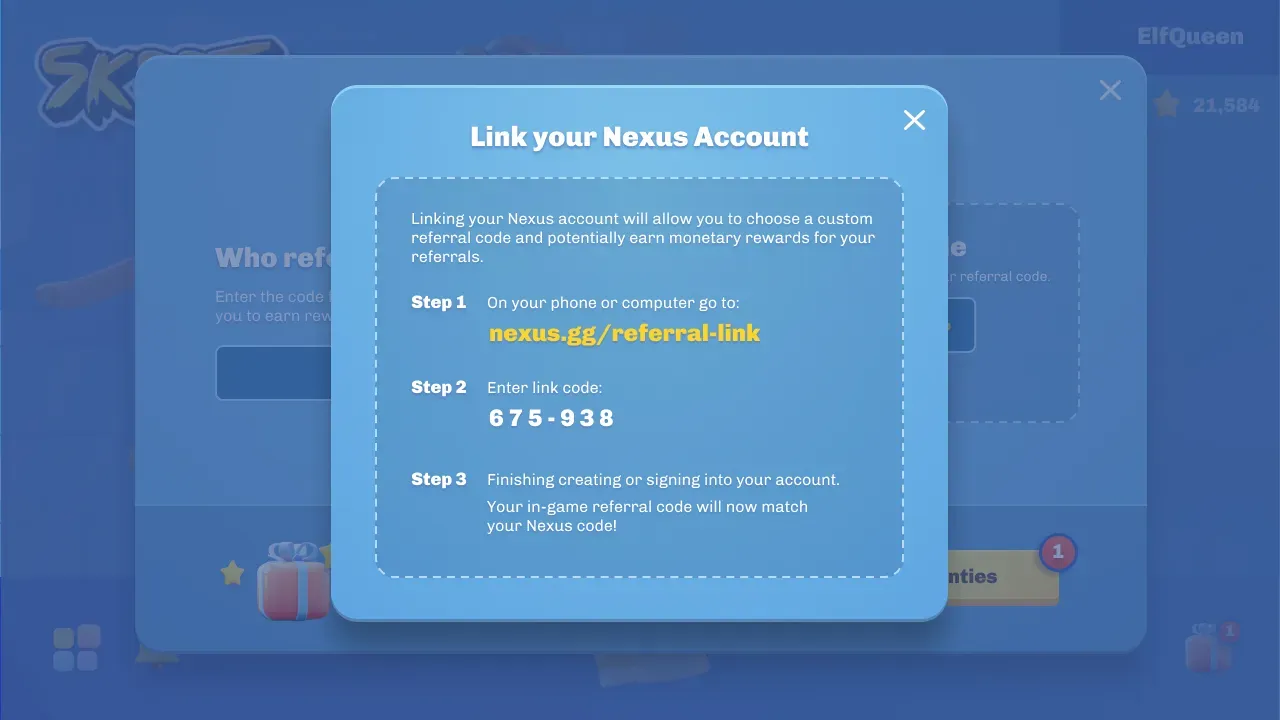
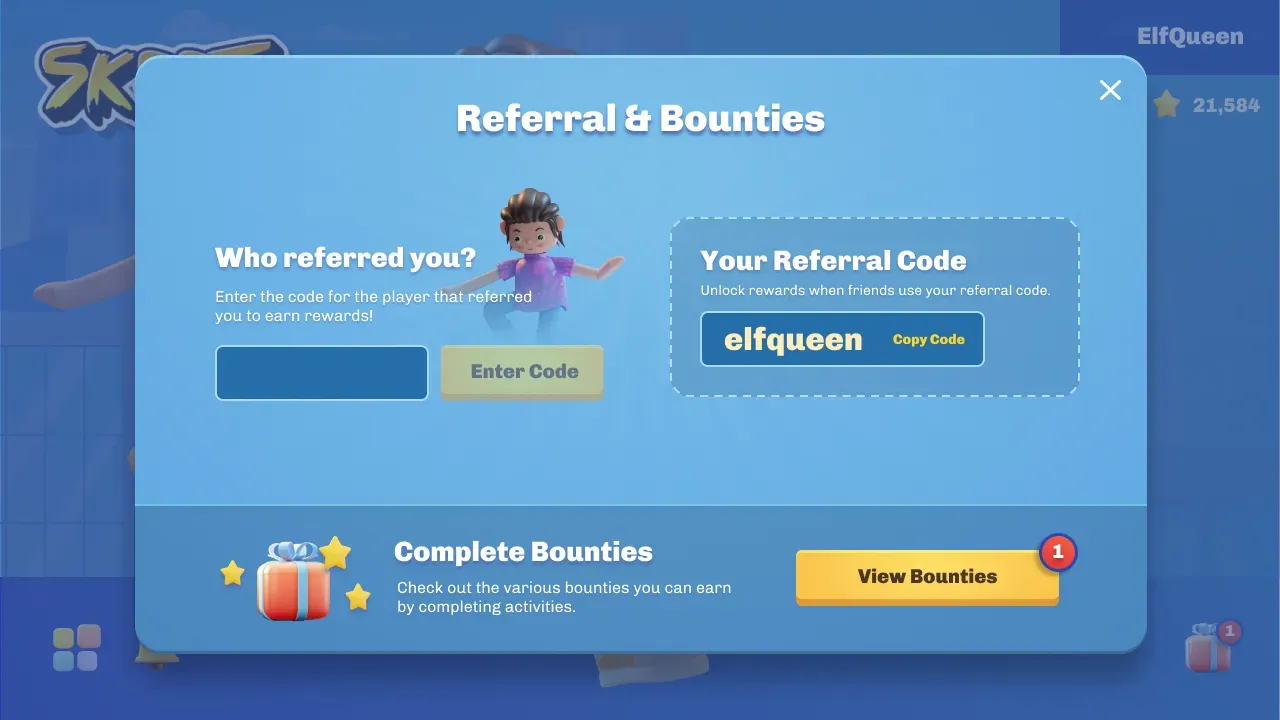
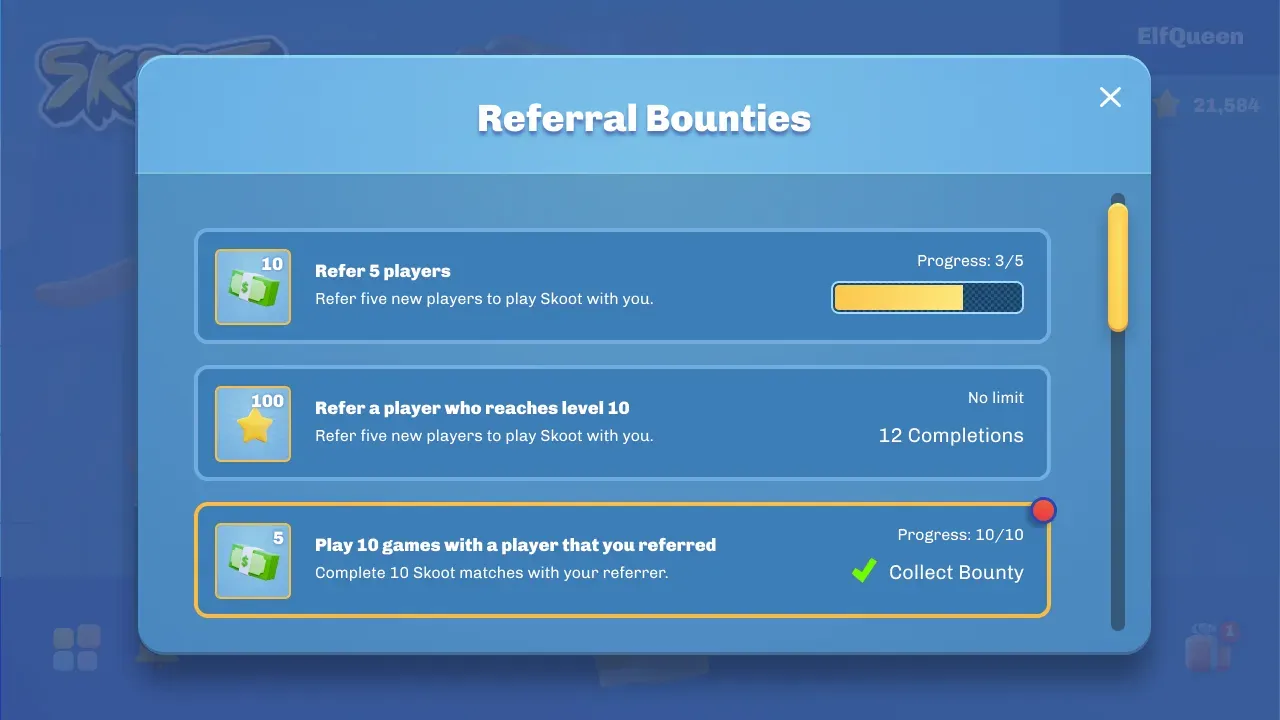
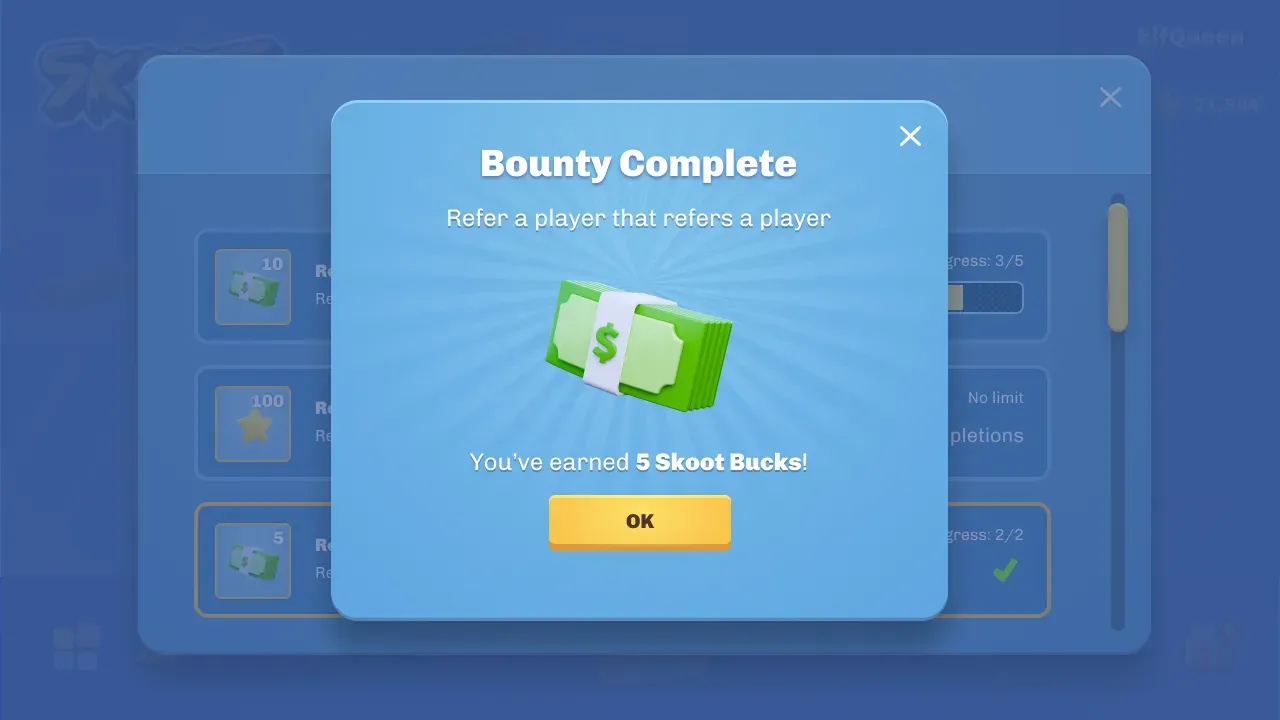
## API reference
[Section titled “API reference”](#api-reference)
[View full reference](/api/bounties/)Parameters, responses, and status codes.
# Bounty creator progress
> Retrieve a creator's bounty progress by ID, slug, or your internal playerId.
You can retrieve progress for a specific creator by their `memberId`, slug, or your internal `playerId` (linked with their Nexus account).
GET`/member/id/{memberId}`
[View full reference](/api/bounties/operations/getmemberbountiesbyid/)Parameters, responses, and status codes.
GET`/member/slug/{slug}`
[View full reference](/api/bounties/operations/getmemberbountiesbyslug/)Parameters, responses, and status codes.
GET`/member/playerId/{playerId}`
[View full reference](/api/bounties/operations/getmemberbountiesbyplayerid/)Parameters, responses, and status codes.
The slug and playerId endpoints accept the same query and response shape. They differ by the path identifier and by the key they take: the member id and playerId lookups authenticate with your **public** key (`nexus_pk_...`), while the slug lookup requires your **private** key (`nexus_sk_...`). Sending the wrong key type returns `401`.
```bash
curl -X 'GET' \
'https://api.nexus.gg/v1/bounties/member/id/9jd7RBR_B2BZ0uWO3_lgv' \
-H 'accept: */*' \
-H 'X-SHARED-SECRET: nexus_pk_your_key_here'
```
The status should be `200 OK` with a JSON response body that looks something like this:
```json
{
"groupId": "CsRKC8uD0NLtyQ0LOt8Ru",
"groupName": "Test Group",
"currentPage": 1,
"currentPageSize": 100,
"totalCount": 1,
"memberId": "XrEeF3CrtiSuz2xu8Y6O1",
"playerId": "55d57cffaa074cc6b8d332f5d77661f2",
"progress": [
{
"id": "ePIWtwm6XnH1lqSpXeKo_",
"completed": false,
"completionCount": 1,
"lastProgressCheck": "2023-02-23T22:51:00.906Z",
"currentObjectiveGroupId": "Hd6zrUid8ulc0boV5Z5ws",
"currentObjectives": [
{
"id": "XD3Xj13ss4Evkgyq7csCT",
"completed": true,
"count": 1,
"objective": {
"id": "DRDq6bOp10VUDUwYtniLD",
"name": "Play 5 hours",
"count": 1,
"condition": "AND"
}
},
{
"id": "T4h8O0p2aOakYG0WhBTEN",
"completed": false,
"count": 1,
"objective": {
"id": "CsRKC8uD0NLtyQ0LOt8Ru",
"name": "Refer a player that reaches level 20",
"count": 5,
"condition": "AND"
}
}
],
"completedObjectives": [
{
"objectiveGroupId": "R2vbVWNC4SHhC2lk_QHsq",
"objectives": [
{
"id": "T4h8O0p2aOakYG0WhBTEN",
"completed": true,
"count": 1,
"objective": {
"id": "DRDq6bOp10VUDUwYtniLD",
"name": "Play 5 hours",
"count": 1,
"condition": "AND"
}
},
{
"id": "lq8pNeoYa3DrqucZ17MkT",
"completed": true,
"count": 5,
"objective": {
"id": "CsRKC8uD0NLtyQ0LOt8Ru",
"name": "Refer a player that reaches level 20",
"count": 5,
"condition": "AND"
}
}
],
"rewards": [
{
"id": "XD3Xj13ss4Evkgyq7csCL",
"name": "Great Game 200 IGC",
"externalId": "XVnHQ_JJPspC51d6OvjL0",
"rewardCompleted": true,
"rewardReferenceId": "U3NIDcqNIgiG9S9mfmN4H"
}
]
}
],
"member": {
"id": "9jd7RBR_B2BZ0uWO3_lgv",
"playerId": "55d57cffaa074cc6b8d332f5d77661f2",
"name": "PopcornFrog",
"codes": [{
"code": "popcornfrog",
"isPrimary": true,
"isGenerated": false,
"isManaged": false
}]
}
}
]
}
```
# Bounty rewards
> How to receive and list rewards from completed bounties that include an external reward.
When a bounty that includes an [external reward](/additional-features/bounties/overview/#rewards) is completed and you have provided a webhook URL, you will receive a webhook notification of the reward. You can also list all rewards with the [List Rewards API](/additional-features/bounties/bounty-rewards/list-rewards/), and the rewards appear in the responses from the [Bounty Creator Progress API](/api/bounties/operations/getmemberbountiesbyid/) routes.
[Webhook notification](/additional-features/bounties/bounty-rewards/webhook-notification/)
[List rewards](/additional-features/bounties/bounty-rewards/list-rewards/)
[Mark a reward complete](/additional-features/bounties/bounty-rewards/mark-reward-complete/)
# List rewards
> List all of your bounty rewards, or the rewards for a specific bounty.
Note
These reward reads use your private key (`nexus_sk_...`), sent in the `X-SHARED-SECRET` header.
List all of your bounty rewards:
GET`/rewards`
[View full reference](/api/bounties/operations/getallbountyrewards/)Parameters, responses, and status codes.
```shell
curl -X 'GET' \
'https://api.nexus.gg/v1/bounties/rewards' \
-H 'accept: */*' \
-H 'Content-Type: application/json' \
-H 'X-SHARED-SECRET: nexus_sk_your_key_here'
```
The status should be `200 OK` with a JSON response body that looks something like this:
```json
{
"groupId": "CsRKC8uD0NLtyQ0LOt8Ru",
"groupName": "Test Group",
"currentPage": 1,
"currentPageSize": 100,
"totalCount": 1,
"rewards": [
{
"id": "kCxr7lst7Ghk8n1o6DKEF",
"bountyId": "XrEeF3CrtiSuz2xu8Y6O1",
"memberId": "9jd7RBR_B2BZ0uWO3_lgv",
"playerId": "55d57cffaa074cc6b8d332f5d77661f2",
"name": "200 IGC",
"externalId": "dalfjka;sdlgjkda;l",
"rewardCompleted": false
}
]
}
```
You can also retrieve rewards for a specific bounty:
GET`/{bountyId}/rewards`
[View full reference](/api/bounties/operations/getbountyrewards/)Parameters, responses, and status codes.
```shell
curl -X 'GET' \
'https://api.nexus.gg/v1/bounties/XrEeF3CrtiSuz2xu8Y6O1/rewards' \
-H 'accept: */*' \
-H 'Content-Type: application/json' \
-H 'X-SHARED-SECRET: nexus_sk_your_key_here'
```
The status should be `200 OK` with a JSON response body that looks something like this:
```json
{
"groupId": "CsRKC8uD0NLtyQ0LOt8Ru",
"groupName": "Test Group",
"bountyId": "XrEeF3CrtiSuz2xu8Y6O1",
"currentPage": 1,
"currentPageSize": 100,
"totalCount": 1,
"rewards": [
{
"id": "kCxr7lst7Ghk8n1o6DKEF",
"memberId": "9jd7RBR_B2BZ0uWO3_lgv",
"playerId": "55d57cffaa074cc6b8d332f5d77661f2",
"name": "200 IGC",
"externalId": "dalfjka;sdlgjkda;l",
"rewardCompleted": false
}
]
}
```
By default, neither of these endpoints will return rewards that have already been marked as completed, but you can change this behavior by adding `?includeCompleted` to the URL. Completed rewards will also include the `referenceId`, if one was provided when the reward was marked complete.
```json
{
"groupId": "CsRKC8uD0NLtyQ0LOt8Ru",
"groupName": "Test Group",
"bountyId": "XrEeF3CrtiSuz2xu8Y6O1",
"currentPage": 1,
"currentPageSize": 100,
"totalCount": 1,
"rewards": [
{
"id": "kCxr7lst7Ghk8n1o6DKEF",
"memberId": "9jd7RBR_B2BZ0uWO3_lgv",
"playerId": "55d57cffaa074cc6b8d332f5d77661f2",
"name": "200 IGC",
"externalId": "dalfjka;sdlgjkda;l",
"rewardCompleted": true,
"referenceId": "ababslfdpie"
}
]
}
```
# Mark a reward complete
> Mark a fulfilled bounty reward complete and optionally attach a reference ID visible to the creator.
After you fulfill a reward’s requirements, mark it complete. You can optionally attach a `referenceId`, which is shown to the creator so they can reference it if they need to contact you about the reward.
A reward you are about to complete looks like this:
```json
{
"id": "kCxr7lst7Ghk8n1o6DKEF",
"name": "In game Title",
"externalId": "dalfjkAsdlgJkdal",
"playerId": "55d57cffaa074cc6b8d332f5d77661f2",
"rewardCompleted": false
}
```
In this example, the creator is entitled to an “In game Title” as a bounty reward. The `externalId` is a unique identifier to map the reward to what the creator will actually receive in your system. Once the reward has been fulfilled, you can mark it complete by using the complete-reward API:
POST`/complete-reward/{rewardId}`
[View full reference](/api/bounties/operations/completereward/)Parameters, responses, and status codes.
```bash
curl -X 'POST' \
'https://api.nexus.gg/v1/bounties/complete-reward/kCxr7lst7Ghk8n1o6DKEF' \
-H 'accept: */*' \
-H 'Content-Type: application/json' \
-H 'X-SHARED-SECRET: nexus_sk_your_key_here' \
-d '{
"referenceId": "55d57cffaa074cc6b8d332f5d77661f2"
}'
```
The status should be `200 OK` with a JSON response body that looks something like this:
```json
{
"id": "kCxr7lst7Ghk8n1o6DKEF",
"name": "In game Title",
"externalId": "dalfjkAsdlgJkdal",
"rewardCompleted": true,
"rewardReferenceId": "55d57cffaa074cc6b8d332f5d77661f2"
}
```
# Webhook notification
> Receive a webhook event when a bounty with an external reward is completed.
When you configure a Bounty endpoint, Nexus sends a notification whenever a creator completes a bounty that includes an external reward. The notification carries information on the reward.
In your program’s Webhooks page, add an endpoint with the **Bounty** event type. Copy its dedicated signing secret to your receiving server. Bounty notifications use the standard `webhook-signature` header; a private API key is not required to verify them.
See [Webhooks](/additional-features/webhooks/) for detailed information on Nexus webhooks.
## Bounty reward notifications
[Section titled “Bounty reward notifications”](#bounty-reward-notifications)
A bounty reward notification has an `eventType` of `Bounty` and an `eventAction` of `BountyReward`. Its event data looks like this:
```json
{
"attributionGroupId": "B8b84wld-ohveWtgQPJsS",
"attributionGroupName": "Great Game",
"creatorId": "9jd7RBR_B2BZ0uWO3_lgv",
"bountyId": "tzPlV9PeX9Tsxg158pZ47",
"bountyName": "Refer 5 Players",
"bountyProgressId": "4a3C8DLDjPToZ_BMRrYXx",
"playerId": "55d57cffaa074cc6b8d332f5d77661f2",
"bountyRewards": [
{
"id": "prYjeQugJG1n8qFCjW2rM",
"name": "In Game Title",
"amount": 1,
"externalId": "dalfjkAsdlgJkdal",
"creatorRewardId": "PDKczbm3bmNFZWcrelC5N"
}
]
}
```
`playerId` is the unique identifier you mapped to this creator when they linked with your Referral Program. If the notification omits `playerId`, this creator has not yet linked their Nexus account with your referral group. See [Generating codes for your program](/creator-code-api/program-management/adding-codes-to-your-program/) and [Linking to an existing Nexus](/creator-code-api/program-management/adding-codes-to-your-program/#linking-to-an-existing-nexus) to resolve this.
Each bounty reward includes the `externalId` you provided, which should map to the reward in your system.
Once you process a reward, [mark it complete](/additional-features/bounties/bounty-rewards/mark-reward-complete/) with its `creatorRewardId`.
# Creator group events
> Log and delete creator group events that drive bounty objective progress.
Creator group events are in-game events that drive bounty objective progress. You log each event by its assigned event code, and Nexus counts it toward any bounty objective associated with that code.
## Logging an event
[Section titled “Logging an event”](#logging-an-event)
A bounty objective can progress from events in your game, triggered either by a player a creator referred or by the creator’s own in-game player. An event is something like “reach level 20” or “play for 5 hours”. Nexus assigns each event a code, and you log one instance of that event by posting its code.
POST`/event`
[View full reference](/api/bounties/operations/postevent/)Parameters, responses, and status codes.
```bash
curl -X 'POST' \
'https://api.nexus.gg/v1/bounties/event' \
-H 'accept: */*' \
-H 'Content-Type: application/json' \
-H 'X-SHARED-SECRET: nexus_sk_your_key_here' \
-d '{
"eventCode": "greatGameLevel20",
"playerId": "userUniqueIdentifier1",
"referralCode": "popcornfrog"
}'
```
The status should be `200 OK` with a JSON response body that looks something like this:
```json
{
"eventId": "yUFNyGTjrqJXokP13SFP_",
"referralCode": "popcornfrog",
"playerId": "userUniqueIdentifier1"
}
```
This response means the player `userUniqueIdentifier1` triggered `greatGameLevel20`, which is reaching level 20 in Great Game. Nexus counts it toward every bounty objective associated with that event code.
`referralCode` is optional. If you include it, Nexus knows a referred player triggered the event and counts it toward the referring creator’s [Referral Event Objectives](/additional-features/bounties/overview/#referral-event-objectives).
Nexus also checks `playerId` against the Creator Group’s referral members. If it matches, the creator triggered the event themselves, and Nexus counts it toward that creator’s [Creator Event Objectives](/additional-features/bounties/overview/#creator-event-objectives).
You can log events that no bounty uses, and events for players who have no referral or are not part of your referral program.
* When a new bounty is created, it will be possible to count past events as progress for existing members.
* The [Add a referral code](/additional-features/bounties/creator-group-events/add-referral-code/) API associates a player’s past events with a referral code added later, for a player who had no referral code when you logged them.
## Delete event
[Section titled “Delete event”](#delete-event)
DELETE`/event/{eventId}`
[View full reference](/api/bounties/operations/eventdelete/)Parameters, responses, and status codes.
```bash
curl -X 'DELETE' \
'https://api.nexus.gg/v1/bounties/event/2ixlNNFdJh-9scoXek80w' \
-H 'accept: application/json' \
-H 'X-SHARED-SECRET: nexus_sk_your_key_here'
```
The response is `200 OK` with no body, or `404 Not Found` if the event does not exist.
Caution
If the event being deleted was counted toward progress of a Bounty Objective, the progress will only be removed if the Bounty has not yet been completed.
# Add a referral code
> Apply a newly added referral code to a player's past events that were logged without one.
You may choose to log events for all of your players, not only ones that have a referral code. If a player later adds a referral code, apply it to all of that player’s past events that were logged without one.
POST`/event/add-referral-code`
[View full reference](/api/bounties/operations/addreferralcode/)Parameters, responses, and status codes.
```bash
curl -X 'POST' \
'https://api.nexus.gg/v1/bounties/event/add-referral-code' \
-H 'accept: */*' \
-H 'Content-Type: application/json' \
-H 'X-SHARED-SECRET: nexus_sk_your_key_here' \
-d '{
"playerId": "userUniqueIdentifier1",
"referralCode": "popcornfrog"
}'
```
The response is `200 OK` with no body.
# Bulk events
> Generate up to 1000 creator group events in a single bulk operation.
The bulk operation API generates creator group events in batches, up to 1000 events at one time. Submit the events in the request body, then poll the returned bulk operation ID for status.
POST`/event/bulk`
[View full reference](/api/bounties/operations/bulkpostevent/)Parameters, responses, and status codes.
```bash
curl -X 'POST' \
'https://api.nexus.gg/v1/bounties/event/bulk' \
-H 'accept: */*' \
-H 'Content-Type: application/json' \
-H 'X-SHARED-SECRET: nexus_sk_your_key_here' \
-d '[{
"eventCode": "greatGameLevel20",
"playerId": "userUniqueIdentifier1",
"referralCode": "popcornfrog"
},{
"eventCode": "greatGameLevel20",
"playerId": "userUniqueIdentifier2",
"referralCode": "popcornfrog"
},{
"eventCode": "greatGameLevel20",
"playerId": "userUniqueIdentifier3",
"referralCode": "popcornfrog"
}]'
```
The status should be `200 OK` with a response body that is a string representing the ID of the bulk operation that was created.
```plaintext
5g_qQcsd6vVeq64buc2wc
```
## Checking bulk operation status
[Section titled “Checking bulk operation status”](#checking-bulk-operation-status)
To check the status of a bulk event operation you have generated, you can use the following route:
GET`/event/bulk/{bulkOperationId}`
[View full reference](/api/bounties/operations/bulkposteventstatus/)Parameters, responses, and status codes.
```bash
curl -X 'GET' \
'https://api.nexus.gg/v1/bounties/event/bulk/5g_qQcsd6vVeq64buc2wc' \
-H 'accept: */*' \
-H 'Content-Type: application/json' \
-H 'X-SHARED-SECRET: nexus_sk_your_key_here'
```
The status should be `200 OK` with a JSON response body that looks something like this:
```json
{
"status": "complete",
"startedAt": "2023-03-10T00:25:59.000Z",
"completedAt": "2023-03-10T00:26:00.000Z",
"errors": [
{
"message": "Conflict: greatGameLevel20- userUniqueIdentifier1",
"operation": {
"data": {
"eventCode": "greatGameLevel20",
"playerId": "userUniqueIdentifier1",
"referralCode": "popcornfrog"
},
"type": "attributionGroupEvent"
}
},
{
"message": "Conflict: greatGameLevel20- userUniqueIdentifier2",
"operation": {
"data": {
"eventCode": "greatGameLevel20",
"playerId": "userUniqueIdentifier2",
"referralCode": "popcornfrog"
},
"type": "attributionGroupEvent"
}
}
],
"log": [
{
"eventId": "J6n0VqyBtqisl_jd_41Z6",
"referralCode": "popcornfrog",
"playerId": "userUniqueIdentifier3"
}
]
}
```
### Operation status
[Section titled “Operation status”](#operation-status)
A status of `pending` indicates the operation has not yet started processing. During processing, the status will be `inProgress`. Upon completion, the status will become `complete` or `error`. An `error` status indicates that the bulk operation failed during processing due to an unexpected error, likely on our end. If this occurs, please contact support and we will assist you in correcting the issue.
### Operation errors
[Section titled “Operation errors”](#operation-errors)
An operation of status `complete` may still include errors, but in this case the error will pertain to a specific event that was part of the operation, such as conflicts (where a non-repeatable event has already been logged) or invalid event codes.
### Operation log
[Section titled “Operation log”](#operation-log)
The operation log is a list of the responses for the creation of each event in the bulk operation.
## Next steps
[Section titled “Next steps”](#next-steps)
[Creator group events](/additional-features/bounties/creator-group-events/)Log a single creator group event.
[Add a referral code](/additional-features/bounties/creator-group-events/add-referral-code/)Apply a referral code to a player's past events.
# Managing bounties
> List your bounties and inspect an individual bounty's details.
List your bounties and inspect an individual bounty’s details.
[List bounties](/additional-features/bounties/managing-bounties/list-bounties/)
[Bounty information](/additional-features/bounties/managing-bounties/bounty-information/)
# Bounty information
> Retrieve a bounty's objectives, rewards, and creator progress.
Retrieve a bounty’s objectives, rewards, and creator progress from this endpoint. To exclude creator progress, add `?includeProgress=false` to the URL.
GET`/{bountyId}`
[View full reference](/api/bounties/operations/getbounty/)Parameters, responses, and status codes.
```bash
curl -X 'GET' \
'https://api.nexus.gg/v1/bounties/XrEeF3CrtiSuz2xu8Y6O1' \
-H 'accept: */*' \
-H 'Content-Type: application/json' \
-H 'X-SHARED-SECRET: nexus_sk_your_key_here'
```
The status should be `200` with a JSON response body that looks something like this:
```json
{
"groupId": "CsRKC8uD0NLtyQ0LOt8Ru",
"groupName": "Test Group",
"bounty": {
"id": "XrEeF3CrtiSuz2xu8Y6O1",
"name": "Play 5 hours and Refer 5 players that reach level 20",
"description": "Play 5 hours and Refer 5 players that reach level 20 in Great Game and receive 200 IGC",
"imageSrc": "https://cdn.nexus.gg/CsRKC8uD0NLtyQ0LOt8Ru/images/profile-image.jpg",
"rewardDescription": "200 IGC",
"limit": 5,
"startsAt": "2023-01-02T16:24:22.931Z",
"endsAt": "2023-01-02T16:24:22.931Z",
"lastProgressCheck": "2023-01-02T16:24:22.931Z",
"objectives": [
{
"id": "DRDq6bOp10VUDUwYtniLD",
"name": "Play 5 hours",
"type": "Event",
"condition": "AND",
"count": 1,
"eventType": "Creator",
"eventCode": "play5Hours"
},
{
"id": "CsRKC8uD0NLtyQ0LOt8Ru",
"name": "Refer a player that reaches level 20",
"type": "Event",
"condition": "AND",
"count": 5,
"eventType": "Referral",
"eventCode": "reachLevel20"
}
],
"rewards": [
{
"id": "2Qw7VPSYk1Me7o6huoXwl",
"name": "200 In-Game currency",
"type": "External",
"externalId": "MFsxImaVQFd9ZgCnCCffU",
"amount": 1
}
],
"prerequisites": [
{
"id": "Ev-vRz88frq0RSxp51VP3",
"name": "Referrer Title"
}
]
},
"progress": {
"currentPage": 1,
"currentPageSize": 100,
"totalCount": 1,
"data": [
{
"id": "ePIWtwm6XnH1lqSpXeKo_",
"completed": false,
"completionCount": 1,
"lastProgressCheck": "2023-02-23T22:51:00.906Z",
"currentObjectiveGroupId": "Hd6zrUid8ulc0boV5Z5ws",
"currentObjectives": [
{
"id": "XD3Xj13ss4Evkgyq7csCT",
"completed": true,
"count": 1,
"objective": {
"id": "DRDq6bOp10VUDUwYtniLD",
"name": "Play 5 hours",
"count": 1,
"condition": "AND"
}
},
{
"id": "T4h8O0p2aOakYG0WhBTEN",
"completed": false,
"count": 1,
"objective": {
"id": "CsRKC8uD0NLtyQ0LOt8Ru",
"name": "Refer a player that reaches level 20",
"count": 5,
"condition": "AND"
}
}
],
"completedObjectives": [
{
"objectiveGroupId": "R2vbVWNC4SHhC2lk_QHsq",
"objectives": [
{
"id": "T4h8O0p2aOakYG0WhBTEN",
"completed": true,
"count": 1,
"objective": {
"id": "DRDq6bOp10VUDUwYtniLD",
"name": "Play 5 hours",
"count": 1,
"condition": "AND"
}
},
{
"id": "lq8pNeoYa3DrqucZ17MkT",
"completed": true,
"count": 5,
"objective": {
"id": "CsRKC8uD0NLtyQ0LOt8Ru",
"name": "Refer a player that reaches level 20",
"count": 5,
"condition": "AND"
}
}
],
"rewards": [
{
"id": "XD3Xj13ss4Evkgyq7csCL",
"name": "Great Game 200 IGC",
"externalId": "XVnHQ_JJPspC51d6OvjL0",
"rewardCompleted": true,
"rewardReferenceId": "U3NIDcqNIgiG9S9mfmN4H"
}
]
}
],
"creator": {
"id": "9jd7RBR_B2BZ0uWO3_lgv",
"playerId": "55d57cffaa074cc6b8d332f5d77661f2",
"name": "PopcornFrog",
"slugs": [
[
"popcornfrog",
"dlfkjab-do"
]
]
}
}
]
}
}
```
# List bounties
> Retrieve your bounties, including their objectives and rewards.
Retrieve a list of your bounties, including their objectives and rewards, from the following endpoint:
GET`/`
[View full reference](/api/bounties/operations/getbounties/)Parameters, responses, and status codes.
```bash
curl -X 'GET' \
'https://api.nexus.gg/v1/bounties' \
-H 'accept: */*' \
-H 'Content-Type: application/json' \
-H 'X-SHARED-SECRET: nexus_sk_your_key_here'
```
The status should be `200 OK` with a JSON response body that looks something like this:
```json
{
"groupId": "CsRKC8uD0NLtyQ0LOt8Ru",
"groupName": "Test Group",
"currentPage": 1,
"currentPageSize": 100,
"totalCount": 2,
"bounties": [
{
"id": "Ev-vRz88frq0RSxp51VP3",
"name": "Referrer Title",
"description": "Refer 5 players or sell 5 copies of Great Game in your Nexus and receive an in game \"Referrer\" title",
"imageSrc": "https://cdn.nexus.gg/CsRKC8uD0NLtyQ0LOt8Ru/images/profile-image.jpg",
"rewardDescription": "Referrer Title",
"limit": 1,
"startsAt": "2023-01-02T16:24:22.931Z",
"endsAt": "2023-01-02T16:24:22.931Z",
"lastProgressCheck": "2023-01-02T16:24:22.931Z",
"objectives": [
{
"id": "CsRKC8uD0NLtyQ0LOt8Ru",
"name": "Refer a player",
"type": "Referral",
"condition": "OR",
"count": 5
},
{
"id": "CsRKC8uD0NLtyQ0LOt8Ru",
"name": "Nexus Sale",
"type": "NexusPurchase",
"condition": "OR",
"count": 5,
"nexusPurchaseObjectiveType": "Sku",
"skus": [
{
"id": "b5ajhvFLV4icmACR9KeG1",
"name": "Great Game",
"slug": "great-game"
}
]
}
],
"rewards": [
{
"id": "2Qw7VPSYk1Me7o6huoXwl",
"name": "Referrer Title",
"type": "Sku",
"sku": {
"id": "DYxdHsSLsVziD1dJ_TR0w",
"name": "Referrer Title",
"slug": "referrer-title"
},
"amount": 1
}
],
"dependants": [
{
"id": "XrEeF3CrtiSuz2xu8Y6O1",
"name": "Reach Level 40 and Refer 5 players that reach level 20"
}
]
},
{
"id": "XrEeF3CrtiSuz2xu8Y6O1",
"name": "Play 5 hours and Refer 5 players that reach level 20",
"description": "Play 5 hours and Refer 5 players that reach level 20 in Great Game and receive 200 IGC",
"imageSrc": "https://cdn.nexus.gg/CsRKC8uD0NLtyQ0LOt8Ru/images/profile-image.jpg",
"rewardDescription": "200 IGC",
"limit": 5,
"startsAt": "2023-01-02T16:24:22.931Z",
"endsAt": "2023-01-02T16:24:22.931Z",
"lastProgressCheck": "2023-01-02T16:24:22.931Z",
"objectives": [
{
"id": "DRDq6bOp10VUDUwYtniLD",
"name": "Play 5 hours",
"type": "Event",
"condition": "AND",
"count": 1,
"eventType": "Creator",
"eventCode": "play5Hours"
},
{
"id": "CsRKC8uD0NLtyQ0LOt8Ru",
"name": "Refer a player that reaches level 20",
"type": "Event",
"condition": "AND",
"count": 5,
"eventType": "Referral",
"eventCode": "reachLevel20"
}
],
"rewards": [
{
"id": "2Qw7VPSYk1Me7o6huoXwl",
"name": "200 In-Game currency",
"type": "External",
"externalId": "MFsxImaVQFd9ZgCnCCffU",
"amount": 1
}
],
"prerequisites": [
{
"id": "Ev-vRz88frq0RSxp51VP3",
"name": "Referrer Title"
}
]
}
]
}
```
# How bounties work
> Bounties provide you with a means to reward creators that are part of your Referral Program for their referrals, Nexus sales, or even for playing your game.
Initially, Nexus creates and manages Bounties on your behalf; eventually you will be able to create and manage your own. To get started defining your Bounties, please contact your account manager or ask in a shared Slack or Discord channel.
## Bounty properties
[Section titled “Bounty properties”](#bounty-properties)
| Property | Description |
| ------------------ | ----------------------------------------------------------------------------- |
| Name | Name of the bounty |
| `imageSrc` | URL of the thumbnail image for this bounty |
| Description | Description of the bounty |
| Reward Description | Text description of the bounty rewards |
| Limit | How many times the bounty may be completed (infinite if not set) |
| `startsAt` | Date/time that the bounty becomes available |
| `endsAt` | Date/time that the bounty ends |
| Prerequisites | Bounties that must be completed at least once before this bounty is available |
| Objectives | Requirements for completion |
| Rewards | Rewards offered upon completion |
### Objectives
[Section titled “Objectives”](#objectives)
A bounty may have any number of objectives. Each objective has a type and condition which describe its requirements for completion.
#### Objective types
[Section titled “Objective types”](#objective-types)
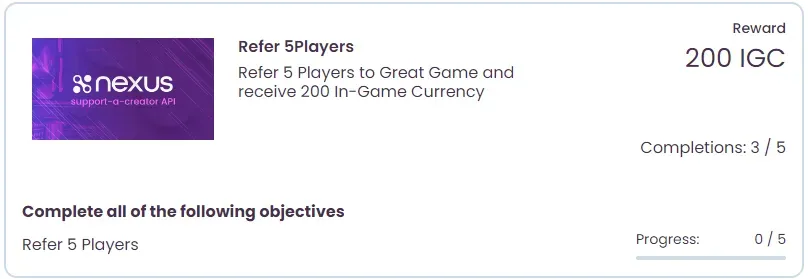
* Referral
A referral objective completes when the creator receives a specified number of referrals.
* Event
An event objective completes after Nexus receives a specific number of events for a given Creator Group Event Code. These objectives reward in-game progress, for either Referral or Creator events.
#### Referral event objectives
[Section titled “Referral event objectives”](#referral-event-objectives)
A Referral Event objective progresses when Nexus receives Creator Group Events originating from a user that has referred a creator.
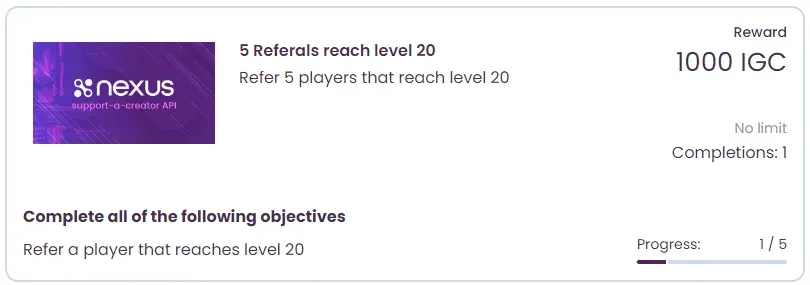 *When a Creator Group Event is received that represents a player “Reaching level 20,” it will apply progress to the objective shown above for the creator that referred the player.*
#### Creator event objectives
[Section titled “Creator event objectives”](#creator-event-objectives)
A Creator Event objective progresses when Nexus receives Creator Group Events that originate from the creator themselves in game.
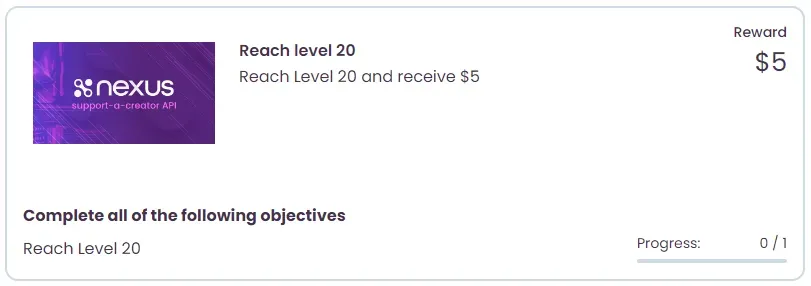 *When a Creator Group Event is received that represents a player “Reaching level 20” and that player is the creator themselves, it will apply progress to the objective shown above.*
* Nexus Purchase
A Nexus Purchase objective completes when the creator makes a specified number of sales on their Nexus storefront. A Nexus purchase objective type limits which purchases count toward it.
#### Category purchase objective type
[Section titled “Category purchase objective type”](#category-purchase-objective-type)
SKUs sold on a Nexus storefront may be assigned a category and an objective. The “Category” purchase objective type counts only sales in a given category. For example, if the “Great Game” includes microtransaction SKUs that may be sold on a creator’s Nexus, they would all be assigned a category of “Great Game.” An objective with this category would progress with any purchase of a “Great Game” microtransaction SKU.
#### Publisher purchase objective type
[Section titled “Publisher purchase objective type”](#publisher-purchase-objective-type)
Any SKUs you have for sale on Nexus are associated with your Publisher account. An objective with the “Publisher” purchase objective type progresses on a purchase of any of your SKUs.
#### SKU purchase objective type
[Section titled “SKU purchase objective type”](#sku-purchase-objective-type)
An objective with the “SKU” purchase objective type progresses only on the purchase of a SKU in a specified list.
#### Examples
[Section titled “Examples”](#examples)
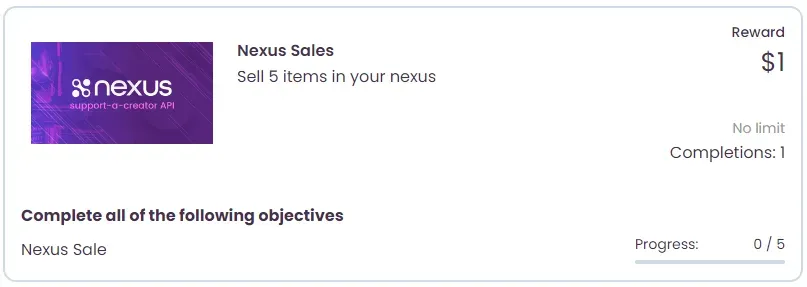 *This bounty would count any sale in your Nexus, regardless of the SKU, publisher, or category.*
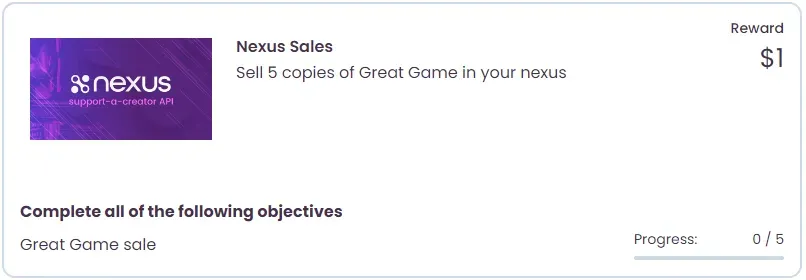 *This bounty would count only sales of “Great Game” in your Nexus.*
* Attribution
An attribution objective completes when the creator receives a specified number of attributions, reaches a specific subtotal across attributions, or earns a specific amount of revenue share through attributions.
#### Examples
[Section titled “Examples”](#examples-1)
##### Quantity
[Section titled “Quantity”](#quantity)
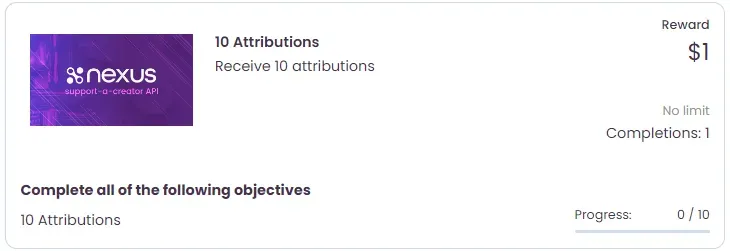 *This bounty requires the member to receive 10 attributions, of any amount or revenue share.*
##### Amount
[Section titled “Amount”](#amount)
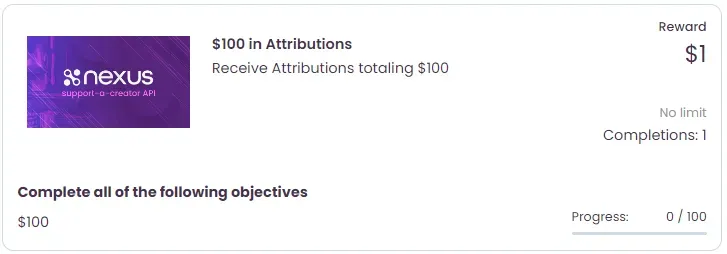 *This bounty requires the member to receive attributions totaling $100 in subtotal.*
##### Revenue share
[Section titled “Revenue share”](#revenue-share)
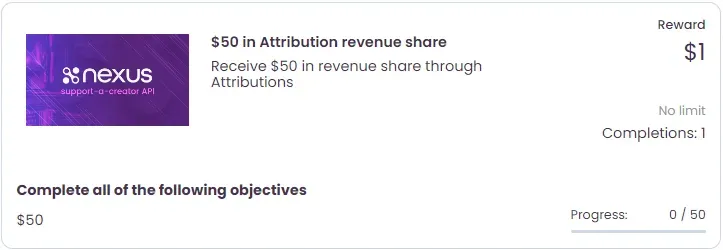 *This bounty requires the member to receive revenue share from attributions totaling $50.*
#### Objective condition
[Section titled “Objective condition”](#objective-condition)
An objective carries a condition of either `AND` or `OR`. A bounty can mix the two across its objectives.
* A bounty requires every `AND` objective.
* Where it has several `OR` objectives, any one of them satisfies that side.
* Where it has both, the bounty completes once the creator finishes all of the `AND` objectives and at least one of the `OR` objectives.
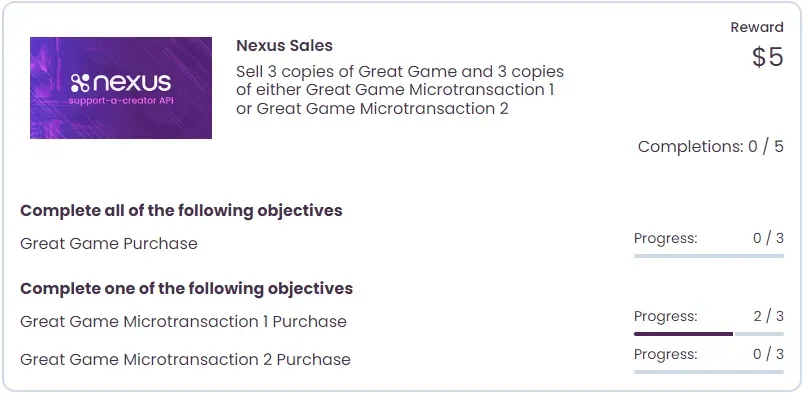 *This bounty would count any sales of the SKUs “Great Game”, “Great Game Microtransaction 1”, and “Great Game Microtransaction 2”. For completion of the bounty, the creator must sell 3 copies of “Great Game” and 3 copies of either “Great Game Microtransaction 1” or “Great Game Microtransaction 2.”*
### Rewards
[Section titled “Rewards”](#rewards)
A bounty may have any number of rewards. A reward may be of type External, SKU, or Payment.
* External
An external bounty reward is one you provide to the creator yourself, instead of Nexus handling it. For example, this reward type would be used in the event that a user would be automatically awarded some amount of in-game currency upon bounty completion, instead of having Nexus provide them with a key to redeem in-game.
When a creator completes a bounty with an external reward, Nexus notifies you by [webhook](/additional-features/webhooks/). The reward also appears in the response from any [Bounty Creator Progress API](/api/bounties/operations/getmemberbountiesbyid/) route.
* SKU
When a creator completes a bounty with a SKU reward, Nexus delivers a key they can redeem for the reward (in-game, Steam, and so on). They retrieve it the same way a buyer retrieves a key after purchasing a SKU from a Nexus store.
* Payment
A bounty with a payment reward generates a creator transaction for the payment amount. Nexus pays these bounty rewards in its normal monthly payment process.
You will be invoiced monthly for these payments.
# Custom domains
> Point your own domain or subdomain at your Nexus webshop or creator program landing page by configuring DNS with your registrar.
Nexus supports custom domains and subdomains for webshops and creator program landing pages (for example shop.gamename.com or gamenameshop.com). To use your own domain, configure DNS as follows.
## 1. Access your domain DNS settings
[Section titled “1. Access your domain DNS settings”](#1-access-your-domain-dns-settings)
Sign into your domain registrar or DNS hosting provider account. Navigate to the area where you can manage DNS records (often called “DNS Management,” “Zone File Settings,” or “Domain Settings”).
## 2. Create the necessary DNS record(s)
[Section titled “2. Create the necessary DNS record(s)”](#2-create-the-necessary-dns-records)
For a subdomain (for example shop.gamename.com), create a **CNAME record**. Configure it as follows:
* **Host/Name:** Enter whatever you’d like the subdomain to be. We generally recommend “shop” or “webshop” for webshops, and “creators” for creator program landing pages.
* **Points to/Value:** Enter the domain to point to at Nexus, this should be `shops-cname.nexus.gg` for webshops and `landing-cname.nexus.gg` for creator program landing pages.
Confirm and save the new DNS record.
Note
If you are pointing your root domain (for example gamename.com), you might have to use an A record provided by Nexus along with additional instructions (let us know if you plan on using a root domain). However, for a subdomain like shop.gamename.com, a CNAME record is typically all you need.
## 3. Inform Nexus that your DNS has been updated
[Section titled “3. Inform Nexus that your DNS has been updated”](#3-inform-nexus-that-your-dns-has-been-updated)
Once your DNS has been updated, reach out to your contact at Nexus with the domain you’d like to use. We will set this up internally and let you know when it is live.
DNS changes can take anywhere from a few minutes up to 48 hours to propagate globally, so your webshop or creator program landing page may not be immediately accessible with your custom domain.
## 4. Troubleshooting tips
[Section titled “4. Troubleshooting tips”](#4-troubleshooting-tips)
* **Record details:** Ensure that the subdomain is correctly entered (i.e., “shop” and not “shop.gamename.com” as the host) and that the CNAME points exactly to either `shops-cname.nexus.gg` or `landing-cname.nexus.gg`.
* **DNS cache:** If changes aren’t visible immediately, try clearing your browser or local DNS cache.
* **Support:** If you continue to face issues, consult your domain provider’s support or reach out to your Nexus contact.
[Webshops](/additional-features/webshops/)Sell in-game items through a Nexus webshop.
# Referrals
> Each of your Creator Groups will have a Referral Program available automatically.
A referral records interest a creator drives to your games. Each of your Creator Groups has a Referral Program available automatically.
## Program types
[Section titled “Program types”](#program-types)
By default, each Referral Program will be public, but you can change this setting through your [Nexus Dashboard](https://www.nexus.gg/publisher/dashboard/settings).
### Public
[Section titled “Public”](#public)
A Public Referral Program will allow the use of any Nexus Support-a-Creator code.
### Private
[Section titled “Private”](#private)
A Private Referral Program will limit the codes that may be used when creating a referral. A referral created for a Private Referral Program must meet one of the following requirements:
* A code belonging to a Creator Group member
* A Referral Code you generated through the Nexus API
* A code for an existing Nexus account linked to your Referral Program through the Nexus API
## Next steps
[Section titled “Next steps”](#next-steps)
[How referrals appear](/additional-features/referrals/overview/)How referrals appear to creators and players.
[Managing referrals](/additional-features/referrals/managing-referrals/)Create and retrieve referrals through the API.
[Referrals API reference](/api/referrals/)Parameters, responses, and status codes.
# Examples
> Worked examples for creating referrals.
Worked examples for creating referrals.
[Creating your first referral](/additional-features/referrals/examples/creating-your-first-referral/)
# Creating your first referral
> Walk through creating your first referral for both a public and a private referral program.
The steps for creating a referral differ substantially depending on the referral program type you are running. Choose the path that matches your program.
[Public referral program](/additional-features/referrals/examples/creating-your-first-referral/public-referral-program/)
[Private referral program](/additional-features/referrals/examples/creating-your-first-referral/private-referral-program/)
# Private referral program
> Generate or link a referral code, then create a referral for a private referral program.
A Private Referral Program requires a referral code linked to the program. This could be the Support-a-Creator code for one of the group’s members, but this example walks through generating a referral code and linking an existing Nexus account to the program.
Note
Most of the referral API routes accept a `groupId` query parameter, which you may use to specify which Creator Group the operation will occur upon. If this is not provided, your default Creator Group will be used.
For example, `https://api.nexus.gg/v1/referrals?groupId=a30sdfj-20adf-l49ezi`
## Generate a referral code
[Section titled “Generate a referral code”](#generate-a-referral-code)
To generate a referral code, use the following API route:
POST`/manage/members`
[View full reference](/api/operations/generatemember/)Parameters, responses, and status codes.
Here’s how you call that with `curl`:
```bash
curl -X 'POST' \
'https://api.nexus.gg/v1/manage/members' \
-H 'accept: application/json' \
-H 'X-SHARED-SECRET: nexus_sk_your_key_here' \
-d '{
"playerId": "abcd-123-efg"
}'
```
The only information needed is a `playerId`, which should be a unique identifier for the user in your system that this code will represent. You will be able to retrieve the code by the `playerId`, so there is no need to store any information on your side.
The status should be `200` with a JSON response body that looks something like this:
```json
{
"groupId": "CsRKC8uD0NLtyQ0LOt8Ru",
"groupName": "Test Group",
"playerId": "abcd-123-efg",
"code": "8ris29f"
}
```
## Link your user to an existing Nexus account
[Section titled “Link your user to an existing Nexus account”](#link-your-user-to-an-existing-nexus-account)
You may also link with an existing Nexus account by having the Nexus owner provide an authentication code that they can generate through the [Nexus Dashboard](https://www.nexus.gg/dashboard/settings).
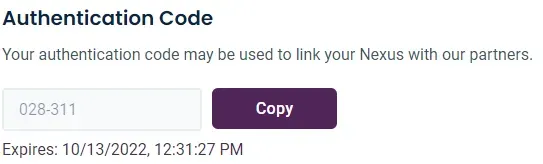
Once you have their authentication code, use this route to link the Nexus account associated with the authentication code to a user:
POST`/manage/members/link`
[View full reference](/api/operations/nexuslink/)Parameters, responses, and status codes.
Here’s how you call that with `curl`:
```bash
curl -X 'POST' \
'https://api.nexus.gg/v1/manage/members/link' \
-H 'accept: application/json' \
-H 'X-SHARED-SECRET: nexus_sk_your_key_here' \
-d '{
"playerId": "abcd-123-efg",
"authCode": "028-311"
}'
```
Include the authentication code the user provided and, just like when generating a code, a `playerId`, which should be a unique identifier for the user in your system. In this case as well, you will be able to retrieve the code by the `playerId`, so there is no need to store any information on your side.
The status should be `200` with a JSON response body that looks something like this:
```json
{
"groupId": "CsRKC8uD0NLtyQ0LOt8Ru",
"groupName": "Test Group",
"playerId": "abcd-123-efg",
"codes": [
{
"code": "samzorz",
"isPrimary": true,
"isGenerated": false,
"isManaged": false
},
{
"code": "8ris29f",
"isPrimary": false,
"isGenerated": true,
"isManaged": false
}
]
}
```
This example links a Nexus account to the same `playerId` that you generated a code for in the previous section. As a result, the user now has two referral codes associated with it. The code flagged as `isPrimary` will be the one associated with the linked Nexus account. The code generated before will be flagged as `isGenerated`, but it will not be flagged as `isManaged` because it is now managed by the Nexus account it was linked with.
## Create a referral
[Section titled “Create a referral”](#create-a-referral)
Now that a referral code is associated with the program, create a referral by making an HTTP POST request to the following route, using your private key for authentication:
POST`/`
[View full reference](/api/referrals/operations/createreferral/)Parameters, responses, and status codes.
Here’s how you call that with `curl`:
Note
Codes “8ris29f” and “samzorz” will both work in this example and would be associated with the same user.
```bash
curl -X 'POST' \
'https://api.nexus.gg/v1/referrals' \
-H 'accept: application/json' \
-H 'X-SHARED-SECRET: nexus_sk_your_key_here' \
-d '{
"code": "8ris29f",
"playerId": "dlad04-fr9k",
"playerName": "Test Player"
}'
```
The status should be `200` with a JSON response body that looks something like this:
```json
{
"groupId": "CsRKC8uD0NLtyQ0LOt8Ru",
"groupName": "Test Group",
"referral": {
"id": "kFpZIMecDEw0M95Kat3Qr",
"code": "samzorz",
"playerId": "dlad04-fr9k",
"playerName": "Test Player",
"referralDate": "2022-09-29T21:30:25.400Z"
}
}
```
## Next steps
[Section titled “Next steps”](#next-steps)
You have created a referral in a private referral program. To list, retrieve, or otherwise work with referrals, see managing referrals.
[Managing referrals](/additional-features/referrals/managing-referrals/)List, retrieve, and manage your referrals.
# Public referral program
> Create a referral with a single POST when your Creator Group runs a public referral program.
A public referral program accepts any referral code or Support-a-Creator code, so no setup is required. To create a referral, send a POST request to the following route, authenticating with your private API key.
POST`/`
[View full reference](/api/referrals/operations/createreferral/)Parameters, responses, and status codes.
Note
Most of the referral API routes accept a groupId query parameter, which you may use to specify which Creator Group the operation will occur upon. If this is not provided, your default Creator Group will be used.
ie:
Here’s how you call that with `curl`:
```bash
curl -X 'POST' \
'https://api.nexus.gg/v1/referrals' \
-H 'accept: application/json' \
-H 'X-SHARED-SECRET: nexus_sk_your_key_here' \
-d '{
"code": "samzorz",
"playerId": "dlad04-fr9k",
"playerName": "Test Player"
}'
```
The `code` may be any valid Support-a-Creator code or referral code. The `playerId` and `playerName` properties are both optional and are used to identify the player making the referral. The `playerId` is a unique identifier intended to map the referral to the player in your system and is never displayed to the creator. The `playerName` is a display name for the player and is shown to the creator.
The status should be `200 OK` with a JSON response body that looks something like this:
```json
{
"groupId": "CsRKC8uD0NLtyQ0LOt8Ru",
"groupName": "Test Group",
"referral": {
"id": "kFpZIMecDEw0M95Kat3Qr",
"code": "samzorz",
"playerId": "dlad04-fr9k",
"playerName": "Test Player",
"referralDate": "2022-09-29T21:30:25.400Z"
}
}
```
If the code used is not valid, you will receive a `400 Bad Request` response with the following JSON response body:
```json
{
"code": "ReferralNexusNotFound",
"message": "No nexus found with code: samzorz."
}
```
## Next steps
[Section titled “Next steps”](#next-steps)
[Private referral program](/additional-features/referrals/examples/creating-your-first-referral/private-referral-program/)Create a referral when your program only accepts your own group's codes.
# Managing referrals
> Create, retrieve, and delete referrals, and look up the referral code a player is using.
This guide covers creating, retrieving, and deleting referrals for a Creator Group. Referral calls use your private API key, except the player-code lookup, which uses your public API key.
## Create a referral
[Section titled “Create a referral”](#create-a-referral)
Create a referral with this route:
POST`/`
[View full reference](/api/referrals/operations/createreferral/)Parameters, responses, and status codes.
```bash
curl -X 'POST' \
'https://api.nexus.gg/v1/referrals' \
-H 'accept: application/json' \
-H 'X-SHARED-SECRET: nexus_sk_your_key_here' \
-d '{
"playerId": "playerUniqueIdentifier1",
"playerName": "dustywusty",
"code": "abcd123"
}'
```
The status should be `200 OK` with a JSON response body that looks something like this:
```json
{
"groupId": "CsRKC8uD0NLtyQ0LOt8Ru",
"groupName": "Test Group",
"referral": {
"id": "2ixlNNFdJh-9scoXek80w",
"code": "abcd123",
"playerId": "playerUniqueIdentifier1",
"playerName": "dustywusty",
"referralDate": "2022-09-29T21:30:25.400Z"
}
}
```
### Private referral programs
[Section titled “Private referral programs”](#private-referral-programs)
Note
If your Referral Program is set to Private, you receive a `400 Bad Request` response when using a referral code that does not meet one of the following requirements:
* The Nexus account associated with the referral code is a member of the Creator Group the referral is originating from
* The referral code was generated by you
* The Nexus account associated with the referral code was linked to your Referral Program using the [Link Nexus API](/creator-code-api/program-management/adding-codes-to-your-program/#linking-to-an-existing-nexus)
This response would look something like:
```json
{
"code": "CodeNotInGroup",
"message": "Referral code abcd123 is not linked to creator group CsRKC8uD0NLtyQ0LOt8Ru and is not a group member."
}
```
## Get the current referral code used by a player
[Section titled “Get the current referral code used by a player”](#get-the-current-referral-code-used-by-a-player)
A player may only use a single referral code. Attempting to create a referral for a `playerId` that has already used a code results in an error:
```json
{
"code": "PlayerAlreadyReferred",
"message": "Player has already been referred by another nexus."
}
```
Caution
Because a player may only use a single referral code, each player has one current referral code to retrieve.
Retrieve the current referral code for a player with this route:
GET`/player/{playerId}/code`
[View full reference](/api/referrals/operations/getplayercurrentreferral/)Parameters, responses, and status codes.
```bash
curl -X 'GET' \
'https://api.nexus.gg/v1/referrals/player/playerUniqueIdentifier1/code' \
-H 'accept: application/json' \
-H 'X-SHARED-SECRET: nexus_pk_your_key_here'
```
Response status should be 200 with the response body being a string that represents the code current in use.
```json
"abcd123"
```
If the player has not previously used a referral code, the response status will be `404 Not Found` with the following error response body:
```json
{
"code": "PlayerHasNoReferral"
}
```
## Retrieve referrals
[Section titled “Retrieve referrals”](#retrieve-referrals)
Retrieve referrals for a Creator Group with this route:
GET`/`
[View full reference](/api/referrals/operations/getallreferrals/)Parameters, responses, and status codes.
```bash
curl -X 'GET' \
'https://api.nexus.gg/v1/referrals' \
-H 'accept: application/json' \
-H 'X-SHARED-SECRET: nexus_sk_your_key_here'
```
The status should be `200 OK` with a JSON response body that looks something like this:
```json
{
"groupId": "CsRKC8uD0NLtyQ0LOt8Ru",
"groupName": "Test Group",
"currentPage": 1,
"currentPageSize": 100,
"totalCount": 1,
"referrals": [
{
"id": "2ixlNNFdJh-9scoXek80w",
"code": "abcd123",
"playerId": "playerUniqueIdentifier1",
"playerName": "dustywusty",
"referralDate": "2022-09-29T21:30:25.400Z",
"userId": "userUniqueIdentifier1"
}
]
}
```
## Delete referral
[Section titled “Delete referral”](#delete-referral)
DELETE`/{referralId}`
[View full reference](/api/referrals/operations/eventdelete/)Parameters, responses, and status codes.
```bash
curl -X 'DELETE' \
'https://api.nexus.gg/v1/referrals/2ixlNNFdJh-9scoXek80w' \
-H 'accept: application/json' \
-H 'X-SHARED-SECRET: nexus_sk_your_key_here'
```
The response is `200 OK`, or `404 Not Found` if the referral does not exist.
Caution
If the referral being deleted was counted toward progress of a Bounty Objective, the progress will only be removed if the Bounty has not yet been completed.
## Next steps
[Section titled “Next steps”](#next-steps)
[Generating codes for your program](/creator-code-api/program-management/adding-codes-to-your-program/)Link an existing Nexus to your Referral Program.
# How referrals appear
> Referrals provide a means for quantifying interest driven to your games by members of your Support-a-Creator program.
Referrals quantify the interest creators drive to your games through your Support-a-Creator program.
## Creator referral history
[Section titled “Creator referral history”](#creator-referral-history)
Creators can view their referrals on their [Nexus dashboard](https://www.nexus.gg/dashboard/support-a-creator) once they have joined your group, [linked their Nexus account](/additional-features/referrals/examples/creating-your-first-referral/private-referral-program/#link-your-user-to-an-existing-nexus-account), or [claimed a code that you generated](/creator-code-api/program-management/adding-codes-to-your-program/claiming-a-generated-code/).
You can also show referral progress to members by [referencing their referral history](/additional-features/referrals/managing-referrals/#retrieve-referrals) with the `playerId` you included when generating the code or when linking their Nexus account.
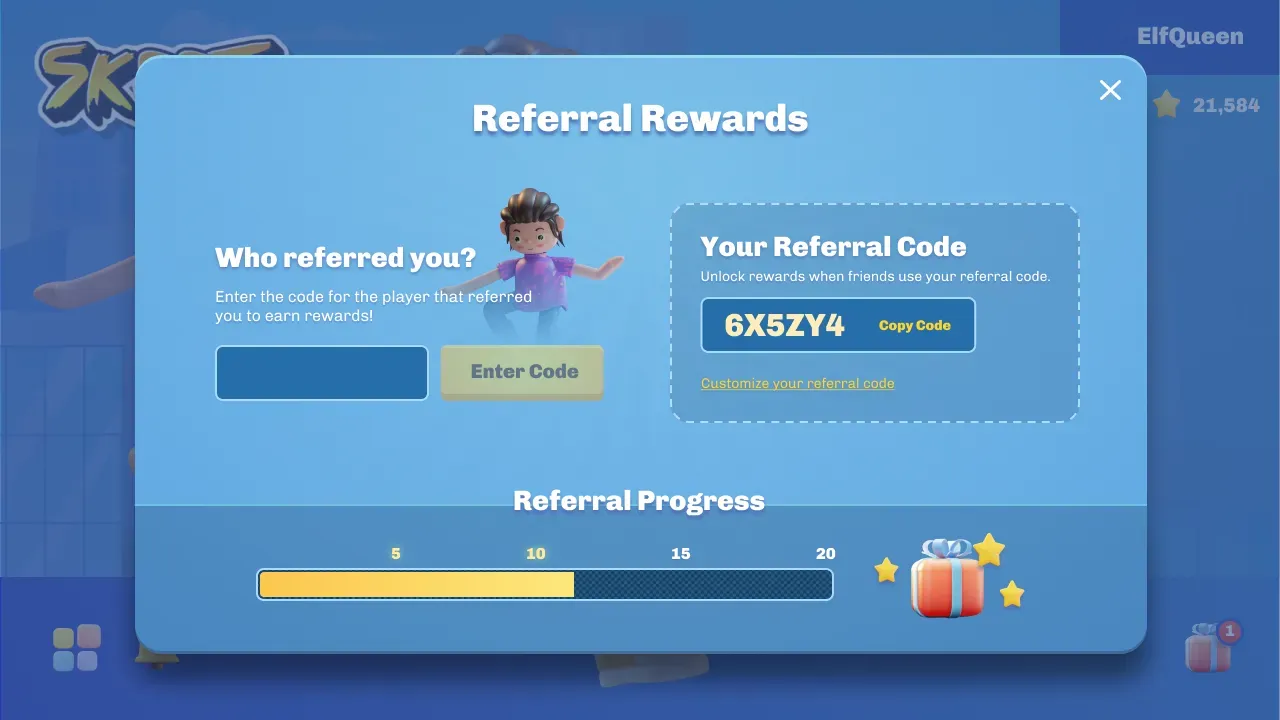
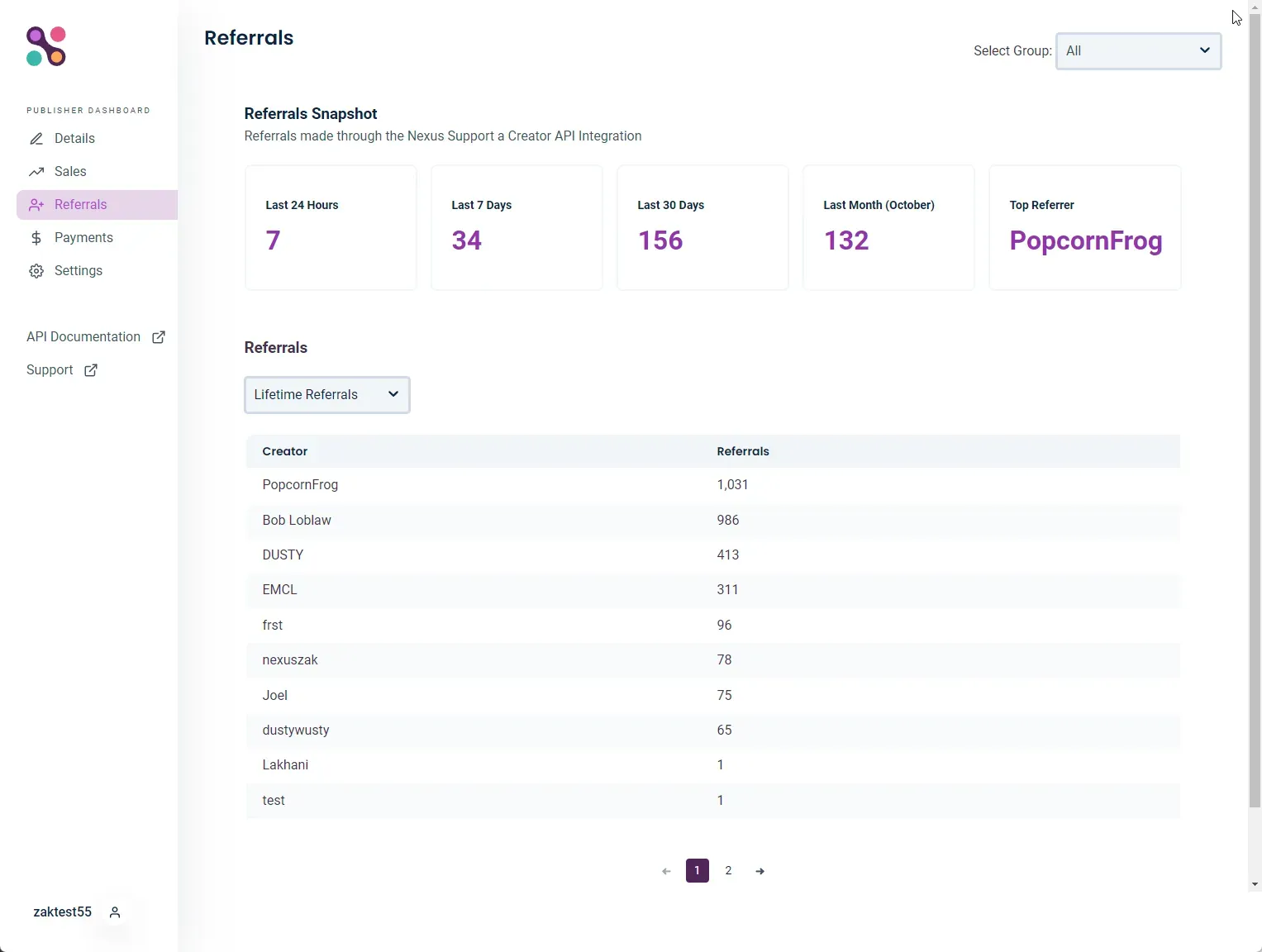
## UI examples
[Section titled “UI examples”](#ui-examples)
These views show an in-game referral screen and the Publisher Dashboard referrals view.
# Webhooks
> Receive and verify HTTP notifications of Support-a-Creator events via webhooks.
Webhooks allow you to receive HTTP notifications of events in the Nexus Support-a-Creator system. Nexus sends each event to an endpoint you expose as an HTTP POST request, containing a JSON payload describing the event.
```json
{
"eventId": "1_63OfIMngN5aqHEUixc_",
"createdAt": "2023-02-08 22:56:42.055676",
"eventType": "Bounty",
"eventAction": "BountyReward",
"event": {
"attributionGroupId": "B8b84wld-ohveWtgQPJsS",
"attributionGroupName": "Great Game",
"creatorId": "9jd7RBR_B2BZ0uWO3_lgv",
"bountyId": "tzPlV9PeX9Tsxg158pZ47",
"bountyName": "Refer 5 Players",
"bountyProgressId": "4a3C8DLDjPToZ_BMRrYXx",
"bountyRewards": [
{
"id": "prYjeQugJG1n8qFCjW2rM",
"name": "In Game Title",
"amount": 1,
"externalId": "dalfjkAsdlgJkdal",
"creatorRewardId": "PDKczbm3bmNFZWcrelC5N",
"userId": "55d57cffaa074cc6b8d332f5d77661f2"
}
]
}
}
```
All notifications will contain `eventId`, `createdAt`, `eventType`, and `eventAction`. The `event` field contains the event’s data and will vary based upon the `eventAction` and `eventType` combination.
[Event type definitions](/additional-features/webhooks/event-types/)The event payload shapes for each eventType and eventAction.
## Responding to a notification
[Section titled “Responding to a notification”](#responding-to-a-notification)
Your response to a webhook request must return a `200 OK` status code. If processing of the event will take more than a second or two, consider logging the event and processing it after responding with `200 OK`.
Caution
Failure to respond quickly enough will result in a timeout and subsequent retry of the notification.
## Verifying a notification
[Section titled “Verifying a notification”](#verifying-a-notification)
Nexus signs notifications using the [Standard Webhooks](https://www.standardwebhooks.com/) HMAC-SHA256 scheme. Verify the signature before parsing or processing the request body.
| Header | Value |
| ------------------- | -------------------------------------------------------------------------------------------- |
| `webhook-id` | Event ID, also present as `eventId` in the body. Stable across retries. |
| `webhook-timestamp` | Delivery attempt time, as Unix seconds. Refreshed on each retry. |
| `webhook-signature` | A space-separated list of signatures. Each HMAC signature has the form `v1,`. |
The signed bytes are the UTF-8 encoding of `webhook-id`, a period, `webhook-timestamp`, another period, and the **raw request body**. This covers all body fields, including `eventType` and `eventAction`. Do not parse and re-serialize the body before verification.
The `v1` prefix identifies the Standard Webhooks HMAC scheme. It does not refer to the legacy Nexus signature.
### Signing secret
[Section titled “Signing secret”](#signing-secret)
Copy the secret for your endpoint from your program’s Webhooks page. Webshop integrations use their separately configured webhook secret. Keep secrets on your server, outside source control and logs.
For webhook secrets starting with `whsec_`, remove that prefix and base64-decode the remainder before using it as the HMAC-SHA256 key. The prefix is not used to generate the `webhook-signature` value. Standard Webhooks libraries handle this decoding for you; pass them the full secret.
Any secret without the `whsec_` prefix uses the entire value as UTF-8 key bytes. These rules apply to both program and webshop webhooks.
### Node.js verification example
[Section titled “Node.js verification example”](#nodejs-verification-example)
This helper checks the delivery time, requires a valid standard signature, and compares digests in constant time. It accepts multiple trusted keys so you can prepare your receiver for a coordinated secret rotation.
webhook-verification.mjs
```javascript
import { createHmac, timingSafeEqual } from 'node:crypto';
export function webhookSigningKey(secret) {
if (typeof secret !== 'string' || !secret) {
throw new Error('Configure a webhook secret');
}
if (!secret.startsWith('whsec_')) return Buffer.from(secret, 'utf8');
const encoded = secret.slice(6);
const key = Buffer.from(encoded, 'base64');
if (key.length < 24 || key.length > 64 || key.toString('base64') !== encoded) {
throw new Error('Invalid webhook secret encoding');
}
return key;
}
export function verifyWebhook(rawBody, headers, trustedKeys, now = Math.floor(Date.now() / 1000)) {
const id = headers['webhook-id'];
const timestamp = headers['webhook-timestamp'];
const signatures = headers['webhook-signature'];
if (!Buffer.isBuffer(rawBody) ||
typeof id !== 'string' || !/^[A-Za-z0-9_-]{1,255}$/.test(id) ||
typeof timestamp !== 'string' || !/^\d+$/.test(timestamp) ||
typeof signatures !== 'string' || signatures.length > 4096) return false;
const sentAt = Number(timestamp);
// Reject attempts more than five minutes old or five minutes in the future.
if (!Number.isSafeInteger(sentAt) || Math.abs(now - sentAt) > 300) return false;
return trustedKeys.some((key) => {
const expected = createHmac('sha256', key)
.update(`${id}.${timestamp}.`, 'utf8')
.update(rawBody)
.digest();
return signatures.split(' ').some((entry) => {
const match = /^v1,([A-Za-z0-9+/]{43}=)$/.exec(entry);
if (!match) return false;
const actual = Buffer.from(match[1], 'base64');
return actual.length === expected.length &&
actual.toString('base64') === match[1] &&
timingSafeEqual(actual, expected);
});
});
}
```
With Express, register `express.raw({ type: 'application/json' })` for the webhook route **before** any `express.json()` middleware. Decode your configured secrets at startup. Pass the raw body Buffer, request headers, and trusted key array to `verifyWebhook`. Return `403 Forbidden` if verification fails, without trying the legacy signature. After verification, parse the JSON and validate the expected event type, action, and required fields before applying changes.
Keep your server clock synchronized. A fresh retry has a new `webhook-timestamp` even when the body’s `createdAt` is much older.
## Handling duplicate events
[Section titled “Handling duplicate events”](#handling-duplicate-events)
A valid signature does not make a notification single-use. An event can arrive more than once through retries or replay within the timestamp tolerance.
Use `webhook-id` as the event’s idempotency key within the configured endpoint. Store it durably and enforce uniqueness. Record the ID and apply your business changes in the same transaction, or use a durable inbox that safely resumes interrupted processing. An in-memory set or a separate check-then-insert does not protect multiple server instances or concurrent deliveries.
Return `200 OK` for an event you already completed. If processing fails, keep it retryable instead of permanently marking it complete. Retain event IDs for your business replay horizon, including manual redeliveries, rather than expiring them after the five-minute signature window.
## Migrating an existing receiver
[Section titled “Migrating an existing receiver”](#migrating-an-existing-receiver)
During migration, notifications also include the existing `x-webhook-signature-256` header. Its signing input and hexadecimal digest remain unchanged. The JSON body retains its existing fields.
1. Deploy a receiver that requires `webhook-signature` and verifies the full raw body and delivery headers.
2. Confirm successful delivery and duplicate handling with Nexus.
3. Remove legacy verification. Do not accept the legacy signature when the standard signature is missing or invalid.
Nexus will coordinate retirement of the legacy header with existing integrations.
## Rotating a secret
[Section titled “Rotating a secret”](#rotating-a-secret)
Coordinate rotation with Nexus. Provision the replacement secret to your receiver first and temporarily trust both keys. Once Nexus switches the sender to the replacement, confirm successful verification with that key. Allow in-flight deliveries to finish, then remove the old key from your receiver.
If the old secret is compromised, revoke trust in it immediately. Do not keep a compromised key trusted for a routine overlap window. Keep all key material and signature values out of logs.
# Event types
> The webhook event types Nexus sends notifications for.
Nexus sends webhook notifications for the following event types.
[Bounty](/additional-features/webhooks/event-types/bounty/)Events for bounty progress and rewards.
[Group management](/additional-features/webhooks/event-types/groupmanagement/)Events for changes to your creator program and members.
# Bounty
> Payload reference for the Bounty webhook event Nexus sends to your endpoint.
This page documents the payload for the Bounty webhook event.
## Action: `BountyReward`
[Section titled “Action: BountyReward”](#action-bountyreward)
```json
{
"bountyId": "tzPlV9PeX9Tsxg158pZ47",
"bountyName": "Refer 5 Players",
"bountyProgressId": "4a3C8DLDjPToZ_BMRrYXx",
"memberId": "bISbqtpNo3KvwEIL1MSCn",
"bountyRewards": [
{
"id": "prYjeQugJG1n8qFCjW2rM",
"name": "In Game Title",
"amount": 1,
"externalId": "dalfjkAsdlgJkdal",
"memberRewardId": "PDKczbm3bmNFZWcrelC5N"
}
]
}
```
Caution
If there is no playerId included in the event, then the member who completed this bounty has not yet linked their Nexus account with your referral group. See [Generating codes for your program](/creator-code-api/program-management/adding-codes-to-your-program/) and [Linking to an existing Nexus](/creator-code-api/program-management/adding-codes-to-your-program/#linking-to-an-existing-nexus) to resolve this.
# Group management
> Webhook payloads for the NewMember and RemovedMember group management events.
These are the `event` payloads Nexus sends for the `GroupManagement` `eventType`. Each arrives inside the standard notification envelope (`eventId`, `createdAt`, `eventType`, `eventAction`, `event`) documented in the [webhooks guide](/additional-features/webhooks/).
## NewMember event
[Section titled “NewMember event”](#newmember-event)
Nexus sends this `event` when a member joins your creator program. `code` and `name` are the group code and group name, and `logoImage` is the group’s logo. The event payload looks something like this:
```json
{
"memberId": "bISbqtpNo3KvwEIL1MSCn",
"code": "pccp3",
"name": "Thanks for supporting Phoenix CCP 3",
"logoImage": "https://cdn.nexus.gg/oleyE4Z6zwN07YnytKuw2/y5TPG4VP7MaiuNBEdBemU/images/profile-image.jpg"
}
```
## RemovedMember event
[Section titled “RemovedMember event”](#removedmember-event)
Nexus sends this `event` when a member is removed from your creator program. `code` is the group code, and `removalDate` and `removalReason` describe when and why the member was removed. The event payload looks something like this:
```json
{
"memberId": "bISbqtpNo3KvwEIL1MSCn",
"code": "pccp3",
"removalDate": "2025-07-28T20:53:39.124Z",
"removalReason": "They were not prepared"
}
```
[Webhooks guide](/additional-features/webhooks/)The notification envelope, signature verification, and a runnable handler.
[Event types](/additional-features/webhooks/event-types/)All webhook event types Nexus sends.
# Webshops
> Sell in-game items through a fully Nexus-managed webshop.
A Nexus webshop is a fully managed storefront that sells your in-game items. To set one up you provide some product details, build two publisher API routes (player lookup and entitlement), optionally configure FastSpring if it is your merchant of record, and optionally define purchase limits.
## General setup
[Section titled “General setup”](#general-setup)
Nexus webshops are fully managed by Nexus itself, requiring no work from you. However, to get started, we’ll need the following information:
* **Webshop Styling:** Nexus will work with you on styling your webshop to your specifications
* **SKU Titles:** The publicly displayed titles for each SKU you’d like to sell on your webshop
* **Price:** Price of each SKU in USD
* **Short Description:** A short description of each SKU
* **Bonus/Discount:** Any bonus or discount in comparison to the normal in-app SKU for each SKU
* **Image Asset:** An image asset representing each SKU
* Image assets should all have a consistent aspect ratio
## Required APIs
[Section titled “Required APIs”](#required-apis)
To run a webshop through Nexus you’ll need to create two API routes:
### Player lookup
[Section titled “Player lookup”](#player-lookup)
The player lookup, gifting search, and purchase-limit endpoints must use public HTTPS URLs without embedded usernames or passwords. Nexus does not follow redirects. Each lookup has a 10-second deadline and accepts up to 1 MiB of response data after decompression.
**PlayerLookupUrl:** GET \/{`playerId`}
Example: `https:///player/{playerId}`
The player lookup URL is used to verify the player when they enter their `playerId` on the webshop in order to checkout. It is a GET call that includes the entered `playerId` as a URL parameter. A valid response should be a `200 OK` code with a JSON body containing `playerId`, and `playerName` (display name). A non-`200` response will be considered an invalid `playerId`.
The response is a JSON body that looks something like this:
```json
{
"playerId": "tMHDWGdh53DiiXaCKa9U",
"playerName": "Test Player"
}
```
#### Custom player attributes
[Section titled “Custom player attributes”](#custom-player-attributes)
By default, a player is only prompted for their `playerId` during sign in. In the event that additional information is required, custom player attributes may be configured. These can be an open text input or a select box with static options. The values of these attributes will be included as query parameters on the player lookup URL, but they can also be included in the path as a template variable if needed. They will also be included in the entitlement webhook event.
If additional attributes are needed for your webshop’s player lookup, provide us the following information for each attribute:
* name
* label
* type (text input or select box)
* select box options, if applicable
* tooltip
* whether this attribute is required or optional
### Entitlement
[Section titled “Entitlement”](#entitlement)
**EntitlementWebhookUrl:** POST \
Example: `https:///webhook/purchase`
This is the URL that is hit upon a successful purchase, containing JSON about the purchase. The lookup response uses `playerName`, while the entitlement event uses `playerDisplayName`; these are two different payloads.
```jsonc
{
"eventId": "1_63OfIMngN5aqHEUixc_",
"createdAt": "2024-10-25T19:49:05",
"eventType": "Webshop",
"eventAction": "WebshopPurchase",
"event": {
"creatorCode": {
"code": "popcornfrog",
"memberId": "0Con-WN07cuBMdEkr56oo", // Nexus member ID
"playerId": "2ixlNNFdJh-9scoXek80w" // Your internal ID for this member
},
"gifting": {
"isGift": true,
"fromPlayerId": "_mNHxEkH", // PlayerId of the user that made the purchase
"fromPlayerName": "John" // Optional
},
"items": [
{
"skuId": "12yKNG5CAZOrr94aBrPsg",
"total": 99.99, // Not including taxes
"itemId": "8000-gems-unique-id",
"quantity": 1,
"subtotal": 99.99 // Not including taxes
}
],
"total": 108.86, // Includes taxes
"country": "US", // Purchaser's country
"orderId": "C9j2933DQS8fFXUor0e-d",
"currency": "USD",
"orderRef": "NEX241025-4862-22109",
"playerDisplayName": "Test User", // Optional. We will not always be able to collect a display name
"playerId": "testuser", // If gifting.isGift is true, this will be the playerId of the gift recipient
"playerAttributes": { // Included only if custom player attributes are configured
"serverId": "server1"
},
"subtotal": 99.99, // Not including taxes
"playerEmail": "player@example.com",
"transactionDate": "2024-10-25T19:48:35.676Z",
"attributionGroupId": "-XgND9kJQRre_UzlaptAE",
"attributionGroupName": "Great Game"
}
}
```
Caution
This event should be verified. Please see these [instructions on how to verify this event](/additional-features/webhooks/#verifying-a-notification).
## FastSpring setup
[Section titled “FastSpring setup”](#fastspring-setup)
Note
This section is only required if you are already using FastSpring as your merchant of record.
### Encryption
[Section titled “Encryption”](#encryption)
Encryption is required to build the FastSpring cart. This is set up under Developer Tools -> Store Builder Library. If you already have encryption setup within FastSpring, you will need to contact your account manager to set up an additional account that can be used specifically for a Nexus webshop.
This page provides an Access Key and a file upload option. The Access Key will need to be shared with Nexus.
A file should be uploaded that contains the following (public) certificate:
```text
-----BEGIN CERTIFICATE-----
MIIDczCCAlugAwIBAgIUcTNeL15TSBYew+KPV6Z5c5inE6cwDQYJKoZIhvcNAQEL
BQAwYjELMAkGA1UEBhMCVVMxDjAMBgNVBAgMBVRleGFzMQ8wDQYDVQQHDAZBdXN0
aW4xEzARBgNVBAoMCkNocm9ubyBJbmMxHTAbBgkqhkiG9w0BCQEWDnJ5YW5AY2hy
b25vLmdnMB4XDTI0MDcxNjE3NTYzM1oXDTI0MDgxNTE3NTYzM1owYjELMAkGA1UE
BhMCVVMxDjAMBgNVBAgMBVRleGFzMQ8wDQYDVQQHDAZBdXN0aW4xEzARBgNVBAoM
CkNocm9ubyBJbmMxHTAbBgkqhkiG9w0BCQEWDnJ5YW5AY2hyb25vLmdnMIIBIjAN
BgkqhkiG9w0BAQEFAAOCAQ8AMIIBCgKCAQEAjWKHeqV/s6/gDEokih7qp3ky7ONy
xWhifnl8COGmG6BAIWOOWkW2GKsZXUl6RHJC/CU9Dk03gYSCDtP0gu/hPlGUgxAr
kHhIoTJWsNZP/bsEhS/ozlekatL3Q2Lbu4Rb6Zn/RwbDc52ISGfHe4HdQvEfD28Q
PYaCyfvK1gHezmETXqHLj+BQicOhe/IT++v+fD+0QVnA9rCy4RS4WPakEtE4abwz
YB7IqCaByyvhiMLWJ+nVWCZUfUCyWKlJY0eUuXnjB5izBGobUHYI6f226C2DGQqV
WX5c3pVhcA4j/c3hPWbal8XLyxgTkQ4yGOErntbd/RObQK+yNuFo0Or0/QIDAQAB
oyEwHzAdBgNVHQ4EFgQUUmU8kCCEDYgfH7d9qYfwQlWkGPgwDQYJKoZIhvcNAQEL
BQADggEBAB4Ouv3emB6yZX+JQDnyCdXOBAB1gV7ibSbeYDHSFzfDmJnvOUwr2qoN
2WDNtdoMi9KyPtDs0JRAn0JAfyE57tnFvNigk0lqosfJ6Z5DncntsXUTdxTHWDRC
lAac1BMWlei6+FReFhdfAuCmgMytAy8i+mBrIxyikE3tGwOZHh0zykCnyZUxHfbC
nML81EID8B99C9WlJmS0G02d2Gy6jD6yFNxHPKMnSP0BMUchQaRX20zF46AuasoY
t0b00PlIaeanfd/zxK5n161pJZYKtF+pst9KXp3bsNK/wg1WuKzspMzVDMFeZo3A
6k+fxmqktqD+v9gO9rvn0frWN/kSuy4=
-----END CERTIFICATE-----
```
### Create a storefront
[Section titled “Create a storefront”](#create-a-storefront)
A new Embedded Storefront will need to be created under Storefronts -> Embedded Storefronts -> Create Embedded Storefront. Once a new Embedded Storefront is created, the following settings should be changed from their default:
* **Override Store Currencies:** If you accept currencies other than USD, you will need to select the Override Store Currencies option and deselect all currencies except USD. This can be done under More -> Languages and Currencies.
* **‘Promotional Code’ Field:** This option should be disabled. This can be done under Settings -> Promotion.
* **Display Newsletter Subscription Checkbox:** This option should be disabled. This can be done under Settings -> Customer Information.
* **Styling:** We will work with you to style your embedded storefront so that it matches the styling of your Nexus webshop.
* **Whitelisted Websites:** Add the following URLs to the Whitelisted Websites. This can be done by clicking the red “No whitelisted websites” item.
*
*
*
*
Once your settings have been updated, click the “Place on your website” button and copy the `data-storefront` URL from the script. This URL will need to be shared with Nexus.
Caution
Your Embedded Storefront will need to be switched to “Online” to be able to accept live purchases.
### Adding products
[Section titled “Adding products”](#adding-products)
Nexus will handle adding and managing products in your webshop (see [General setup](/additional-features/webshops/#general-setup)), but two placeholder products need to be added to your FastSpring account. These can be added under Products -> Create Product:
* **Product 1**
* Product Title: nexus-webshop-product
* Product Path: nexus-webshop-product
* Tax Category: DG010301
* This category can be selected in the Product Tax Category modal under Games -> Online
* **Product 2**
* Product Title: nexus-webshop-tip
* Product Path: nexus-webshop-tip
* Tax Category: NT9999999
* You will need to contact your FastSpring account manager to set this tax category
### Webhooks
[Section titled “Webhooks”](#webhooks)
Finally, you will need to setup two webhooks. This can be done under Developer Tools -> Webhooks -> Configuration -> Add Webhook:
* **Webhook 1**
* Title: Test Orders
* Get webhooks from: Test Orders
* Check “Enable webhook expansion”
* **Webhook 2**
* Title: Live Orders
* Get webhooks from: Live Orders
* Check “Enable webhook expansion”
For each webhook, add a URL endpoint by clicking the “Add URL Endpoint” button:
* **Test Orders Webhook**
* URL: `https://api.nexus-dev.gg/v1/webhook//fastspring`
* Nexus will provide you with your `nexus_id`
* HMAC SHA256 Secret: You will need to specify a HMAC SHA256 secret and share this with Nexus
* Events: Check `payoutEntity.created`
* **Live Orders Webhook**
* URL: `https://api.nexus.gg/v1/webhook//fastspring`
* Nexus will provide you with your `nexus_id`
* HMAC SHA256 Secret: You will need to specify a HMAC SHA256 secret and share this with Nexus
* Events: Check `payoutEntity.created`
## Purchase limits
[Section titled “Purchase limits”](#purchase-limits)
Purchase limits are used to restrict the number of times a player may purchase a particular item over a period of time.
### Nexus managed
[Section titled “Nexus managed”](#nexus-managed)
Nexus can manage purchase limits entirely if desired, but these limits will only consider purchases from the webshop (in-game purchases will not be included). To use Nexus managed purchase limits, you will need to inform us of the number of purchases and the interval (daily, weekly, monthly, lifetime). You may also supply a note that will be displayed on an item.
* Daily: Resets at 12 am UTC each day
* Weekly: Resets at 12 am UTC on Sunday of each week
* Monthly: Resets at 12 am UTC on the first day of each month
* Lifetime: The purchase limit does not reset
### API routes
[Section titled “API routes”](#api-routes)
In-game transactions may be included in the purchase limits by providing this information through a public API route. This can be included in the [**PlayerLookupUrl**](/additional-features/webshops/#player-lookup) response, or can be a separate API call.
The purchase limits response should be a JSON array of **PurchaseLimitItems**, where each item has the following shape:
```jsonc
{
"itemId": "string", // Your internal item identifier, that would be used in entitlement
"limit": "number", // Number of allowed purchases
"numPurchased": "number", // Number of purchases so far in the current interval
"note": "string", // Optional. Note displayed on each item
"resetDate": "Date" // Optional. Date that the interval will reset
}
```
Each `itemId` must be a nonempty, unique string within the response. `limit` and `numPurchased` must be nonnegative whole numbers within JavaScript’s safe integer range; digit-only strings such as `"2"` are also accepted. Optional `note` values should be strings, and `resetDate` values should be valid ISO date-time strings. Nexus ignores unsupported optional metadata while retaining the purchase limit. Return a successful HTTP status with the documented JSON shape. Nexus skips purchase-limit items with malformed required fields and keeps the first valid entry for each `itemId`. A player lookup may omit `purchaseLimits` or return `null` when there are no limits. Nexus rejects malformed player identity fields or a non-array limits response and does not display arbitrary error messages from the endpoint.
Nexus only requires the itemId, limit, and current number purchased. This allows your Purchase Limit logic to be as complex as needed, without Nexus needing to understand it, while using the note and resetDate fields to communicate these limits to your players in a succinct manner.
#### PlayerLookupUrl
[Section titled “PlayerLookupUrl”](#playerlookupurl)
When using the player lookup route, include a `purchaseLimits` property in the response.
```json
{
"playerId": "tMHDWGdh53DiiXaCKa9U",
"playerName": "Test Player",
"purchaseLimits": [
{
"itemId": "200-currency",
"numPurchased": 0,
"limit": "2",
"resetDate": "2026-03-03T00:00:00.000Z",
"note": "2 Purchases Daily"
},
{
"itemId": "add-free-unlock",
"numPurchased": 1,
"limit": "1",
"note": "Once per account"
}
]
}
```
#### Stand-alone API route
[Section titled “Stand-alone API route”](#stand-alone-api-route)
**PurchaseLimitsURL:** GET \/{`playerId`}
Example: `https:///purchase-limits/{playerId}`
The response is an array of purchase limit records, directly in the body.
```json
[
{
"itemId": "200-currency",
"numPurchased": 0,
"limit": "2",
"resetDate": "2026-03-03T00:00:00.000Z",
"note": "2 Purchases Daily"
},
{
"itemId": "add-free-unlock",
"numPurchased": 1,
"limit": "1",
"note": "Once per account"
}
]
```
#### Check purchase limits upon entitlement
[Section titled “Check purchase limits upon entitlement”](#check-purchase-limits-upon-entitlement)
Regardless of the type of Purchase Limits you implement, we recommend checking the limit for a `playerId` during your [entitlement](/additional-features/webshops/#entitlement) workflow. We take what precautions we can and will call the playerLookup or the provided API route on page load, sign in, when building the fastspring cart, and again when processing a fastspring purchase. However, with enough persistence, there is always a chance that a dedicated player could manage to get something through.
Caution
If you encounter an entitlement webhook message that exceeds the purchase limit for a player, do not apply it to their account and return a `406 Not Acceptable` response code. This will notify us of the issue and we can process a refund to the player and look into how it occurred.
# API keys
> How to authenticate to the Nexus API with publisher API keys.
The Nexus API authenticates every request with a **publisher API key**, sent in the `X-SHARED-SECRET` request header. A request with a missing, inactive, or wrong-type key is rejected with `401 Unauthorized`.
```http
GET /v1/attributions/creators HTTP/1.1
Host: api.nexus.gg
X-SHARED-SECRET: nexus_pk_your_key_here
```
## Key types
[Section titled “Key types”](#key-types)
A publisher admin mints keys in the Nexus Dashboard. There are two types, distinguished by prefix:
| Type | Prefix | Use it for |
| ------- | ------------ | ----------------------------------------------------------------------------------------------- |
| Public | `nexus_pk_…` | Reads your game client makes (for example, validating a creator code). Ships in the client. |
| Private | `nexus_sk_…` | Writes and sensitive reads (recording and updating attribution transactions). Server-side only. |
Endpoints are gated by key type, and the gate works in both directions: a key of the wrong type returns `401`. A private key is rejected by an endpoint that takes a public key, so send each endpoint the key type its reference names.
The public key ships in your game client
A **public** key is meant to be embedded in your game client. It can only call the read endpoints a game needs, such as validating a creator code or listing your program’s creators. Those endpoints return data for showing to players. Assume players can extract it, and use a program-scoped public key so a client reads only its own program.
The private key stays on your server
A **private** key records and changes attribution data, and reads your sales. Keep it on your server: never ship it in a game client, never commit it, and never paste it into a shared tool. Rotate it immediately if it is exposed.
## Save your key when you create it
[Section titled “Save your key when you create it”](#save-your-key-when-you-create-it)
Copy and securely save each key before closing the creation dialog. Both public and private keys are shown only once. The Developer settings list shows key metadata but cannot reveal the key. Existing keys continue to work. If you lose one, create a replacement, update your integration, and delete the old key. Send the original key in `X-SHARED-SECRET`; do not hash it yourself.
## Sandbox vs production
[Section titled “Sandbox vs production”](#sandbox-vs-production)
Point non-production testing at the sandbox host and keep production keys for production traffic.
| Environment | Base URL |
| ----------- | -------------------------- |
| Production | `https://api.nexus.gg` |
| Sandbox | `https://api.nexus-dev.gg` |
Tip
Mint separate keys for sandbox and production so test traffic and live traffic never share credentials, and point each environment at its own base URL above.
# Best practices
> Recommendations for keeping creators and their communities engaged with your program.
These pages cover how to keep creators and their communities engaged with your program.
[UI and UX](/best-practices/ui-and-ux/)How to present creator-code entry and purchase messaging in your game.
# UI and UX
> Recommended UI and UX practices for surfacing creator code entry in your game.
## UX
[Section titled “UX”](#ux)
Ease of use for players can be a key factor in the success of your Support-a-Creator program. We recommend the following UX considerations to make sure your program performs at its peak.
### Creator codes are not case-sensitive
[Section titled “Creator codes are not case-sensitive”](#creator-codes-are-not-case-sensitive)
The Nexus Support-a-Creator API is not case-sensitive, so the creator code input field in your game should not be case-sensitive either. This will lessen the possibility of creators advertising the wrong code to their audience or players entering the wrong code in game.
### Make creator codes persistent once entered
[Section titled “Make creator codes persistent once entered”](#make-creator-codes-persistent-once-entered)
Players want to support the creators that they follow, just as they want to support the game developers that they love. Players will only take so many extra steps before abandoning the flow, so we recommend keeping creator code redemption as low-friction as possible.
One way to reduce friction is to make creator codes persistent, meaning that when a player enters a creator code, that code will remain there as a saved entry, instead of requiring the player to re-enter the code each time. It doesn’t cost them anything extra to support a creator at checkout, so it shouldn’t cost them additional time and keystrokes, either.
This change also simplifies the job of the creator. No longer does the goal have to be “maintain code usage.” Instead, the creator focuses on introducing their creator code to as many new players as possible.
Tip
Persistent creator codes keep the redemption flow low-friction and let creators focus on reaching new players rather than maintaining code usage.
## UI
[Section titled “UI”](#ui)
Another important part of the player experience is how and where the creator code input is placed in your game. The UI implementation is up to you. The following practices come from how our partners have integrated Support-a-Creator.
[Support-a-Creator implementation best practices](https://www.nexus.gg/blog/nexus-support-a-creator-api-implementation-best-practices)How our partners have implemented the Support-a-Creator program.
### Make the creator code input easy to find
[Section titled “Make the creator code input easy to find”](#make-the-creator-code-input-easy-to-find)
In order to reduce player friction and maximize the use of creator codes, and therefore make your Support-a-Creator program work as well as possible, the creator code input should be in a place that’s both easy for players to find and easy for creators to show off to their audience. The best place for the button is typically somewhere in the game’s store or checkout flow. The input should also have something that clearly indicates whether or not a code is currently attributed to the player’s account.
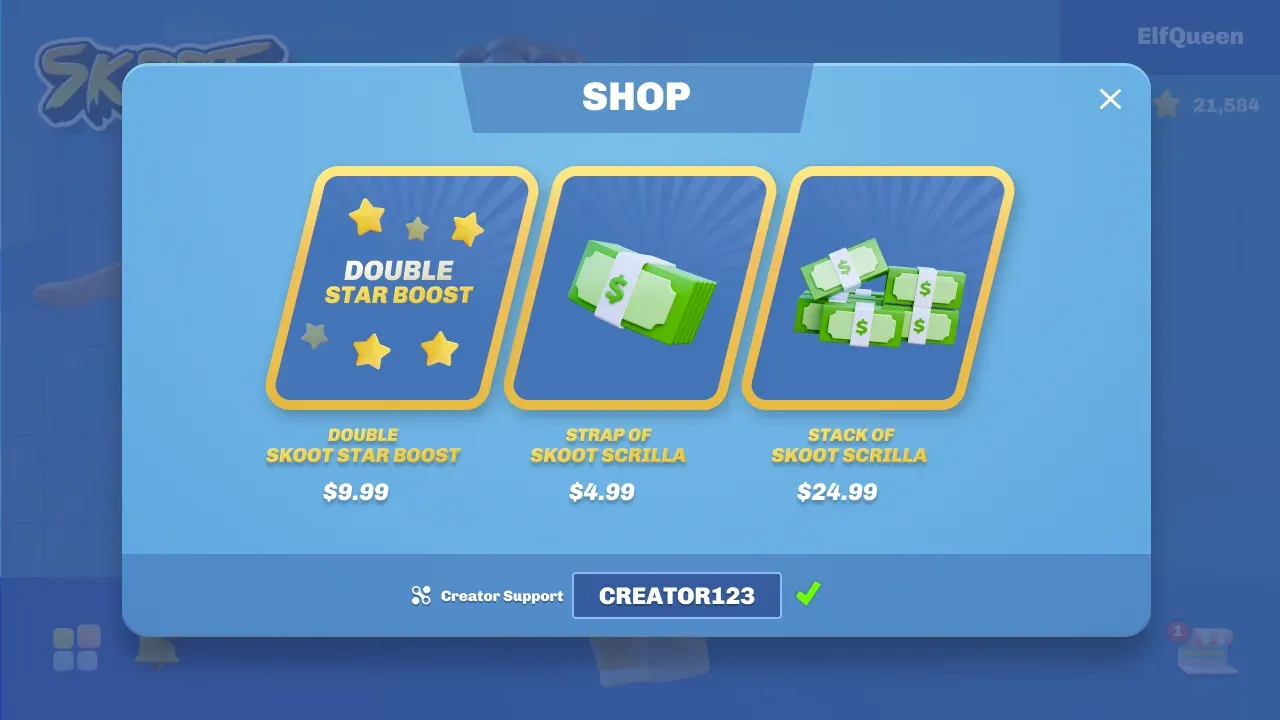
### Notify players that they supported a creator
[Section titled “Notify players that they supported a creator”](#notify-players-that-they-supported-a-creator)
When a player makes a purchase with a code attributed to their account, there should be some sort of indication to let them know they supported that creator. Here you can also call out how much money or revenue share was attributed to the creator.
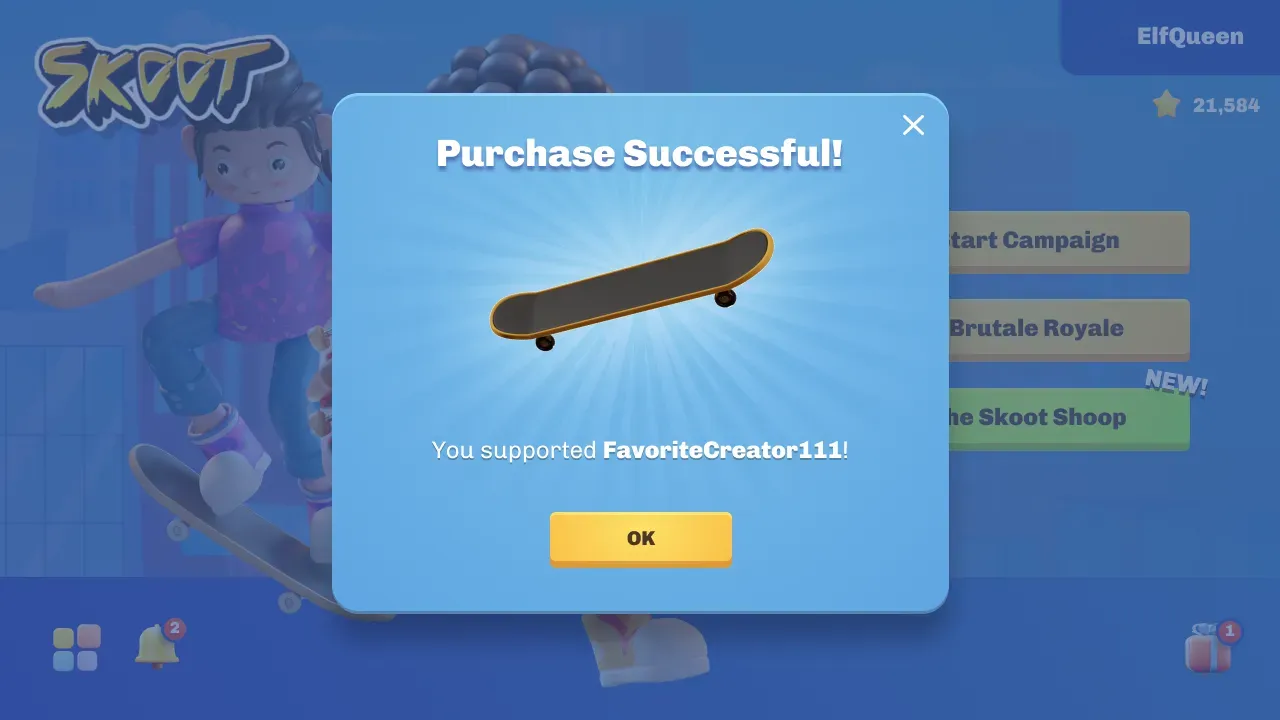
## Next steps
[Section titled “Next steps”](#next-steps)
[Track a purchase](/start-integrating/track-a-purchase/)Send a transaction to Nexus after a successful purchase to attribute revenue to the creator.
# Attributions
> Attributions allow you to share revenue driven by creators in your Support-a-Creator program.
Share revenue with the creators driving sales in your Support-a-Creator program.
[Making your first requests](/creator-code-api/attributions/making-your-first-requests/)
[Performance metrics](/creator-code-api/attributions/performance-metrics/)
[Custom SKU revenue share](/creator-code-api/attributions/custom-sku-revenue-share/)
# Custom SKU revenue share
> Set a per-product revenue share in the Publisher Dashboard, then include skuId on a transaction.
A product rate sets the revenue share a member receives on one specific product, separate from your Creator Program’s default. You set it in the Publisher Dashboard, then include that product on a transaction with the `skuId` property.
Note
The dashboard calls these **product rates**, under **Revenue Shares**. The API still calls the identifier `skuId`, and the dashboard field is labelled “Product SKU ID”, so the two line up: the product you add here is the `skuId` you send.
## Set a product rate
[Section titled “Set a product rate”](#set-a-product-rate)
Open [Revenue Shares](https://www.nexus.gg/publisher/dashboard/program/commissions/product-rates) in the Publisher Dashboard and choose the **Product rates** tab. The table lists every product that has its own rate.
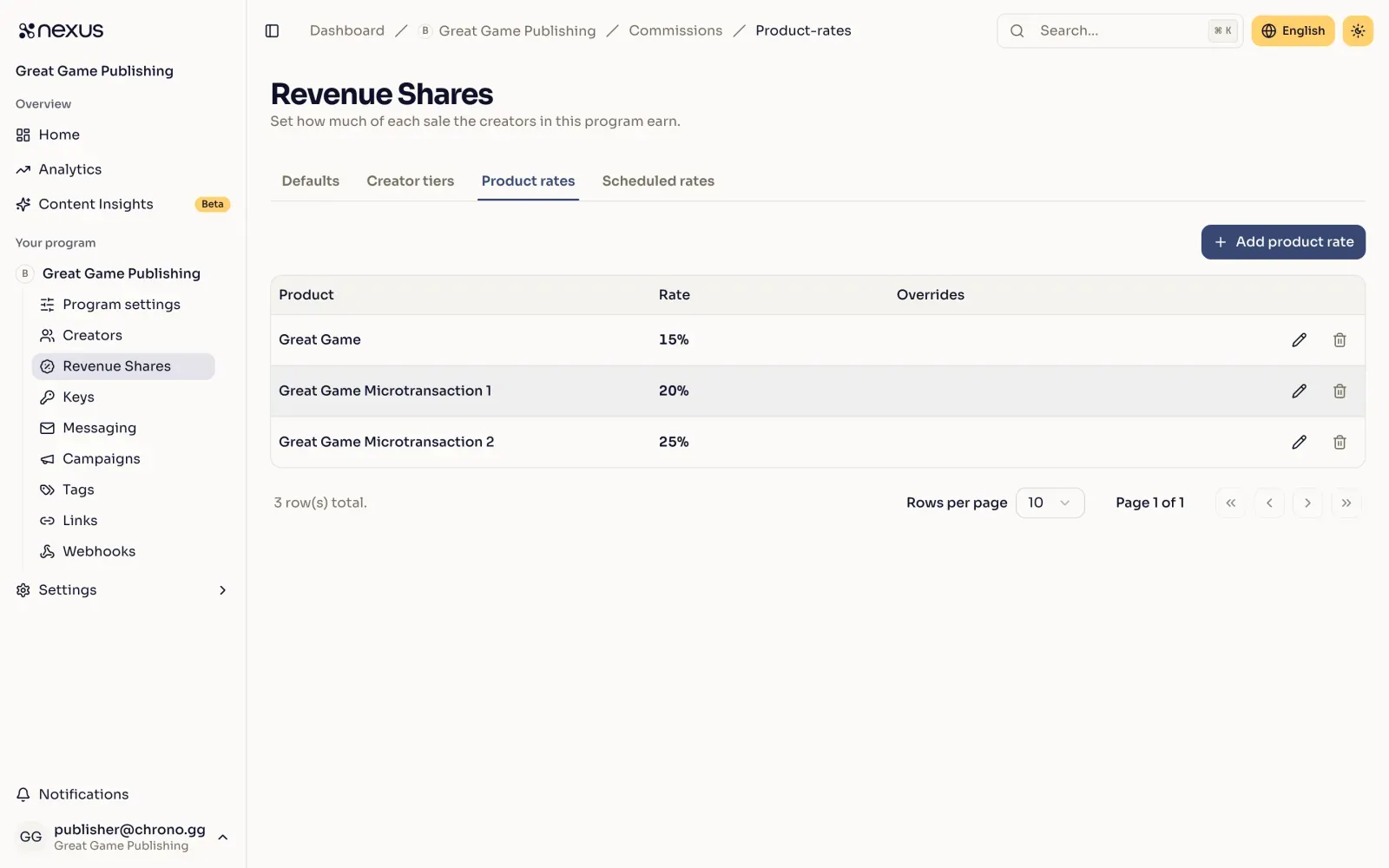
Select **Add product rate** to add one, or the edit action on a row to change one. Enter the product identifier as it appears in your sales data, then set the base rate. You can also set rates for specific platforms, tiers, and creators. [How revenue shares are calculated](#how-revenue-shares-are-calculated) explains which rate a sale pays.
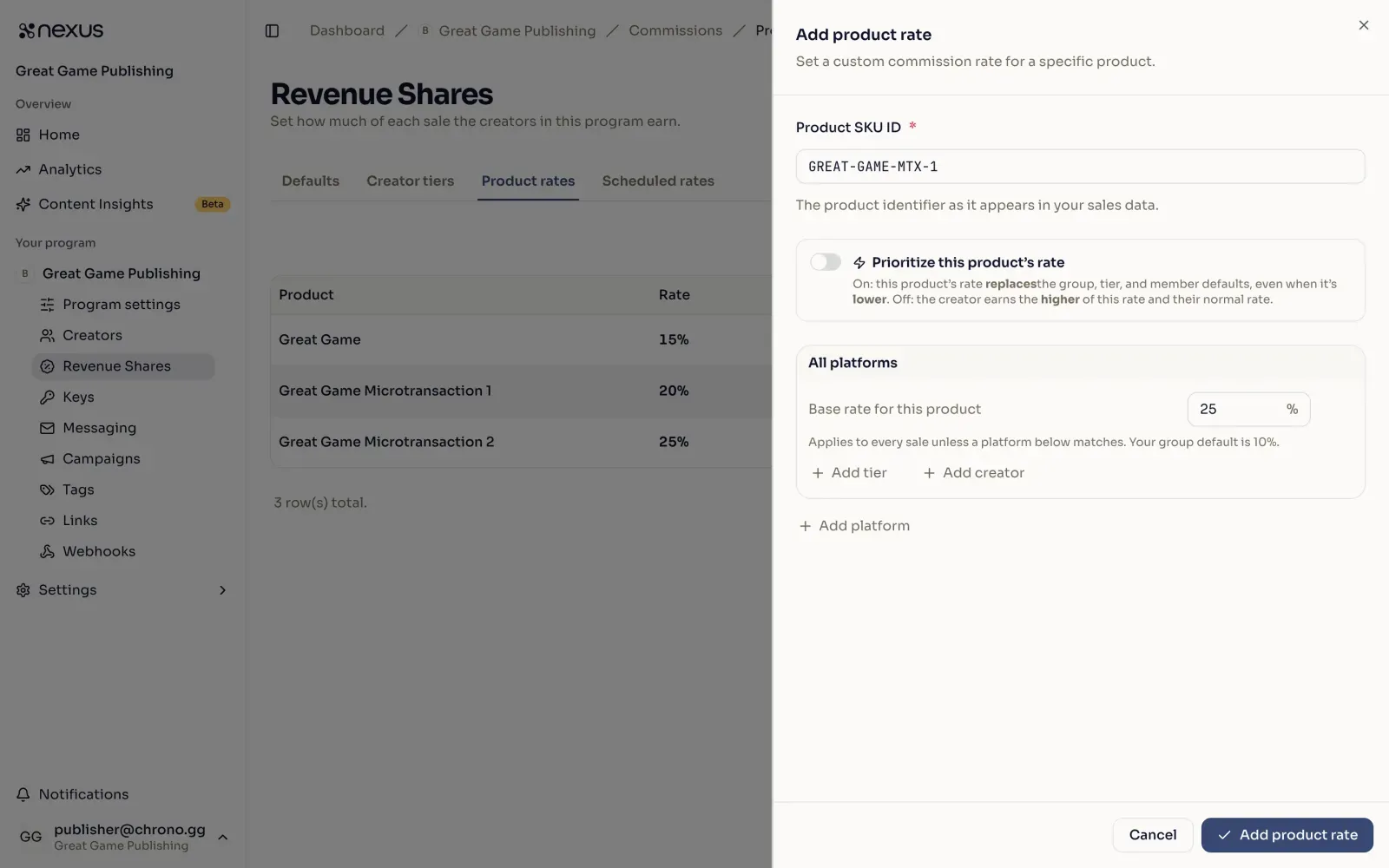
**Prioritize this product’s rate** decides how the product rate meets everything else:
* **Off.** The creator earns the highest rate that applies to them: a rate on this product, or their normal rate.
* **On.** This product’s rate replaces the creator’s normal rate, **even when it is lower**.
A creator’s normal rate is your Creator Program’s default, an active scheduled rate, or their tier’s rate, whichever is higher. On a sale from a platform with its own rate, each of these is the platform’s version. A tier set to **Prioritize this tier** changes both cases. See [How revenue shares are calculated](#how-revenue-shares-are-calculated).
## Schedule a temporary rate
[Section titled “Schedule a temporary rate”](#schedule-a-temporary-rate)
The **Scheduled rates** tab holds two kinds of temporary change, and they are not the same thing:
* **Group windows.** A temporary rate across every sale for a window. It reverts automatically when the window ends.
* **Per-product promos.** A temporary rate on specific products for a window. One promo can cover several products and lifts their rate while it is live.
A group window and a per-product promo can run at the same time, but two promos can’t cover the same product at the same time. If a product in your promo already has another promo during that window, the dashboard won’t save it. Pick a different window, or remove the product from one of the promos. A promo that starts the moment another ends doesn’t count as overlapping. A promo you delete still pays for sales made before you deleted it, so a new promo on the same product can start no earlier than that moment.
A product you create while scheduling a promo joins your program with no permanent rate of its own. When the promo ends, transactions for that product fall back to each creator’s normal rate until you give it one.
## Send the product on a transaction
[Section titled “Send the product on a transaction”](#send-the-product-on-a-transaction)
Once a product has a rate, include the `skuId` property when [attributing a transaction to a member](/creator-code-api/attributions/making-your-first-requests/#attribute-a-transaction-to-a-member).
POST`/attributions/transactions`
[View full reference](/api/operations/creatorattribution/)Parameters, responses, and status codes.
Here’s how you call that with `curl`. The important part here is the `"skuId": "DiXZPiBjJjcUkAvan6yHc"`, with that id being a product you have given a rate in the Publisher Dashboard.
```bash
curl -X 'POST' \
'https://api.nexus.gg/v1/attributions/transactions' \
-H 'accept: */*' \
-H 'Content-Type: application/json' \
-H 'X-SHARED-SECRET: nexus_sk_your_key_here' \
-d '{
"playerName": "dustywusty",
"memberId": "9jd7RBR_B2BZ0uWO3_lgv",
"currency": "USD",
"description": "1000 gems",
"platform": "PC",
"status": "Normal",
"subtotal": 999,
"transactionId": "d290f1ee-6c54-4b01-90e6-d701748f0851",
"transactionDate": "2017-07-21T17:32:28Z",
"skuId": "DiXZPiBjJjcUkAvan6yHc",
"metrics": {
"joinDate": "2017-07-22T17:32:28.000Z",
"conversion": {
"lastPurchaseDate": "2023-12-14T07:57:18.000Z",
"totalSpendToDate": {
"total": 129.99,
"currency": "USD"
}
}
}
}'
```
The status should be `200` with a JSON response body that looks something like this:
```json
{
"transaction": {
"currency": "USD",
"description": "1000 gems",
"id": "BqtOoyoIHEq39i3uph_nO",
"platform": "PC",
"subtotal": 999,
"transactionDate": "2017-07-21T17:32:28Z",
"transactionId": "d290f1ee-6c54-4b01-90e6-d701748f0851",
"transactionStatus": "Normal",
"memberId": "9jd7RBR_B2BZ0uWO3_lgv",
"skuId": "DiXZPiBjJjcUkAvan6yHc",
"metrics": {
"joinDate": "2017-07-22T17:32:28.000Z",
"conversion": {
"lastPurchaseDate": "2023-12-14T07:57:18.000Z",
"totalSpendToDate": {
"total": 129.99,
"currency": "USD"
}
}
}
}
}
```
## How revenue shares are calculated
[Section titled “How revenue shares are calculated”](#how-revenue-shares-are-calculated)
By default Nexus uses the highest rate that applies to a transaction. Any of these can apply at once:
* your Creator Program’s base revenue share
* an active [Scheduled Temporary Revenue Share](/creator-code-api/program-management/scheduling-temporary-revenue-shares/)
* a [Group Tier](/creator-code-api/program-management/group-tiers/) the attributed member belongs to
* a rate on the product: its base rate, its rate for the member’s tier, or a rate set for that member
* any scheduled promo covering the product
For example, your Creator Program default is 15% and a product carries a 20% rate. If an active scheduled revenue share raises the group default to 25%, transactions for that product earn 25% instead of the 20% base while that schedule runs.
On a sale from a platform that has its own rate, each rate above uses its platform version. That is the rate you set for that platform, or else the usual rate moved by the platform’s difference from your Creator Program’s default. Say your default is 10% and PC has a 15% rate. A 20% product rate pays 25% on PC, unless you give the product its own PC rate.
So a product rate set below your Creator Program’s default normally never applies: the higher rate wins. That includes a rate set for one creator, which applies only when it is the highest rate they qualify for.
Two settings change this when only one of them is on:
* **Prioritize this product’s rate.** The product’s rate replaces the creator’s normal rate, even when it is lower. For a creator with their own rate on the product, that rate is the product’s rate. Otherwise it is the higher of the product’s base rate and its rate for their tier. Use it when a product genuinely needs to pay less than everything else, and expect it to override a rate the creator would otherwise have earned.
* **Prioritize this tier.** Members of the tier get the tier’s settings. A product rate applies to them when it includes a rate for that tier. Unless the product is also prioritized, that rate is used even when it is lower, and no other product rate applies to them. A scheduled revenue share reaches them only through a rate set for their tier.
When both are on, the highest rate wins again, as when neither is. The member earns the highest of their own rate on the product, its rate for their tier, its base rate, and their tier’s rate.
It should also be noted that when [Overriding A Member Revenue Share](/creator-code-api/attributions/making-your-first-requests/#overriding-member-revenue-share), the override value is always used regardless of any other factor.
# Making your first requests
> Validate a creator code, attribute a transaction, and update it for refunds, chargebacks, or fraud in three API calls.
This integration takes three API calls: validate a creator code, attribute a transaction, and update it for refunds, chargebacks, or fraud.
1. When a player enters a code, verify it is in your program by retrieving member information using that code. To display a list of all available codes to your players, hydrate your client-side application with a list of your members on load.
2. On purchase, provide us a few details about the transaction so the creator can be compensated.
3. After the purchase is complete, update the transaction to handle customer returns, chargebacks, or instances of fraud.
```
flowchart TD
A["Player enters a creator code"] --> B["1 · Validate the code
GET /manage/members/:memberCode
public key"]
B --> C["Player makes a purchase"]
C --> D["2 · Attribute the transaction
POST /attributions/transactions
private key"]
D --> E["Creator is credited"]
E -->|"refund or chargeback"| F["3 · Update the transaction
PATCH /attributions/transactions/:transactionId
private key"]
```
## Get member by code or ID
[Section titled “Get member by code or ID”](#get-member-by-code-or-id)
Send an authenticated request with your public key to the member endpoint. If the code is associated with a creator that is part of your program, you will receive a `200 OK` response including detailed information about that member. If any other status code is received, refer to the response `message` field for detailed information about the issue.
Tip
Remember, it’s okay to use and embed public API keys in client-facing code
GET`/manage/members/{memberCode}`
[View full reference](/api/operations/getmemberbycode/)Parameters, responses, and status codes.
Here’s how you call that with curl:
```bash
curl -X 'GET' \
'https://api.nexus.gg/v1/manage/members/samszorz' \
-H 'accept: application/json' \
-H 'X-SHARED-SECRET: nexus_pk_your_key_here'
```
The status should be `200 OK` with a JSON response body that looks something like this:
```json
{
"groupId": "CsRKC8uD0NLtyQ0LOt8Ru",
"groupName": "Test Group",
"id": "CsRKC8uD0NLtyQ0LOt8Ru",
"name": "samzorz",
"playerId": "dt9NDZHcxwCXgo2fcmY4I",
"logoImage": "https://cdn.nexus.gg/CsRKC8uD0NLtyQ0LOt8Ru/images/logo-image.jpg",
"profileImage": "https://cdn.nexus.gg/CsRKC8uD0NLtyQ0LOt8Ru/images/profile-image.jpg",
"codes": [{
"code": "samzorz",
"isPrimary": true,
"isGenerated": false,
"isManaged": false
},
{
"code": "4sb0kla",
"isPrimary": false,
"isGenerated": true,
"isManaged": false
}]
}
```
## Get members
[Section titled “Get members”](#get-members)
Retrieve all members in your program. This endpoint also uses your public key.
GET`/manage/members`
[View full reference](/api/operations/getmembers/)Parameters, responses, and status codes.
Here’s how you call that with curl:
```bash
curl -X 'GET' \
'https://api.nexus.gg/v1/manage/members' \
-H 'accept: application/json' \
-H 'X-SHARED-SECRET: nexus_pk_your_key_here'
```
The status should be `200 OK` with a JSON response body that looks something like this, albeit you may have a different set of members depending on who is in your program:
```json
{
"groupId": "CsRKC8uD0NLtyQ0LOt8Ru",
"groupName": "Test Group",
"currentPage": 1,
"currentPageSize": 100,
"totalCount": 134,
"members": [
{
"id": "CsRKC8uD0NLtyQ0LOt8Ru",
"name": "samzorz",
"logoImage": "https://cdn.nexus.gg/CsRKC8uD0NLtyQ0LOt8Ru/images/logo-image.jpg",
"profileImage": "https://cdn.nexus.gg/CsRKC8uD0NLtyQ0LOt8Ru/images/profile-image.jpg",
"codes": [{
"code": "samzorz",
"isPrimary": true,
"isGenerated": false,
"isManaged": false
}]
},
...
]
}
```
This endpoint returns paginated results, with a default page size of 100. In the example above, the currentPage is 1 and the currentPageSize is 100, so the creators array will contain only the first 100 creators in your program.
The page and pageSize can be specified using query parameters, so to retrieve the rest of the creators in this program, you would use `https://api.nexus.gg/v1/attributions/creators?page=2` which would result in the following JSON response body
```json
{
"currentPage": 2,
"currentPageSize": 100,
"totalCount": 134,
"members": [
{
"id": "0Con-WN07cuBMdEkr56oo",
"name": "PopcornFrog",
"logoImage": "https://cdn.nexus.gg/9jd7RBR_B2BZ0uWO3_lgv/images/logo-image.jpg",
"profileImage": "https://cdn.nexus.gg/2/images/profile-image.jpg",
"codes": [{
"code": "popcornfrog",
"isPrimary": true,
"isGenerated": false,
"isManaged": false
}]
},
....
]
}
```
## Attribute a transaction to a member
[Section titled “Attribute a transaction to a member”](#attribute-a-transaction-to-a-member)
Send another authenticated request with your private key to the transactions endpoint. This links a purchase to a member.
A purchase may be attributed to multiple members at one time by providing an array of transactions in the POST body. Subsequent attributions using the same transactionId will be rejected as a `409 CONFLICT`. When multiple members are attributed to the same transactionId, they will all receive the normal revenue share for that transaction (it will not be split between the members), e.g. if the normal revenue share for a purchase is 10% and it is attributed to three members, all three will receive 10% of the purchase (30% of the subtotal in all). [Group Tiers](/creator-code-api/program-management/group-tiers/), [Scheduled Revenue Shares](/creator-code-api/program-management/scheduling-temporary-revenue-shares/), and [Custom SKU Revenue Shares](/creator-code-api/attributions/custom-sku-revenue-share/) will be used as normal for these purchases. This means that the members attributed to a single purchase may receive different revenue shares. This also means that you can [override the revenue share](/creator-code-api/attributions/making-your-first-requests/#overriding-member-revenue-share) used in any of the member attributions.
Follow these guidelines before you send the request.
### API keys
[Section titled “API keys”](#api-keys)
Danger
Private API keys should only be used server-side and never distributed with a game or client-facing application
### Player data
[Section titled “Player data”](#player-data)
Caution
We use the playerName field for notifications and reporting. In ecosystems like iOS, these names may have PII like the player’s full name. Ensure you don’t pass us any PII and use a generic term like “An (game-title) player” instead.
### Currency and totals
[Section titled “Currency and totals”](#currency-and-totals)
By default the totals passed for a transaction will be an integer that represents the smallest unit of that currency.
Using $9.99 as an example, USD would be provided as the currency and a subtotal of 999 cents.
For zero-decimal currencies, still provide integer totals, but without converting to cents. Using ¥500 as an example, JPY would be provided as the currency and a subtotal of 500
#### Supported zero-decimal currencies
[Section titled “Supported zero-decimal currencies”](#supported-zero-decimal-currencies)
```text
BIF
BTC
CLP
DJF
GNF
ISK
JPY
KMF
KRW
PYG
RBX
RWF
UGX
VND
VUV
XAF
XOF
XPF
```
### Taxes
[Section titled “Taxes”](#taxes)
Caution
We highly recommend sending subtotals that are tax-exclusive, i.e. amounts that do not include any added taxes like VAT or GST.
### Metrics
[Section titled “Metrics”](#metrics)
Note
Metrics are optional but highly recommended. More information on the metrics we collect may be found [here](/creator-code-api/attributions/performance-metrics/).
POST`/attributions/transactions`
[View full reference](/api/operations/creatorattribution/)Parameters, responses, and status codes.
Here’s how you call that with curl:
```bash
curl -X 'POST' \
'https://api.nexus.gg/v1/attributions/transactions' \
-H 'accept: */*' \
-H 'Content-Type: application/json' \
-H 'X-SHARED-SECRET: nexus_sk_your_key_here' \
-d '{
"playerName": "dustywusty",
"code": "popcornfrog",
"currency": "USD",
"description": "1000 gems",
"platform": "PC",
"status": "Normal",
"subtotal": 999,
"transactionId": "d290f1ee-6c54-4b01-90e6-d701748f0851",
"transactionDate": "2017-07-21T17:32:28Z",
"metrics": {
"joinDate": "2017-07-22T17:32:28.000Z",
"conversion": {
"lastPurchaseDate": "2023-12-14T07:57:18.000Z",
"totalSpendToDate": {
"total": 129.99,
"currency": "USD"
}
}
}
}'
```
The response status should be `200 OK` with a JSON response body that looks something like this:
```json
{
"transaction": {
"currency": "USD",
"description": "1000 gems",
"id": "BqtOoyoIHEq39i3uph_nO",
"platform": "PC",
"subtotal": 999,
"transactionDate": "2017-07-21T17:32:28Z",
"transactionId": "d290f1ee-6c54-4b01-90e6-d701748f0851",
"transactionStatus": "Normal",
"memberId": "0Con-WN07cuBMdEkr56oo",
"code": "popcornfrog",
"metrics": {
"joinDate": "2017-07-22T17:32:28.000Z",
"conversion": {
"lastPurchaseDate": "2023-12-14T07:57:18.000Z",
"totalSpendToDate": {
"total": 129.99,
"currency": "USD"
}
}
}
}
}
```
If multiple members should be attributed to the same purchase, include multiple transactions in the same POST body, as an array.
```bash
curl -X 'POST' \
'https://api.nexus.gg/v1/attributions/transactions' \
-H 'accept: */*' \
-H 'Content-Type: application/json' \
-H 'X-SHARED-SECRET: nexus_sk_your_key_here' \
-d '[{
"playerName": "dustywusty",
"code": "popcornfrog",
"currency": "USD",
"description": "1000 gems",
"platform": "PC",
"status": "Normal",
"subtotal": 999,
"transactionId": "d290f1ee-6c54-4b01-90e6-d701748f0851",
"transactionDate": "2017-07-21T17:32:28Z",
"metrics": {
"joinDate": "2017-07-22T17:32:28.000Z",
"conversion": {
"lastPurchaseDate": "2023-12-14T07:57:18.000Z",
"totalSpendToDate": {
"total": 129.99,
"currency": "USD"
}
}
}
},
{
"playerName": "dustywusty",
"code": "samzorz",
"currency": "USD",
"description": "1000 gems",
"platform": "PC",
"status": "Normal",
"subtotal": 999,
"transactionId": "d290f1ee-6c54-4b01-90e6-d701748f0851",
"transactionDate": "2017-07-21T17:32:28Z",
"metrics": {
"joinDate": "2018-04-12T09:12:08.000Z",
"conversion": {
"lastPurchaseDate": "2023-12-14T07:57:18.000Z",
"totalSpendToDate": {
"total": 129.99,
"currency": "USD"
}
}
}
}]'
```
The status should be `200 OK` with a JSON response body that looks something like this, with an array of transactions this time:
```json
[{
"transaction": {
"currency": "USD",
"description": "1000 gems",
"id": "BqtOoyoIHEq39i3uph_nO",
"platform": "PC",
"subtotal": 999,
"transactionDate": "2017-07-21T17:32:28Z",
"transactionId": "d290f1ee-6c54-4b01-90e6-d701748f0851",
"transactionStatus": "Normal",
"memberId": "9jd7RBR_B2BZ0uWO3_lgv",
"metrics": {
"joinDate": "2017-07-22T17:32:28.000Z",
"conversion": {
"lastPurchaseDate": "2023-12-14T07:57:18.000Z",
"totalSpendToDate": {
"total": 129.99,
"currency": "USD"
}
}
}
}
},
{
"transaction": {
"currency": "USD",
"description": "1000 gems",
"id": "fAnaN2WVM9rcbXXQD1DHH",
"platform": "PC",
"subtotal": 999,
"transactionDate": "2017-07-21T17:32:28Z",
"transactionId": "d290f1ee-6c54-4b01-90e6-d701748f0851",
"transactionStatus": "Normal",
"memberId": "0Con-WN07cuBMdEkr56oo",
"metrics": {
"joinDate": "2017-07-22T17:32:28.000Z",
"conversion": {
"lastPurchaseDate": "2023-12-14T07:57:18.000Z",
"totalSpendToDate": {
"total": 129.99,
"currency": "USD"
}
}
}
}
}]
```
### Persisting a player’s code
[Section titled “Persisting a player’s code”](#persisting-a-players-code)
It is recommended that you persist the choice of code for ease of use in subsequent purchases. You will need the code for display purposes when the player interacts with your code UI and, preferably, when creating a transaction for the player.
### Overriding member revenue share
[Section titled “Overriding member revenue share”](#overriding-member-revenue-share)
There may be times where you need a member to receive a different revenue share on a transaction. The request body for the transactions POST endpoint has an optional property of `memberSharePercent` which, when included, will always be used when calculating the member’s revenue share regardless of the settings for the group, the individual member, their tier, or SKU settings.
Using the example above, this is how a transaction would look if you wanted the member to receive 50% of the transaction subtotal.
```bash
curl -X 'POST' \
'https://api.nexus.gg/v1/attributions/transactions' \
-H 'accept: */*' \
-H 'Content-Type: application/json' \
-H 'X-SHARED-SECRET: nexus_sk_your_key_here' \
-d '{
"playerName": "dustywusty",
"code": "popcornfrog",
"currency": "USD",
"description": "1000 gems",
"status": "Normal",
"subtotal": 999,
"transactionId": "d290f1ee-6c54-4b01-90e6-d701748f0851",
"transactionDate": "2017-07-21T17:32:28Z",
"metrics": {
"joinDate": "2017-07-22T17:32:28.000Z",
"conversion": {
"lastPurchaseDate": "2023-12-14T07:57:18.000Z",
"totalSpendToDate": {
"total": 129.99,
"currency": "USD"
}
}
},
"memberSharePercent": 50
}'
```
### Updating an existing transaction
[Section titled “Updating an existing transaction”](#updating-an-existing-transaction)
Update and refund the transaction you just created.
This is another authenticated request with your private key to the `transactions/` endpoint.
Danger
Remember, private API keys should only be used server-side and never distributed with a game or client-facing application
This changes the status of the linked transaction.
PATCH`/attributions/transactions/{transactionId}`
[View full reference](/api/operations/updateattribution/)Parameters, responses, and status codes.
Here’s how you call that with curl:
```bash
curl -X 'PATCH' \
'https://api.nexus.gg/v1/attributions/transactions/d290f1ee-6c54-4b01-90e6-d701748f0851' \
-H 'accept: */*' \
-H 'Content-Type: application/x-www-form-urlencoded' \
-H 'X-SHARED-SECRET: nexus_sk_your_key_here' \
-d 'action=Refund'
```
The response status should be `200 OK` with a JSON response body that looks something like this:
```json
[{
"transaction": {
"currency": "USD",
"description": "1000 gems",
"id": "BqtOoyoIHEq39i3uph_nO",
"platform": "PC",
"subtotal": 999,
"transactionDate": "2017-07-21T17:32:28Z",
"transactionId": "d290f1ee-6c54-4b01-90e6-d701748f0851",
"transactionStatus": "Normal",
"memberId": "0Con-WN07cuBMdEkr56oo",
"code": "popcornfrog",
"metrics": {
"joinDate": "2017-07-22T17:32:28.000Z",
"conversion": {
"lastPurchaseDate": "2023-12-14T07:57:18.000Z",
"totalSpendToDate": {
"total": 129.99,
"currency": "USD"
}
}
}
}
}]
```
If this transactionId was attributed to multiple members at once, you will instead receive an array of transactions in the response body.
## Retrieving transactions
[Section titled “Retrieving transactions”](#retrieving-transactions)
You can list the transactions attributed to your program. This is an authenticated request with your private key.
GET`/attributions/transactions`
[View full reference](/api/operations/getbulkattributions/)Parameters, responses, and status codes.
### Pagination
[Section titled “Pagination”](#pagination)
By default, cursor pagination will be used and is recommended for better performance. If required, including a `page` in the query parameters (starting at `page=1`) will disable cursor pagination.
* Cursor
```typescript
const dataSet: Transaction[] = [];
let continueLoop = true;
let cursor: string | null = null;
while (continueLoop) {
const response = await axios.get(
`https://api.nexus.gg/v1/attributions/transactions${cursor ? `?cursor=${cursor}` : ""}`,
{
headers: {
"X-SHARED-SECRET": "nexus_sk_your_key_here",
},
}
);
if (response.status === 200) {
const data = response.data;
if (data.transactions.length > 0) {
dataSet.push(...data.transactions);
}
if (data.nextCursor) {
cursor = data.nextCursor;
} else {
continueLoop = false;
}
} else {
continueLoop = false;
}
}
```
* Pages
```typescript
const dataSet: Transaction[] = [];
let continueLoop = true;
let page = 1;
while (continueLoop) {
const response = await axios.get(
`https://api.nexus.gg/v1/attributions/transactions?page=${page}`,
{
headers: {
"X-SHARED-SECRET": "nexus_sk_your_key_here",
},
}
);
if (response.status === 200) {
const data = response.data;
if (data.transactions.length > 0) {
dataSet.push(...data.transactions);
}
if (dataSet.length < data.totalCount) {
page++;
} else {
continueLoop = false;
}
}
}
```
## Experimental features
[Section titled “Experimental features”](#experimental-features)
These are features that have been recently released but have not yet seen large adoption.
### Floating decimal
[Section titled “Floating decimal”](#floating-decimal)
A new feature lets you pass the currency and decimal total values in full. Using $9.99 as an example, USD would be provided as the currency and a subtotal of `9.99`. For zero-decimal currencies, JPY would be provided as the currency and a subtotal of `500`.
To use this feature, set `useLDCurrency = false` on the body of your attribution requests. `false` here needs to be a Boolean, not a string.
**Request body:**
```json
{
"code": "dusty",
"currency": "USD",
"description": "20,000 Gems",
"subtotal": 100.01,
"transactionDate": "2024-10-01T03:43:37.192Z",
"transactionId": "a8f5887e-031f-4135-98ec-2f5067b44d03",
"total": 100.01,
"totalCurrency": "USD",
"platform": "PC",
"useLDCurrency": false
}
```
**Response body:**
```json
{
"transaction": {
"creatorPaid": false,
"currency": "USD",
"description": "20,000 Gems",
"skuId": null,
"id": "a6Trf0qPfaYXydY9S_azQ",
"memberId": "0Con-WN07cuBMdEkr56oo",
"playerId": "",
"playerName": "",
"platform": "PC",
"subtotal": 10001,
"total": 10001,
"totalCurrency": "USD",
"transactionDate": "2024-10-01T03:43:37.192Z",
"transactionId": "a8f5887e-031f-4135-98ec-2f5067b44d03",
"transactionStatus": "Normal",
"metrics": null,
"code": "dusty"
}
}
```
Note
The response body will still deal with cents, as that is how we process internally, but you will not have to worry about the conversion when making attribution requests if you are dealing with an API that returns decimal totals instead of cents.
# Performance metrics
> Conversion metrics are used to establish when a player converts from non-paying to paying, or when a churned player returns to the game and becomes a paying player again.
Nexus derives these outcomes automatically from the `metrics` payload you send on each attribution. You configure nothing. Send accurate data on every transaction.
You send the `metrics` payload when you attribute a transaction to a member.
Note
Send `playerId` alongside `metrics`. Every outcome on this page is per player and cumulative, so Nexus needs a stable identifier to attach that history to. Without one it still reads each transaction, but it cannot tell whether that player has bought from you before, and none of the outcomes below can resolve. See [Track a purchase](/start-integrating/track-a-purchase/#recommended-fields) for the field and how to pseudonymize it.
POST`/attributions/transactions`
[View full reference](/api/operations/creatorattribution/)Parameters, responses, and status codes.
## The conversion fields
[Section titled “The conversion fields”](#the-conversion-fields)
```json
"metrics": {
"conversion": {
"lastPurchase": {
"date": "2026-04-01T00:00:00.000Z",
"platform": "iOS"
},
"totalSpendToDate": {
"total": 4999,
"currency": "USD"
}
}
}
```
Note
The `lastPurchase.date` and `totalSpendToDate` fields should reflect the player’s **full purchase history** across your game, not just purchases made through a creator code. These fields exist to give us an accurate picture of the player’s overall spend behavior, which is what determines conversion and reactivation status.
| Field | What it represents | Required? |
| --------------------------- | -------------------------------------------------------------------------------------------------- | -------------------- |
| `lastPurchase.date` | The player’s most recent purchase date **before** this transaction (regardless of creator support) | Strongly recommended |
| `lastPurchase.platform` | Platform of that prior purchase | Optional |
| `totalSpendToDate.total` | Total the player has spent **before** this transaction (not including it) | Strongly recommended |
| `totalSpendToDate.currency` | Currency of the spend total | Optional |
## What triggers what
[Section titled “What triggers what”](#what-triggers-what)
### Converted
[Section titled “Converted”](#converted)
Send when the player has **never purchased before**.
```json
"lastPurchase": { "date": null },
"totalSpendToDate": { "total": 0, "currency": "USD" }
```
Either signal is sufficient, but sending both is preferred:
* `lastPurchase.date: null` (explicit signal, preferred)
* `totalSpendToDate.total: 0` (inferred signal if no date is available)
Note
Nexus counts a player as Converted at most once, ever, which it can only do while you send the same [`playerId`](/start-integrating/track-a-purchase/#recommended-fields) for that player. Converted and Reactivated are mutually exclusive.
### Reactivated
[Section titled “Reactivated”](#reactivated)
Send when the player **has purchased before** and their last purchase was **30 or more days ago**.
```json
"lastPurchase": { "date": "2024-09-15T00:00:00.000Z" },
"totalSpendToDate": { "total": 12999, "currency": "USD" }
```
Nexus measures the 30-day gap between `lastPurchase.date` and the transaction date on the current attribution. This applies only if Nexus has never classified the player as Converted before.
### Repeat Reactivation
[Section titled “Repeat Reactivation”](#repeat-reactivation)
No special payload required. Nexus derives this automatically.
If the player was previously Converted or Reactivated at any point in history, and the current transaction shows a `lastPurchase.date` 30 or more days prior, Nexus counts them as a Repeat Reactivation instead of a new Reactivation.
Keep sending an accurate `lastPurchase.date` on every transaction. Nexus handles the rest.
### Not counted
[Section titled “Not counted”](#not-counted)
Send when the player is an active payer returning within their normal purchase cycle.
```json
"lastPurchase": { "date": "2024-11-20T00:00:00.000Z" },
"totalSpendToDate": { "total": 4999, "currency": "USD" }
```
If `lastPurchase.date` is less than 30 days before the transaction date, the player does not increment any metric. This avoids inflating reactivation numbers for regular active spenders.
## Decision table
[Section titled “Decision table”](#decision-table)
| `lastPurchase.date` | `totalSpendToDate.total` | Gap to transaction | Result |
| ------------------- | ------------------------ | ---------------------------------------------- | --------------------------------------- |
| `null` | `0` | N/A | **Converted** |
| `null` | > 0 or not sent | N/A | **Converted** |
| not sent | `0` | N/A | **Converted** |
| valid date | any | ≥ 30 days, never Converted | **Reactivated** |
| valid date | any | ≥ 30 days, previously Converted or Reactivated | **Repeat Reactivation** |
| valid date | any | < 30 days | **Not counted** |
| not sent | not sent | N/A | **Not counted (payload too ambiguous)** |
# Conversion metrics
> Conversion metrics establish when a player converts from non-paying to paying, or when a churned player returns and becomes a paying player again.
Conversion metrics establish when a player converts from non-paying to paying, or when a churned player returns to the game and becomes a paying player again.
While either of these data points are sufficient to determine this information, the last purchase date is preferable if it is available.
These metrics appear under the `metrics` object:
```json
"metrics": {
"joinDate": "2017-07-22T17:32:28.000Z",
"conversion": {
"lastPurchase": { "date": "2023-12-14T07:57:18.000Z", "platform": "Android" },
"totalSpendToDate": { "total": 129.99, "currency": "USD" }
}
}
```
## Last purchase
[Section titled “Last purchase”](#last-purchase)
`lastPurchaseDate` is the date of the player’s most recent purchase before the current transaction.
`lastPurchasePlatform` is the platform where that prior purchase happened.
Both are optional, but strongly recommended to allow us to understand conversion, reactivation, and channel changes.
## Total spend to date
[Section titled “Total spend to date”](#total-spend-to-date)
The total spend to date is the amount of money that this player has spent to date, not including the purchase represented by this transaction.
# Join date
> The joinDate metric records the date a player joined your game.
The join date is when the player joined your game. It is primarily used to determine if this was a new player brought in by your creator program.
```json
"metrics": {
"joinDate": "2017-07-22T17:32:28.000Z",
"conversion": {
"lastPurchaseDate": "2023-12-14T07:57:18.000Z",
"totalSpendToDate": { "total": 129.99, "currency": "USD" }
}
}
```
# Program management
> Manage the creators in your program: retrieve members, set group tiers, schedule revenue-share changes, and generate codes.
Manage the creators in your program: retrieve members, set group tiers, schedule revenue-share changes, and generate codes for players to claim.
[Retrieving your members](/creator-code-api/program-management/retrieving-your-members/)
[Group tiers](/creator-code-api/program-management/group-tiers/)
[Scheduling temporary revenue shares](/creator-code-api/program-management/scheduling-temporary-revenue-shares/)
[Generating codes for your program](/creator-code-api/program-management/adding-codes-to-your-program/)
# Generating codes for your program
> Generate a creator code through the API before the creator has a Nexus account, for programs that issue codes from their own product.
This page covers generating codes automatically for your players, which the creator then claims to their own Nexus account. You can issue a code from inside your own product without requiring the creator to have a Nexus account first. Nexus cannot pay that creator until they register and link their account to the member you generated.
Note
Most programs do not generate codes automatically. Creators usually join on their own, through the onboarding landing page Nexus sets up for your program, where they submit an application or receive a creator code directly. If your program is invite-only, Nexus provides custom invite links they use to onboard themselves.
Your “Creator Invite Links” live in your [Publisher Dashboard settings](https://www.nexus.gg/publisher/dashboard/settings). From that dashboard you can also add existing Nexus accounts to your group by their Nexus storefront URL or Support-a-Creator code.
## Generating a code
[Section titled “Generating a code”](#generating-a-code)
POST to the `/manage/members` route with your internal id for a player (`playerId`).
Note
The `playerId` associated with a generated or linked Nexus is not displayed to the player.
If the `playerId` you send already belongs to a member, Nexus adds the generated code to that member’s existing Nexus account. Their member information flags the code `isGenerated` but not `isManaged`, because it is already associated with a Nexus account.
If no member matches that `playerId`, Nexus creates a new Support-a-Creator Nexus that you manage and adds it to your program. Once you [link that `playerId` to an existing Nexus](#linking-to-an-existing-nexus), the Nexus user has claimed the generated code and you no longer manage it. You can also send players to Nexus with an auth code for a Support-a-Creator Nexus you manage, which prompts them to register and claim the generated code. See [Claiming a generated code](/creator-code-api/program-management/adding-codes-to-your-program/claiming-a-generated-code/) for more details.
The Nexus Creator Dashboard does not show the generated code to the Nexus user. You can disclose it to them yourself at your discretion.
POST`/manage/members`
[View full reference](/api/operations/generatemember/)Parameters, responses, and status codes.
```bash
curl -X 'POST' \
'https://api.nexus.gg/v1/manage/members' \
-H 'accept: */*' \
-H 'Content-Type: application/json' \
-H 'X-SHARED-SECRET: nexus_sk_your_key_here' \
-d '{
"playerId": "userUniqueIdentifier1",
"playerMetadata": {
"displayName": "Unique User 1"
}
}'
```
The status should be `200 OK` with a JSON response body that looks something like this:
```json
{
"groupId": "CsRKC8uD0NLtyQ0LOt8Ru",
"groupName": "Test Group",
"playerId": "userUniqueIdentifier1",
"playerMetadata": {
"displayName": "Unique User 1"
},
"code": "abcd123"
}
```
## Linking to an existing Nexus
[Section titled “Linking to an existing Nexus”](#linking-to-an-existing-nexus)
To link an existing Nexus account to your program, use an Authentication Code that the user generates in the [Nexus Dashboard](https://www.nexus.gg/dashboard/settings).
POST`/manage/members/link`
[View full reference](/api/operations/nexuslink/)Parameters, responses, and status codes.
```bash
curl -X 'POST' \
'https://api.nexus.gg/v1/manage/members/link' \
-H 'accept: */*' \
-H 'Content-Type: application/json' \
-H 'X-SHARED-SECRET: nexus_sk_your_key_here' \
-d '{
"playerId": "userUniqueIdentifier1",
"playerMetadata": {
"displayName": "Unique User 1"
},
"authCode": "035-536"
}'
```
The status should be `200 OK` with a JSON response body that looks something like this:
```json
{
"groupId": "CsRKC8uD0NLtyQ0LOt8Ru",
"groupName": "Test Group",
"playerId": "userUniqueIdentifier1",
"playerMetadata": {
"displayName": "Unique User 1"
},
"codes": [
{
"code": "samzorz",
"isPrimary": true,
"isGenerated": false,
"isManaged": false
},
{
"code": "abcd123",
"isPrimary": false,
"isGenerated": true,
"isManaged": false
}
]
}
```
If you previously generated a code for this player, their code list includes it too. That code stays flagged `isGenerated`, but you no longer manage it.
After the link succeeds, you can retrieve this member’s details for your group using that `playerId` as the reference.
[Retrieving your members](/creator-code-api/program-management/retrieving-your-members/)Look up a member by their playerId, code, or member ID.
# Claiming a generated code
> Generate a code and an authentication code so a creator can claim it to their Nexus account.
Claiming a generated code associates it with a Nexus account, allowing the creator to manage the code themselves.
You can create an authentication code for any code you have generated and manage. The creator then uses this authentication code to go through the account claim process, linking the generated code to their Nexus account. The creator does not need a Nexus account already. The process prompts them to sign up.
The claim process has two steps: generate a code for the creator, then generate an authentication code they can redeem.
## Generate a code
[Section titled “Generate a code”](#generate-a-code)
First, generate a code for the creator with this route:
POST`/manage/members`
[View full reference](/api/operations/generatemember/)Parameters, responses, and status codes.
Here’s how you call that with `curl`:
```bash
curl -X 'POST' \
'https://api.nexus.gg/v1/manage/members' \
-H 'accept: application/json' \
-H 'X-SHARED-SECRET: nexus_sk_your_key_here' \
-d '{
"playerId": "abcd-123-efg",
"playerMetadata": {
"displayName": "Popcorn Frog"
}
}'
```
The status should be `200 OK` with a JSON response body that looks something like this:
```json
{
"groupId": "CsRKC8uD0NLtyQ0LOt8Ru",
"groupName": "Test Group",
"playerId": "abcd-123-efg",
"playerMetadata": {
"displayName": "Popcorn Frog"
},
"code": "8ris29f"
}
```
The timing of when you generate a code and how you display it to the creator is up to you. You may do this automatically when they visit your Support-a-Creator Program page in your application or website, or you may require the creator to opt-in before generating a code.
Once you generate a code, you manage it until the creator links it to a Nexus account.
## Generate an authentication code
[Section titled “Generate an authentication code”](#generate-an-authentication-code)
Again, how you present the creator with the ability to generate an authentication code is up to you. The code expires after 15 minutes, and a single use invalidates it, so generate it as needed.
To generate an authentication code, use this route:
GET`/manage/members/{playerId}/authCode`
[View full reference](/api/operations/generateauthcode/)Parameters, responses, and status codes.
Here’s how you call that with `curl`:
```bash
curl -X 'GET' \
'https://api.nexus.gg/v1/manage/members/abcd-123-efg/authCode' \
-H 'accept: application/json' \
-H 'X-SHARED-SECRET: nexus_sk_your_key_here'
```
The status should be `200 OK` with a JSON response body that looks something like this:
```json
{
"authCode": "495-109",
"expiresAt": "2022-09-29T21:30:25.400Z"
}
```
Give the creator the generated `authCode` and send them to `https://www.nexus.gg/referral-link`, which prompts them to enter the code and sign in or sign up. You can also link the creator directly to their unique authentication code (example: `https://www.nexus.gg/referral-link/495-109`) instead of having them copy/paste the code.
A new Nexus user goes through Nexus registration, where they can choose their own Support-a-Creator code. The generated code they claimed stays active, and retrieving the creator’s referral info returns both the generated and Support-a-Creator codes.
## Next steps
[Section titled “Next steps”](#next-steps)
[Retrieving your members](/creator-code-api/program-management/retrieving-your-members/)Look up a member's codes and referral info after they claim.
[Generating codes for your program](/creator-code-api/program-management/adding-codes-to-your-program/)Generate and link codes for the creators in your program.
# Group tiers
> Retrieve your Creator Group tiers and the members assigned to each tier.
Tiers can be populated with your Creator Group members to give them different revenue shares than the default defined for your Creator Group.
Note
Creator Group Tiers can only be administered through your [Nexus Dashboard](https://nexus.gg/publisher/dashboard) at this time.
## Get group tiers
[Section titled “Get group tiers”](#get-group-tiers)
Retrieve all of your tiers with the following route:
GET`/manage/tiers`
[View full reference](/api/operations/getcreatorgrouptiers/)Parameters, responses, and status codes.
```bash
curl -X 'GET' \
'https://api.nexus.gg/v1/manage/tiers' \
-H 'accept: application/json' \
-H 'X-SHARED-SECRET: nexus_sk_your_key_here'
```
The status should be `200 OK` with a JSON response body that looks something like this:
```json
{
"groupId": "AJ9OPrEFt4AAVJcA",
"groupName": "My Super Cool Game 2",
"currentPage": 1,
"currentPageSize": 100,
"totalCount": 3,
"groupTiers": [
{
"id": "PGUeDx1h9dB5_-Or-CtJO",
"name": "Bronze",
"revShare": 15,
"memberCount": 5
},
{
"id": "k5jDeTB3SEqZP_tr6LuPs",
"name": "Silver",
"revShare": 20,
"memberCount": 10
},
{
"id": "R4hScVHFLHLtL63UyzCOA",
"name": "Gold",
"revShare": 25,
"memberCount": 1
}
]
}
```
## Creator Group Tier details
[Section titled “Creator Group Tier details”](#creator-group-tier-details)
To retrieve details on a specific Creator Group Tier, including its members list, use the following route:
GET`/manage/tiers/{tierId}`
[View full reference](/api/operations/getcreatorgrouptier/)Parameters, responses, and status codes.
```bash
curl -X 'GET' \
'https://api.nexus.gg/v1/manage/tiers/R4hScVHFLHLtL63UyzCOA?page=1&pageSize=100' \
-H 'accept: application/json' \
-H 'X-SHARED-SECRET: nexus_sk_your_key_here'
```
Note
The members list for this route is paginated, with a default of 100 members per page.
The status should be `200 OK` with a JSON response body that looks something like this:
```json
{
"groupId": "AJ9OPrEFt4AAVJcA",
"groupName": "My Super Cool Game 2",
"id": "R4hScVHFLHLtL63UyzCOA",
"name": "Gold",
"revShare": 25,
"currentPage": 1,
"currentPageSize": 100,
"totalCount": 1,
"members": [
{
"id": "9jd7RBR_B2BZ0uWO3_lgv",
"name": "PopcornFrog",
"logoImage": "https://cdn.nexus.gg/9jd7RBR_B2BZ0uWO3_lgv/images/logo-image.jpg",
"profileImage": "https://cdn.nexus.gg/2/images/profile-image.jpg",
"codes": [{
"code": "popcornfrog",
"isPrimary": true,
"isGenerated": false,
"isManaged": false
}]
}
]
}
```
# Retrieving your members
> Look up the members of your creator group and their codes via the Creator Code API.
Look up the members of your creator group and their codes. Every route here uses your public API key, so it is safe to call from a game client.
Note
Your **public** API key is used when retrieving information about a specific member.
## All members
[Section titled “All members”](#all-members)
Return every member of your group with their details, including unique `id` and `code`. This is a public-key route, so it is safe to call from a game client.
GET`/manage/members`
* cURL
```bash
curl -X GET https://api.nexus.gg/v1/manage/members \
-H "accept: application/json" \
-H "X-SHARED-SECRET: nexus_pk_your_key_here"
```
* JavaScript
```js
const res = await fetch('https://api.nexus.gg/v1/manage/members', {
headers: { 'X-SHARED-SECRET': process.env.NEXUS_PUBLIC_KEY },
});
const { members } = await res.json();
```
* Python
```python
import requests
res = requests.get(
"https://api.nexus.gg/v1/manage/members",
headers={"X-SHARED-SECRET": NEXUS_PUBLIC_KEY},
)
members = res.json()["members"]
```
The status should be `200 OK` with a JSON response body that looks something like this:
```jsonc
{
"groupId": "CsRKC8uD0NLtyQ0LOt8Ru",
"groupName": "Test Group",
"codeTTLInDays": 90, // only included if set in the Nexus Dashboard
"currentPage": 1,
"currentPageSize": 100,
"totalCount": 15,
"members": [
{
"id": "9jd7RBR_B2BZ0uWO3_lgv",
"name": "PopcornFrog",
"logoImage": "https://cdn.nexus.gg/9jd7RBR_B2BZ0uWO3_lgv/images/logo-image.jpg",
"profileImage": "https://cdn.nexus.gg/9jd7RBR_B2BZ0uWO3_lgv/images/profile-image.jpg",
"codes": [{ "code": "popcornfrog", "isPrimary": true, "isGenerated": false, "isManaged": false }]
},
{
"id": "CsRKC8uD0NLtyQ0LOt8Ru",
"name": "samzorz",
"logoImage": "https://cdn.nexus.gg/CsRKC8uD0NLtyQ0LOt8Ru/images/logo-image.jpg",
"profileImage": "https://cdn.nexus.gg/CsRKC8uD0NLtyQ0LOt8Ru/images/profile-image.jpg",
"codes": [{ "code": "samzorz", "isPrimary": true, "isGenerated": false, "isManaged": false }]
},
{
"id": "zeHr0cmIuvB8zVSSOAb7u",
"name": "generatedMember",
"logoImage": "https://cdn.nexus.gg/zeHr0cmIuvB8zVSSOAb7u/images/logo-image.jpg",
"profileImage": "https://cdn.nexus.gg/zeHr0cmIuvB8zVSSOAb7u/images/profile-image.jpg",
"codes": [{ "code": "sj04ka", "isPrimary": true, "isGenerated": true, "isManaged": true }]
},
{
"id": "QqC42pqB4TJfcX6KOw7wv",
"name": "claimedMember",
"playerId": "userUniqueIdentifier1",
"logoImage": "https://cdn.nexus.gg/QqC42pqB4TJfcX6KOw7wv/images/logo-image.jpg",
"profileImage": "https://cdn.nexus.gg/QqC42pqB4TJfcX6KOw7wv/images/profile-image.jpg",
"codes": [
{ "code": "mynexus", "isPrimary": true, "isGenerated": false, "isManaged": false },
{ "code": "dl8apj1", "isPrimary": false, "isGenerated": true, "isManaged": false }
]
}
]
}
```
Codes you generated that have not yet been claimed by a Nexus account are flagged `isManaged`.
[View full reference](/api/operations/getmembers/)Every parameter, response field, and status code.
## Specific members
[Section titled “Specific members”](#specific-members)
### By your unique identifier (playerId)
[Section titled “By your unique identifier (playerId)”](#by-your-unique-identifier-playerid)
Retrieve the referral code and history for a member associated with a specific `playerId`.
GET`/manage/members/player/{playerId}`
```bash
curl -X GET https://api.nexus.gg/v1/manage/members/player/userUniqueIdentifier1 \
-H "accept: application/json" \
-H "X-SHARED-SECRET: nexus_pk_your_key_here"
```
The status should be `200 OK` with a JSON response body that looks something like this:
```jsonc
{
"groupId": "CsRKC8uD0NLtyQ0LOt8Ru",
"groupName": "Test Group",
"codeTTLInDays": 90, // only included if set in the Nexus Dashboard
"id": "QqC42pqB4TJfcX6KOw7wv",
"name": "claimedMember",
"playerId": "userUniqueIdentifier1",
"logoImage": "https://cdn.nexus.gg/QqC42pqB4TJfcX6KOw7wv/images/logo-image.jpg",
"profileImage": "https://cdn.nexus.gg/QqC42pqB4TJfcX6KOw7wv/images/profile-image.jpg",
"codes": [
{ "code": "mynexus", "isPrimary": true, "isGenerated": false, "isManaged": false },
{ "code": "dl8apj1", "isPrimary": false, "isGenerated": true, "isManaged": false }
]
}
```
[View full reference](/api/operations/getmemberbyplayerid/)GET a member by your internal playerId.
### By code or member ID
[Section titled “By code or member ID”](#by-code-or-member-id)
You can also retrieve a member by their `code` or `memberId`.
GET`/manage/members/{memberCode}`
GET`/manage/members/id/{memberId}`
* By code
```bash
curl -X GET https://api.nexus.gg/v1/manage/members/mynexus \
-H "accept: application/json" \
-H "X-SHARED-SECRET: nexus_pk_your_key_here"
```
* By ID
```bash
curl -X GET https://api.nexus.gg/v1/manage/members/id/QqC42pqB4TJfcX6KOw7wv \
-H "accept: application/json" \
-H "X-SHARED-SECRET: nexus_pk_your_key_here"
```
The status should be `200 OK` with a JSON response body in the same member shape as the playerId lookup:
```jsonc
{
"groupId": "CsRKC8uD0NLtyQ0LOt8Ru",
"groupName": "Test Group",
"codeTTLInDays": 90, // only included if set in the Nexus Dashboard
"id": "QqC42pqB4TJfcX6KOw7wv",
"name": "claimedMember",
"playerId": "userUniqueIdentifier1",
"logoImage": "https://cdn.nexus.gg/QqC42pqB4TJfcX6KOw7wv/images/logo-image.jpg",
"profileImage": "https://cdn.nexus.gg/QqC42pqB4TJfcX6KOw7wv/images/profile-image.jpg",
"codes": [
{ "code": "mynexus", "isPrimary": true, "isGenerated": false, "isManaged": false },
{ "code": "dl8apj1", "isPrimary": false, "isGenerated": true, "isManaged": false }
]
}
```
[View full reference](/api/operations/getmemberbycode/)Look up a member by code.
[View full reference](/api/operations/getmemberbyid/)Look up a member by member ID.
### Code time to live (TTL)
[Section titled “Code time to live (TTL)”](#code-time-to-live-ttl)
We recommend persisting an entered code indefinitely (see our [UI & UX best practices](/best-practices/ui-and-ux/#make-creator-codes-persistent-once-entered)). However, each member-retrieval route passes through a `codeTTLInDays` property to help you implement a time-to-live system. Set it in your [Nexus Dashboard](https://www.nexus.gg/publisher/dashboard/creator-programs) under your program’s Configuration settings. It is passed through on every member-retrieval response, so you can change or remove the TTL without shipping a new build of your application.
#### Code TTL implementation example
[Section titled “Code TTL implementation example”](#code-ttl-implementation-example)
When a user enters a code, persist it with a timestamp. On render, look the member up by code via the [By Code or Member ID](#by-code-or-member-id) route. If the response includes a `codeTTLInDays`, compare it to the days since you saved the code. If the gap exceeds `codeTTLInDays`, clear the saved code and require re-entry. Always account for there being no `codeTTLInDays` on the response, so you can remove the TTL at any time.
# Scheduling temporary revenue shares
> Schedule a temporary revenue share for a creator group through the Creator Code API or the Nexus Dashboard.
Temporary revenue shares may be scheduled through the Creator Code API, or through your [Nexus Dashboard](https://nexus.gg/publisher/dashboard). During the time frame specified, the revenue share of the schedule will be used instead of the default revenue share for the creator group. Only one scheduled revenue share may be active at a time.
See the [scheduled revenue share reference](/api/operations/getscheduledrevshares/) for full details.
Note
All scheduled revenue share routes use your private API key.
Note
Your default Creator Group will be used unless a `groupId` query parameter is specified on each request.
## Adding a new scheduled revenue share
[Section titled “Adding a new scheduled revenue share”](#adding-a-new-scheduled-revenue-share)
To schedule a temporary revenue share, POST to the following route with the revenue share percent, start date, and end date.
POST`/manage/scheduled-rev-shares`
[View full reference](/api/operations/createscheduledrevshare/)Parameters, responses, and status codes.
Caution
Start and End dates should be in UTC when using the Attribution API. Rev Shares scheduled through the Nexus Dashboard will be automatically converted to UTC from your local time.
Here’s how you call that with `curl`.
```bash
curl -X 'POST' \
'https://api.nexus.gg/v1/manage/scheduled-rev-shares' \
-H 'accept: application/json' \
-H 'X-SHARED-SECRET: nexus_sk_your_key_here' \
-d '{
"revShare": 20,
"startDate": "2023-06-21T15:00:00.000Z",
"endDate": "2023-06-23T15:00:00.000Z",
"tierRevenueShares": [
{
"tierId": "PGUeDx1h9dB5_-Or-CtJO",
"revShare": 25
},
{
"tierId": "R4hScVHFLHLtL63UyzCOA",
"revShare": 30
}
]
}'
```
The status should be `200 OK` with a JSON response body that looks something like this:
```json
{
"id": "dc5_phCpboQM8bnJel9Nj",
"revShare": 20,
"startDate": "2023-06-21T15:00:00.000Z",
"endDate": "2023-06-23T15:00:00.000Z",
"groupId": "AJ9OPrEFt4AAVJcA",
"groupName": "My Super Cool Game 2",
"tierRevenueShares": [
{
"tierId": "PGUeDx1h9dB5_-Or-CtJO",
"revShare": 25,
"tierName": "Bronze"
},
{
"tierId": "R4hScVHFLHLtL63UyzCOA",
"revShare": 30,
"tierName": "Silver"
}
]
}
```
### Creator Group Tiers with scheduled revenue shares
[Section titled “Creator Group Tiers with scheduled revenue shares”](#creator-group-tiers-with-scheduled-revenue-shares)
When creating a scheduled revenue share, you may optionally provide Creator Group Tier specific `revShare` values by including the `tierRevenueShares` property in the request body.
```json
"tierRevenueShares": [
{
"tierId": "PGUeDx1h9dB5_-Or-CtJO",
"revShare": 25,
"tierName": "Bronze"
},
{
"tierId": "R4hScVHFLHLtL63UyzCOA",
"revShare": 30,
"tierName": "Silver"
}
]
```
Any creator that is part of a tier will use the tier specific `revShare` of an active scheduled revenue share. If tier specific revShare was provided, then the creator’s standard tier revenue share will be used. **It will not default to the base revShare of the scheduled revenue share**.
For example, if a creator is in Silver tier during the scheduled revenue share described above, they will receive a 25% revenue share. However, if you have a Gold tier that normally receives 18% revenue share, the creators in that tier will still receive 18% while this scheduled revenue share is active because the Gold tier did not have a `revShare` specified.
The base `revShare` may also be left empty when scheduling revenue shares, allowing you to schedule a revenue share change for only specific tiers.
```json
{
"id": "dc5_phCpboQM8bnJel9Nj",
"startDate": "2023-06-21T15:00:00.000Z",
"endDate": "2023-06-23T15:00:00.000Z",
"groupId": "AJ9OPrEFt4AAVJcA",
"groupName": "My Super Cool Game 2",
"tierRevenueShares": [
{
"tierId": "R4hScVHFLHLtL63UyzCOA",
"revShare": 20,
"tierName": "Silver"
}
]
}
```
In the example above, only the silver tier would receive a different revenue share while this schedule was active.
## List scheduled revenue shares for a group
[Section titled “List scheduled revenue shares for a group”](#list-scheduled-revenue-shares-for-a-group)
GET`/manage/scheduled-rev-shares`
[View full reference](/api/operations/getscheduledrevshares/)Parameters, responses, and status codes.
Here’s how you call that with `curl`.
```bash
curl -X 'GET' \
'https://api.nexus.gg/v1/manage/scheduled-rev-shares' \
-H 'accept: application/json' \
-H 'X-SHARED-SECRET: nexus_sk_your_key_here'
```
The status should be `200 OK` with a JSON response body that looks something like this:
```json
{
"groupId": "AJ9OPrEFt4AAVJcA",
"groupName": "My Super Cool Game 2",
"currentPage": 1,
"currentPageSize": 100,
"totalCount": 3,
"scheduledRevShares": [
{
"id": "dpk_rk_kn6Ixz3qkdxs",
"revShare": 15,
"startDate": "2023-06-23T15:00:00.000Z",
"endDate": "2023-07-23T15:00:00.000Z",
"groupId": "AJ9OPrEFt4AAVJcA",
"groupName": "My Super Cool Game 2",
"status": "Scheduled",
"tierRevenueShares": [
{
"tierId": "PGUeDx1h9dB5_-Or-CtJO",
"revShare": 20,
"tierName": "Bronze"
},
{
"tierId": "R4hScVHFLHLtL63UyzCOA",
"revShare": 25,
"tierName": "Silver"
}
]
},
{
"id": "dc5_phCpboQM8bnJel9Nj",
"revShare": 20,
"startDate": "2023-06-21T15:00:00.000Z",
"endDate": "2023-06-23T15:00:00.000Z",
"groupId": "AJ9OPrEFt4AAVJcA",
"groupName": "My Super Cool Game 2",
"status": "Active",
"tierRevenueShares": [
{
"tierId": "PGUeDx1h9dB5_-Or-CtJO",
"revShare": 25,
"tierName": "Bronze"
},
{
"tierId": "R4hScVHFLHLtL63UyzCOA",
"revShare": 30,
"tierName": "Silver"
}
]
},
{
"id": "fld5591dldaj340sa",
"revShare": 20,
"startDate": "2022-03-01T00:00:00.000Z",
"endDate": "2022-04-01T00:00:00.000Z",
"groupId": "AJ9OPrEFt4AAVJcA",
"groupName": "My Super Cool Game 2",
"status": "Ended",
"tierRevenueShares": [
{
"tierId": "PGUeDx1h9dB5_-Or-CtJO",
"revShare": 25,
"tierName": "Bronze"
},
{
"tierId": "R4hScVHFLHLtL63UyzCOA",
"revShare": 30,
"tierName": "Silver"
}
]
}
]
}
```
# Sample code
> Worked integration samples for common platforms.
Worked integration samples for common platforms.
[PlayFab](/creator-code-api/sample-code/playfab/)Sample PlayFab Azure Cloud Function and Legacy Cloud Scripts.
[PlayFab: EconomyV2](/creator-code-api/sample-code/playfab-economyv2/)Sample PlayFab EconomyV2 Azure Cloud Functions.
# PlayFab
> Sample PlayFab Azure Cloud Function and legacy Cloud Scripts.
These are server-side PlayFab samples that POST a recorded purchase to the Nexus attributions endpoint. The Azure functions section covers the Azure Cloud Functions runtime and the legacy functions section covers PlayFab’s older Cloud Script runtime, each with its own Microsoft quick-start.
## Azure functions
[Section titled “Azure functions”](#azure-functions)
### Prerequisites
[Section titled “Prerequisites”](#prerequisites)
1. [Nexus Support-a-Creator getting started guide](/api-quick-start-guide/)
2. [PlayFab Azure Cloud Functions Quick Start Guide](https://docs.microsoft.com/en-us/gaming/playfab/features/automation/cloudscript-af/quickstart)
### Sample Azure cloud function
[Section titled “Sample Azure cloud function”](#sample-azure-cloud-function)
```csharp
using Microsoft.AspNetCore.Http;
using Microsoft.AspNetCore.Mvc;
using Microsoft.Azure.WebJobs;
using Microsoft.Azure.WebJobs.Extensions.Http;
using Microsoft.Extensions.Logging;
using Newtonsoft.Json;
using Newtonsoft.Json.Linq;
using System;
using System.Collections.Generic;
using System.Diagnostics;
using System.Net;
using System.Threading.Tasks;
namespace MyPlayFabProject.Functions
{
public static class PushToNexus
{
[FunctionName("PushToNexus")]
public static async Task Run(
[HttpTrigger(AuthorizationLevel.Function, "get", "post", Route = null)] HttpRequest req,
ILogger log)
{
var request = await req.ReadAsStringAsync();
PlayerPlayStreamFunctionExecutionContext context = JsonConvert.DeserializeObject>(request);
dynamic args = context.FunctionArgument;
Activity.Current?.AddBaggage("PlayFabId", context.PlayerProfile.PlayerId);
if (context.PlayStreamEventEnvelope == null || context.PlayStreamEventEnvelope.EventData == null)
{
log.LogError("Error: PlayStreamEventEnvelope or EventData was null");
return new StatusCodeResult(500);
}
var purchaseEvent = JsonConvert.DeserializeObject(context.PlayStreamEventEnvelope.EventData);
var customTags = (purchaseEvent.CustomTags as JObject).ToObject();
var description = customTags.Description;
var nexusCreatorId = customTags.NexusCreatorId;
var playerName = customTags.PlayerName;
var transactionAmount = purchaseEvent.OrderTotal;
var transactionCurrency = purchaseEvent.TransactionCurrency;
var transactionDate = DateTime.UtcNow.ToString("o");
var transactionId = purchaseEvent.TransactionId;
if (string.IsNullOrEmpty(nexusCreatorId))
{
log.LogDebug("Request did not contain nexusCreatorId");
return new OkResult();
}
if (transactionCurrency.ToString().Length == 0)
{
log.LogError("Could not find transactionCurrency");
return new BadRequestResult();
}
if (transactionAmount == 0)
{
log.LogError("Could not find transactionAmount");
return new BadRequestResult();
}
if (string.IsNullOrEmpty(transactionId))
{
log.LogError("Could not find transactionId");
return new BadRequestResult();
}
var contentBody = new Dictionary(){
{ "creatorId", nexusCreatorId },
{ "playerName", playerName },
{ "currency", transactionCurrency.ToString() },
{ "description", description },
{ "subtotal", transactionAmount },
{ "transactionId", transactionId },
{ "transactionDate", transactionDate },
};
var content = JsonConvert.SerializeObject(contentBody);
var url = "https://api.nexus.gg/v1/attributions/transactions";
using (var client = new WebClient())
{
client.Headers.Add(HttpRequestHeader.ContentType, "application/json");
client.Headers.Add("X-SHARED-SECRET", "nexus_sk_your_key_here");
var responseString = client.UploadString(new Uri(url), "POST", content);
log.LogDebug("responseString: " + JsonConvert.SerializeObject(responseString));
}
return new OkResult();
}
}
}
```
POST`/attributions/transactions`
[View full reference](/api/operations/creatorattribution/)Parameters, responses, and status codes.
## Legacy functions
[Section titled “Legacy functions”](#legacy-functions)
### Prerequisites
[Section titled “Prerequisites”](#prerequisites-1)
1. [Nexus Support-a-Creator getting started guide](/api-quick-start-guide/)
2. [PlayFab Legacy Functions Quick Start Guide](https://docs.microsoft.com/en-us/gaming/playfab/features/automation/cloudscript/quickstart)
### Sample legacy script
[Section titled “Sample legacy script”](#sample-legacy-script)
```javascript
handlers.pushToNexus = function (args, context) {
var description = context.playStreamEvent.CustomTags.description;
var nexusCreatorId = context.playStreamEvent.CustomTags.nexusCreatorId;
var playerName = context.playStreamEvent.CustomTags.playerName;
var transactionCurrency = context.playStreamEvent.TransactionCurrency;
var transactionAmount = context.playStreamEvent.OrderTotal;
var transactionId = context.playStreamEvent.TransactionId;
var transactionDate = new Date().toISOString();
if (nexusCreatorId == null || nexusCreatorId.length == 0) {
log.debug('Could not find nexusCreatorId');
return;
}
if (transactionCurrency == null || transactionCurrency.length == 0) {
log.debug('Could not find transactionCurrency');
return;
}
if (transactionAmount == null || transactionAmount.length == 0) {
log.debug('Could not find transactionAmount');
return;
}
if (transactionId == null || transactionId.length == 0) {
log.debug('Could not find transactionId');
return;
}
var contentBody = {
creatorId: nexusCreatorId,
playerName: playerName,
currency: transactionCurrency,
description: description,
subtotal: transactionAmount,
transactionId: transactionId,
transactionDate: transactionDate,
};
var contentType = "application/json";
var headers = {
'X-SHARED-SECRET': 'nexus_sk_your_key_here'
};
var url = "https://api.nexus.gg/v1/attributions/transactions";
var responseString = http.request(url, "POST", JSON.stringify(contentBody), contentType, headers);
log.debug('responseString: ' + responseString);
}
```
POST`/attributions/transactions`
[View full reference](/api/operations/creatorattribution/)Parameters, responses, and status codes.
# PlayFab: EconomyV2
> Sample PlayFab EconomyV2 Azure Cloud Functions
These samples push PlayFab real-money and paid-purchase events to the Creator Code attribution endpoint from an Azure Cloud Function, so purchases are attributed to creators.
## Azure Functions
[Section titled “Azure Functions”](#azure-functions)
### Prerequisites
[Section titled “Prerequisites”](#prerequisites)
1. [Nexus Support-a-Creator Getting Started Guide](/api-quick-start-guide/)
2. [PlayFab Azure Cloud Functions Quick Start Guide](https://docs.microsoft.com/en-us/gaming/playfab/features/automation/cloudscript-af/quickstart)
### Example functions
[Section titled “Example functions”](#example-functions)
* JavaScript
```javascript
handlers.PushToNexus = function (args)
{
const requiredFields = ['creatorCode', 'transactionCurrency', 'transactionAmount', 'transactionID'];
for (let field of requiredFields)
{
if (!args[field])
{
log.error(`Missing required field: ${field}`);
return;
}
}
const contentBody =
{
creatorId: args.creatorCode,
playerName: args.playerName || "Unknown Player",
currency: args.transactionCurrency,
description: args.transactionName || "No Description",
subtotal: args.transactionAmount,
transactionId: args.transactionID,
transactionDate: new Date().toISOString(),
};
const contentType = "application/json";
const headers =
{
'X-SHARED-SECRET': 'nexus_sk_your_key_here'
};
const url = "https://api.nexus-dev.gg/v1/attributions/transactions";
try
{
const response = http.request(url, "POST", JSON.stringify(contentBody), contentType, headers);
if (response.status >= 200 && response.status < 300)
{
log.debug("Success:", response.body);
}
else
{
log.error("HTTP Error:", response.status, response.body);
}
return response;
}
catch (error)
{
log.error("Request failed:", error);
return null;
}
};
```
* C#
```csharp
using PlayFab;
using PlayFab.ServerModels;
using System;
using System.Net.Http;
using System.Text;
using Newtonsoft.Json;
public class PlayFabCloudScript
{
private static readonly HttpClient httpClient = new HttpClient();
public static object PushToNexus(ExecuteFunctionRequest args)
{
var requiredFields = new[] { "creatorCode", "transactionCurrency", "transactionAmount", "transactionID" };
foreach (var field in requiredFields)
{
if (!args.FunctionParameter.ContainsKey(field) || args.FunctionParameter[field] == null)
{
PlayFabServerAPI.WritePlayerEvent(new WriteServerPlayerEventRequest
{
EventName = "error",
Body = new Dictionary { { "message", $"Missing required field: {field}" } }
});
return null;
}
}
var contentBody = new
{
creatorId = args.FunctionParameter["creatorCode"],
playerName = args.FunctionParameter.ContainsKey("playerName") ? args.FunctionParameter["playerName"] : "Unknown Player",
currency = args.FunctionParameter["transactionCurrency"],
description = args.FunctionParameter.ContainsKey("transactionName") ? args.FunctionParameter["transactionName"] : "No Description",
subtotal = args.FunctionParameter["transactionAmount"],
transactionId = args.FunctionParameter["transactionID"],
transactionDate = DateTime.UtcNow.ToString("o")
};
var contentJson = JsonConvert.SerializeObject(contentBody);
var content = new StringContent(contentJson, Encoding.UTF8, "application/json");
var request = new HttpRequestMessage(HttpMethod.Post, "https://api.nexus-dev.gg/v1/attributions/transactions")
{
Content = content
};
request.Headers.Add("X-SHARED-SECRET", "nexus_sk_your_key_here");
try
{
var response = httpClient.SendAsync(request).Result;
var responseBody = response.Content.ReadAsStringAsync().Result;
if (response.IsSuccessStatusCode)
{
PlayFabServerAPI.WritePlayerEvent(new WriteServerPlayerEventRequest
{
EventName = "debug",
Body = new Dictionary { { "message", "Success" }, { "response", responseBody } }
});
}
else
{
PlayFabServerAPI.WritePlayerEvent(new WriteServerPlayerEventRequest
{
EventName = "error",
Body = new Dictionary { { "message", "HTTP Error" }, { "statusCode", response.StatusCode }, { "response", responseBody } }
});
}
return responseBody;
}
catch (Exception ex)
{
PlayFabServerAPI.WritePlayerEvent(new WriteServerPlayerEventRequest
{
EventName = "error",
Body = new Dictionary { { "message", "Request failed" }, { "exception", ex.Message } }
});
return null;
}
}
}
```
Both samples call the attribution endpoint:
POST`/attributions/transactions`
[View full reference](/api/operations/creatorattribution/)Parameters, responses, and status codes.
[API quick-start guide](/api-quick-start-guide/)Set up your keys and your program before you wire up these functions.
## PlayFab events
[Section titled “PlayFab events”](#playfab-events)
### Handling real-money purchases in PlayFab
[Section titled “Handling real-money purchases in PlayFab”](#handling-real-money-purchases-in-playfab)
PlayFab exposes two events you can send to Nexus:
1. **`player_realmoney_purchase`**: fires when a player makes a real-money purchase and carries the amount, currency, and transaction details. Use it to attribute real-money purchases to creators.
2. **`player_paid_for_purchase`**: fires when a player completes a purchase and also covers in-game-currency purchases, so it can attribute both real-money and virtual-currency transactions.
### Choosing the right event
[Section titled “Choosing the right event”](#choosing-the-right-event)
Choose between `player_realmoney_purchase` and `player_paid_for_purchase` based on which purchases you attribute:
* **Use `player_realmoney_purchase`**: If your creator program requires tracking and rewarding creators solely based on real-money transactions, this event is the best choice. It ensures that only actual monetary purchases are captured and processed, aligning with scenarios where real-money revenue is the primary focus.
* **Use `player_paid_for_purchase`**: If your creator program needs to handle a broader range of transactions, including both real-money and in-game currency purchases, this event offers greater flexibility. It allows Nexus to process all types of purchases, making it ideal for scenarios where virtual currency transactions are also relevant for creator rewards or attribution.
[PlayFab: player\_paid\_for\_purchase event](https://learn.microsoft.com/en-us/gaming/playfab/api-references/events/player-paid-for-purchase)Microsoft Learn reference for the player\_paid\_for\_purchase PlayStream event.
[PlayFab: player\_realmoney\_purchase event](https://learn.microsoft.com/en-us/gaming/playfab/api-references/events/player-realmoney-purchase)Microsoft Learn reference for the player\_realmoney\_purchase PlayStream event.
# Sandbox environment
> Test your creator-program integration against the Nexus sandbox using your existing Nexus.gg credentials.
Nexus provides a sandbox so you can test integrations without affecting your live creator programs. Log in with the same Nexus.gg credentials you use on the live site.
The sandbox URL is and the sandbox API base URL is `https://api.nexus-dev.gg/v1/attributions`.
Note
If you have trouble logging in, open a support ticket with .
## Creators for testing
[Section titled “Creators for testing”](#creators-for-testing)
The creators who are normally part of your live program may not necessarily be available in the sandbox, but we have several that you can add and use for testing.
* Dusty -
* Popcornfrog -
You can add both of these creator slugs to your creator groups and use them in places where a creator slug or `id` is required.
# FAQ
> Answers to common questions about integrating Nexus creator codes, paying creators, and getting program analytics.
### How do I implement creator codes in my game?
[Section titled “How do I implement creator codes in my game?”](#how-do-i-implement-creator-codes-in-my-game)
Implement Nexus creator codes with a straightforward API integration (more info in [generating codes for your program](/creator-code-api/program-management/adding-codes-to-your-program/)). You’ll also need to provide players with a user-friendly interface to enter creator codes (more info in [UI and UX best practices](/best-practices/ui-and-ux/)).
### What systems is the API compatible with?
[Section titled “What systems is the API compatible with?”](#what-systems-is-the-api-compatible-with)
Nexus uses a RESTful API, ensuring compatibility with most backend systems for seamless integration.
### What information does the API collect?
[Section titled “What information does the API collect?”](#what-information-does-the-api-collect)
The API collects essential information for attribution, including transaction ID, creator code used, currency type, purchase subtotal, and transaction date. We also highly recommend sending additional details such as the purchasing player’s username, SKU description, player join date, previous purchase date, and total spend to date for more comprehensive insights.
### Can I set different revenue shares for different creators?
[Section titled “Can I set different revenue shares for different creators?”](#can-i-set-different-revenue-shares-for-different-creators)
Yes. You can set different revenue shares for creators, apply them to specific SKUs, and run promotions, all without engineering work. This can be done directly through our dashboard.
[YouTube video](https://www.youtube-nocookie.com/embed/OCuGVXQLdPQ)
### How can I distribute game keys to creators?
[Section titled “How can I distribute game keys to creators?”](#how-can-i-distribute-game-keys-to-creators)
You can distribute keys to creators in your program through the ‘Keys’ system in our dashboard.
[YouTube video](https://www.youtube-nocookie.com/embed/UfLCmEns0es)
### How do I remove a creator from my program?
[Section titled “How do I remove a creator from my program?”](#how-do-i-remove-a-creator-from-my-program)
You can remove a creator from your program through the dashboard, while tracking the reason for removal and notifying them accordingly.
[YouTube video](https://www.youtube-nocookie.com/embed/maOnx3ZsvCw)
### How do creators join my program?
[Section titled “How do creators join my program?”](#how-do-creators-join-my-program)
Creators can join your program through a landing page we create for onboarding, where they can either submit an application or directly receive their creator code. If your program is invite-only, we’ll provide custom invite links for creators to onboard themselves.
[YouTube video](https://www.youtube-nocookie.com/embed/GjJqkUWBqw0)
### How do I get analytics & performance data on my program?
[Section titled “How do I get analytics & performance data on my program?”](#how-do-i-get-analytics--performance-data-on-my-program)
You can access detailed analytics and performance data through our dashboard, which provides in-depth insights into sales transactions and creator performance. Additionally, we’ll collaborate with you to create custom dashboards tailored to the specific metrics and insights that are most relevant to your game.
[YouTube video](https://www.youtube-nocookie.com/embed/yGcpyYlCSh4)
### How can I create participation rules & guidelines for my program?
[Section titled “How can I create participation rules & guidelines for my program?”](#how-can-i-create-participation-rules--guidelines-for-my-program)
We will help you create participation rules and guidelines for your program. Additionally, we will provide suggestions based on best practices from other partners and what they require of their creators to ensure the guidelines are comprehensive and aligned with industry standards.
### How will creators in my program be paid?
[Section titled “How will creators in my program be paid?”](#how-will-creators-in-my-program-be-paid)
Creators in your program will be paid through a streamlined process. You’ll receive a single invoice reflecting the total creator commissions each month. Nexus will then distribute individual payments to creators. At the end of the year, we’ll manage all tax documentation, making Nexus your sole partner for handling payments and tax reporting.
# Overview
> Integrate the Support-a-Creator program from any game engine by calling the Nexus REST API directly.
The Nexus SDKs have been removed and are now deprecated
Use your game engine’s built-in web request utilities with the Nexus REST API instead.
Integrate the Support-a-Creator program from any game engine by calling the Nexus REST API directly with your engine’s built-in web request utilities.
[API quick-start guide](/api-quick-start-guide/)Make your first request to the Nexus REST API.
[Roblox Studio](/game-engine-integrations/roblox-studio/)A worked, engine-specific integration example.
# Roblox Studio
> Track creator attributions and validate creator codes from a Roblox experience using the Nexus API.
The Nexus Roblox Studio integration tracks creator attributions and manages creator codes within your Roblox experience. It lets players link their purchases to specific creators through creator codes, enabling accurate attribution tracking and commission distribution.
Before the installation steps, you need Nexus API keys: a public key for code validation and a private (secret) key for attribution.
[Download the example project (.rbxl)](https://drive.google.com/file/d/1Jb2Hu625bSCOBIbKg7EcYTwySd_Y5y78/view?usp=sharing)An example Roblox Studio project for the Nexus integration.
## Features
[Section titled “Features”](#features)
* **Creator code management**: Players can enter and validate creator codes
* **Purchase attribution**: Automatic tracking of purchases with creator attribution
* **Member data storage**: Persistent storage of member information using DataStore
* **API integration**: Communicates with Nexus API endpoints
* **Product management**: Centralized product configuration and handling
## Architecture
[Section titled “Architecture”](#architecture)
The integration consists of several interconnected modules:
* **S\_NexusServices**: Handles creator code validation and management
* **S\_PurchaseServices**: Processes purchases and creates attribution transactions
* **MS\_NexusApiManager**: Manages all API communications with Nexus
* **MS\_PlayerDataStore**: Handles persistent data storage for players (option: example usage)
* **MS\_ProductManager**: Centralizes product information and management (option: example usage)
## Installation
[Section titled “Installation”](#installation)
### Step 1: Module setup
[Section titled “Step 1: Module setup”](#step-1-module-setup)
Place the following modules in your `ServerScriptService`:
1. `S_NexusServices` - Main service handler
2. `S_PurchaseServices` - Purchase processing service
3. `MS_NexusApiManager` - API management module
4. `MS_PlayerDataStore` - Data persistence module
5. `MS_ProductManager` - Product configuration module
### Step 2: RemoteEvents setup
[Section titled “Step 2: RemoteEvents setup”](#step-2-remoteevents-setup)
Create the following RemoteEvents in `ReplicatedStorage`:
* `RE_ConfirmCreatorCode`
* `RE_UpdateCreatorCode` (used for both server-to-client and client-to-server)
* `RE_ClearCreatorCode`
### Step 3: API configuration
[Section titled “Step 3: API configuration”](#step-3-api-configuration)
Update the API keys in `MS_NexusApiManager`:
```lua
-- Replace with your actual API keys
local headers = {["X-SHARED-SECRET"] = "nexus_pk_your_key_here"}
-- For attribution transactions
["X-SHARED-SECRET"] = "nexus_sk_your_key_here"
```
### Step 4: Product configuration
[Section titled “Step 4: Product configuration”](#step-4-product-configuration)
Configure your products in `MS_ProductManager`:
```lua
local products = {
YourProduct = {
id = 1234567890, -- Your Roblox product ID
price = 800, -- Price in Robux
name = "Your Product Name",
creatorShare = false
}
}
```
## API reference
[Section titled “API reference”](#api-reference)
### MS\_NexusApiManager
[Section titled “MS\_NexusApiManager”](#ms_nexusapimanager)
#### getCurrentTimestamp()
[Section titled “getCurrentTimestamp()”](#getcurrenttimestamp)
Returns the current UTC timestamp in ISO 8601 format.
```lua
local timestamp = MS_NexusApiManager.getCurrentTimestamp()
-- Returns: "2024-01-15T14:30:25Z"
```
#### getMemberByCode(player, memberCode, callback)
[Section titled “getMemberByCode(player, memberCode, callback)”](#getmemberbycodeplayer-membercode-callback)
Validates a creator code and stores member data if valid.
**Parameters:**
* `player` (Player): The player object
* `memberCode` (string): The creator code to validate
* `callback` (function): Callback function with signature `(success, responseData)`
```lua
MS_NexusApiManager.getMemberByCode(player, "CREATOR123", function(success, data)
if success then
print("Valid creator code:", data)
else
warn("Invalid creator code")
end
end)
```
#### makeAttributionTransaction(attributionData, callback)
[Section titled “makeAttributionTransaction(attributionData, callback)”](#makeattributiontransactionattributiondata-callback)
Creates an attribution transaction in the Nexus system.
**Parameters:**
* `attributionData` (table): Transaction data
* `callback` (function): Callback function with signature `(success, responseData)`
**Attribution Data Structure:**
```lua
local attributionData = {
memberId = "member-uuid",
currency = "RBX", -- Use "RBX" for Robux transactions
description = "Product Name",
subtotal = 800, -- Amount in Robux (no conversion needed)
transactionDate = "2024-01-15T14:30:25Z",
transactionId = "unique-transaction-id"
}
```
### MS\_PlayerDataStore
[Section titled “MS\_PlayerDataStore”](#ms_playerdatastore)
#### savePlayerData(key, player, data)
[Section titled “savePlayerData(key, player, data)”](#saveplayerdatakey-player-data)
Saves data for a specific player.
```lua
PlayerDataStoreModule.savePlayerData("Nexus_MemberData_", player, {
memberCode = "CREATOR123",
data = memberInfo
})
```
#### loadPlayerData(key, player)
[Section titled “loadPlayerData(key, player)”](#loadplayerdatakey-player)
Loads saved data for a player.
```lua
local data = PlayerDataStoreModule.loadPlayerData("Nexus_MemberData_", player)
if data then
print("Member code:", data.memberCode)
end
```
#### clearPlayerData(key, player)
[Section titled “clearPlayerData(key, player)”](#clearplayerdatakey-player)
Removes saved data for a player.
```lua
PlayerDataStoreModule.clearPlayerData("Nexus_MemberData_", player)
```
### MS\_ProductManager
[Section titled “MS\_ProductManager”](#ms_productmanager)
#### GetProductDetailsById(productId)
[Section titled “GetProductDetailsById(productId)”](#getproductdetailsbyidproductid)
Retrieves product information by ID.
```lua
local product = ProductManager.GetProductDetailsById(1770107391)
if product then
print("Product:", product.name, "Price:", product.price)
end
```
## Usage examples
[Section titled “Usage examples”](#usage-examples)
### Basic creator code flow
[Section titled “Basic creator code flow”](#basic-creator-code-flow)
```lua
-- Player enters creator code through UI
-- Client sends code to server via RemoteEvent
RE_ConfirmCreatorCode:FireServer("CREATOR123")
-- Server validates and stores the code
-- Success response sent back to client
-- UI updates to show confirmed creator
```
### Purchase flow with attribution
[Section titled “Purchase flow with attribution”](#purchase-flow-with-attribution)
```lua
-- When a purchase is processed
local function processReceipt(receiptInfo)
-- ... existing purchase logic ...
-- Get stored member data
local memberData = PlayerDataStoreModule.loadPlayerData("Nexus_MemberData_", player)
if memberData then
-- Create attribution transaction
local attributionData = {
memberId = memberData.data.id,
currency = "RBX", -- Direct Robux attribution
description = productInfo.name,
subtotal = productInfo.price, -- Price in Robux
transactionDate = MS_NexusApiManager.getCurrentTimestamp(),
transactionId = receiptInfo.PurchaseId
}
MS_NexusApiManager.makeAttributionTransaction(attributionData, callback)
end
end
```
## Configuration
[Section titled “Configuration”](#configuration)
### Currency handling
[Section titled “Currency handling”](#currency-handling)
Caution
**Important Note**: The `MS_CurrencyConverter` module is deprecated. The Nexus API now supports direct Robux transactions using `"currency": "RBX"` in attribution data. This eliminates the need for server-side currency conversion.
Instead of converting Robux to USD:
```lua
-- OLD METHOD (deprecated)
local usdPrice = CurrencyConverter.ConvertRobuxToFormattedUsd(productInfo.price)
local attributionData = {
currency = "USD",
subtotal = usdPrice
}
-- NEW METHOD (recommended)
local attributionData = {
currency = "RBX",
subtotal = productInfo.price -- Direct Robux amount
}
```
### API endpoints
[Section titled “API endpoints”](#api-endpoints)
The integration uses the following Nexus API endpoints.
GET`/manage/members/{memberCode}`
[View full reference](/api/operations/getmemberbycode/)Parameters, responses, and status codes.
POST`/attributions/transactions`
[View full reference](/api/operations/creatorattribution/)Parameters, responses, and status codes.
### Error handling
[Section titled “Error handling”](#error-handling)
All API calls are wrapped in `pcall`:
```lua
local success, response = pcall(function()
return HttpService:GetAsync(url, false, headers)
end)
if success then
-- Handle successful response
else
warn("API request failed:", response)
-- Handle error case
end
```
## Best practices
[Section titled “Best practices”](#best-practices)
### Security
[Section titled “Security”](#security)
* Keep the private (secret) key in server scripts only; never put it in a client-side script
* The public key is meant to ship with your game. Roblox sends HTTP requests from the server, so these modules keep both keys in `ServerScriptService`
* Use the public key for code validation and the private key for attribution
* Validate all user inputs before making API calls
### Performance
[Section titled “Performance”](#performance)
* Cache member data locally using DataStore to reduce API calls
* Implement proper error handling and retry logic
* Use pcall wrapping for all external service calls
### Data management
[Section titled “Data management”](#data-management)
* Use consistent key prefixes for DataStore operations (`"Nexus_MemberData_"`)
* Implement data cleanup mechanisms for inactive players
* Consider data store request limits and implement queuing if necessary
## Troubleshooting
[Section titled “Troubleshooting”](#troubleshooting)
### Common issues
[Section titled “Common issues”](#common-issues)
**Creator code not validating**
* Verify API keys are correct and active
* Check that the creator code exists in the Nexus system
* Ensure proper network connectivity
**Attribution transactions failing**
* Confirm the secret API key has transaction creation permissions
* Verify the member ID format matches Nexus requirements
* Check that all required fields are present in attribution data
**DataStore errors**
* Monitor DataStore request quotas
* Implement proper error handling for temporary failures
* Use UpdateAsync for operations that need to be atomic
### Debug information
[Section titled “Debug information”](#debug-information)
Enable detailed logging by monitoring the console output:
```lua
-- Successful operations will print confirmation
print("Data saved for player: " .. player.Name)
print("Successfully created Nexus transaction")
-- Errors will generate warnings
warn("Failed to make a GET request: " .. tostring(response))
warn("Error saving data for " .. player.Name)
```
## Support
[Section titled “Support”](#support)
For additional support with the Nexus integration:
* Check the Nexus API documentation for endpoint specifications
* Monitor Roblox’s DataStore service status for persistence issues
* Verify API key permissions in your Nexus dashboard
* Test with small user groups before full deployment
## Migration notes
[Section titled “Migration notes”](#migration-notes)
If you’re upgrading from a previous version that used currency conversion:
1. Remove dependencies on `MS_CurrencyConverter`
2. Update attribution transactions to use `"currency": "RBX"`
3. Pass Robux amounts directly without conversion
4. Test with small transactions to verify correct attribution
# Keys and creator limits
> Choose when a campaign sends game keys, work out how many keys each key list needs, and set a creator limit.
A campaign can give creators game keys from one or more key lists. Send keys on opt-in to get every creator playing, or on approval to reward the content you approve. That choice, together with any creator limit, decides how many keys each list needs, so plan both before you publish.
## Choose when keys are sent
[Section titled “Choose when keys are sent”](#choose-when-keys-are-sent)
Each key list in the campaign’s **Keys** section has a toggle for its send time: **On opt-in** or **On approval**. A new key list starts on **On opt-in**.
| | On opt-in | On approval |
| ---------------------- | ----------------------------------- | ------------------------------------------------------------------------------- |
| Who receives keys | Every creator who opts in | Only creators who meet the content requirement |
| When they receive them | As soon as they opt in | When you approve enough of their content |
| What it needs | Nothing extra | Content submission turned on |
| How many keys to stock | Keys per creator × everyone invited | Keys per creator × the creator limit, or × everyone invited if you set no limit |
**On approval** is unavailable until you tick **Allow creators to submit content for this campaign**. Once a list sends on approval, **Approved pieces required** appears under your key lists. Set how many approved pieces release the keys (1 by default). If you set a minimum number of posts per platform instead, the keys release once a creator meets every minimum.
You can mix both in one campaign. For example, every creator who opts in gets a founder pack key, and creators whose content you approve also get a premium bundle key.
## Set a creator limit
[Section titled “Set a creator limit”](#set-a-creator-limit)
**Limit how many creators are accepted** caps how many creators can meet the content requirement in the campaign. It appears once content submission is on.
* Enter a number from 1 to 99,999.
* A creator takes one spot when they meet the content requirement, however many pieces you approve.
* When every spot is taken, submission and approval close for the whole campaign. Creators can still opt in, and still receive keys sent on opt-in.
* You can raise the limit while the campaign is live, but you cannot lower it below the number of creators who have already taken a spot. If the campaign sends keys on approval, those lists need enough keys for the new limit.
* **Show creators how many spots are left** is on by default, so creators see how many spots remain. Untick it to keep the limit private: creators then see no count, only that the campaign is full once every spot is taken. You can change it while the campaign is live.
[When the creator limit fills](/publisher-guides/campaigns/review-creator-content/#when-the-creator-limit-fills) shows how this looks in the **Accepted creators** panel.
## Work out how many keys you need
[Section titled “Work out how many keys you need”](#work-out-how-many-keys-you-need)
When you publish, Nexus checks every key list against the number of creators who could receive its keys. If a list falls short, publishing stops with a message naming the list, how many keys it has, and how many it needs.
### Keys sent on opt-in
[Section titled “Keys sent on opt-in”](#keys-sent-on-opt-in)
A key list sent on opt-in needs enough keys for your whole audience: keys per creator × the number of creators invited.
Creator limits only cap approvals
Opting in stays open to everyone you invite, even after the creator limit fills. Every creator who opts in receives keys sent on opt-in.
While you build the campaign, a warning under the key list shows when it clearly cannot cover the audience you chose:
The warning compares the list with the largest single group you picked: all members, or the biggest tier, tag, or set of creators when every row is joined with **OR**. The full check runs when you publish.
Clearing the warning
Add keys to the list, lower the keys per creator, or choose a smaller audience. If you only meant to reward creators whose content you approve, switch the list to **On approval** and set a creator limit.
If **Allow new creators to opt in** is on, creators who join after you publish also receive keys sent on opt-in. Keep spare keys in the list for them.
### Keys sent on approval
[Section titled “Keys sent on approval”](#keys-sent-on-approval)
A key list sent on approval only goes to creators who meet the content requirement, so the creator limit sets how many keys it needs:
* **With a creator limit,** the list needs keys per creator × the limit.
* **Without a limit,** any invited creator could be approved, so the list needs keys per creator × everyone invited, the same as on opt-in.
Keep a few spare keys as well. [Release reward now](/publisher-guides/campaigns/review-creator-content/#release-a-reward-early) sends keys before a creator meets the content requirement, and those keys come from the same list.
### If a list runs out
[Section titled “If a list runs out”](#if-a-list-runs-out)
Creators who opt in or get approved after a list runs out still get all their keys, once you add more:
* **On opt-in:** the creator gets the keys that are left, and Nexus emails you about each creator who got fewer keys than promised.
* **On approval:** the creator’s reward shows **Pending · no keys** in the **Accepted creators** panel, and Nexus emails you.
Upload more keys to the list, and Nexus sends the missing keys automatically.
## Example: plan keys for a launch
[Section titled “Example: plan keys for a launch”](#example-plan-keys-for-a-launch)
Your Gold tier has 480 creators. You want every creator who opts in to get a founder pack key. You also want the first 100 creators whose content you approve to get a premium bundle key.
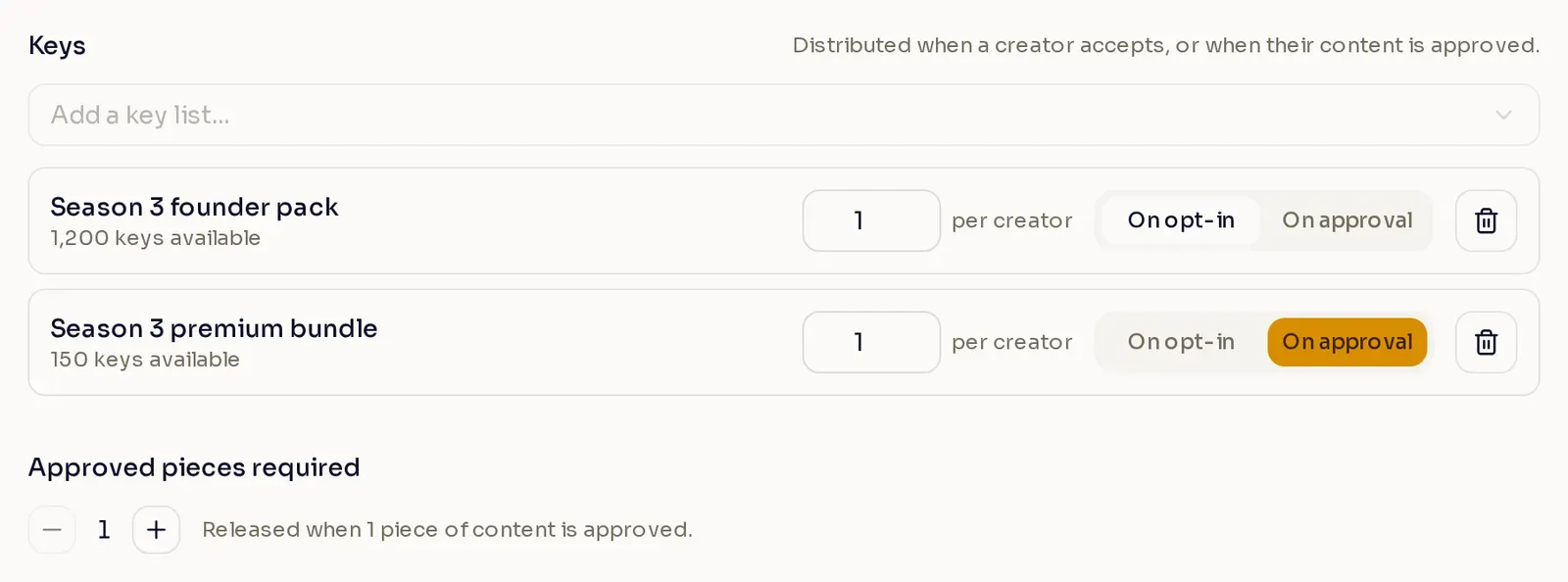
Give each creator one key from each list, and set the campaign up like this:
| Key list | Who receives it | Keys needed |
| --------------------------------------------- | ---------------------------- | ----------- |
| Season 3 founder pack, sent **On opt-in** | All 480 invited creators | 480 |
| Season 3 premium bundle, sent **On approval** | Up to 100, the creator limit | 100 |
The founder pack list holds 1,200 keys and the premium bundle list holds 150, so both lists cover the campaign. The 720 spare founder pack keys cover creators who join later, and the 50 spare premium bundle keys leave room to release a few rewards early.
## Change keys on a live campaign
[Section titled “Change keys on a live campaign”](#change-keys-on-a-live-campaign)
After you publish, a key list keeps its keys per creator and its send time. You can still change the campaign’s key lists:
* **Add a key list sent on opt-in.** Nexus sends it right away to every creator who has already opted in, so the list needs enough keys for all of them.
* **Add a key list sent on approval.** Creators who already meet the content requirement receive it. The list needs enough keys for the creator limit, or for everyone already opted in if there is no limit.
* **Remove a key list.** Rewards still waiting on that list are canceled. Keys already sent stay with creators.
[Run a campaign](/publisher-guides/campaigns/run-a-campaign/)Create a campaign, choose its audience, and publish it.
# Review creator content
> Review what creators submit to a campaign, release their rewards, and manage who stays in the campaign.
Once a campaign is live, you run it from the **Accepted creators** panel. There you review what creators submit, release rewards, and decide who stays in the campaign. To set up a campaign first, see [Run a campaign](/publisher-guides/campaigns/run-a-campaign/).
## Open the Accepted creators panel
[Section titled “Open the Accepted creators panel”](#open-the-accepted-creators-panel)
Open [Campaigns](https://www.nexus.gg/publisher/dashboard/program/campaigns) and select the number in a campaign’s **Accepted** column, or open the row menu and select **Manage accepted creators**. Both appear once an Active or Complete campaign has at least one creator opted in.
The panel lists every creator who is opted in now. Creators who opted out or were removed leave the list. When the campaign takes content, you can filter the list by submission status and platform, and by reward if it sends keys on approval. Select the **needs review** button above the list to show only the creators waiting on you.
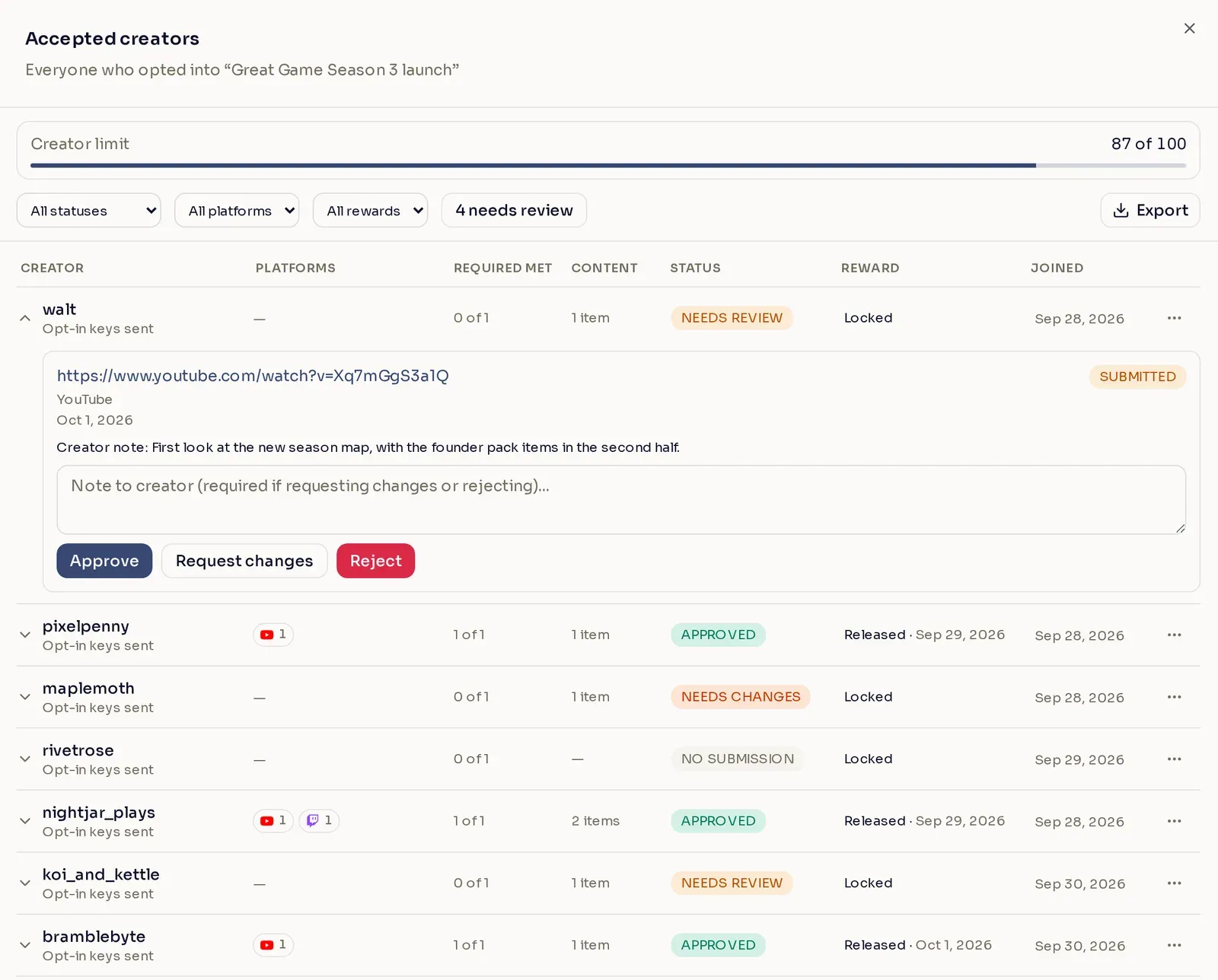
When the campaign has a key list sent on approval, the **Reward** column shows where each creator’s reward stands:
| Reward | What it means |
| ----------------- | --------------------------------------------------------------------------------------------------- |
| Locked | The creator has not met the content requirement yet. |
| Released | Nexus sent the keys. The date shows when. |
| Pending · no keys | The creator earned the reward, but the key list ran out. Nexus sends the keys once you upload more. |
## Review a submission
[Section titled “Review a submission”](#review-a-submission)
Select a creator to see their submitted links. For each submission, choose one of three actions:
* **Approve** accepts the content.
* **Request changes** sends the content back so the creator can fix it and resubmit.
* **Reject** declines the content.
**Note to creator** is required when you request changes or reject, and optional when you approve. To reconsider a rejected submission, select **Reopen**.
The creator hears about your decision on the same channels you chose for the campaign announcement. They also see it with your note on their campaign page, where they can edit and resubmit content you sent back:
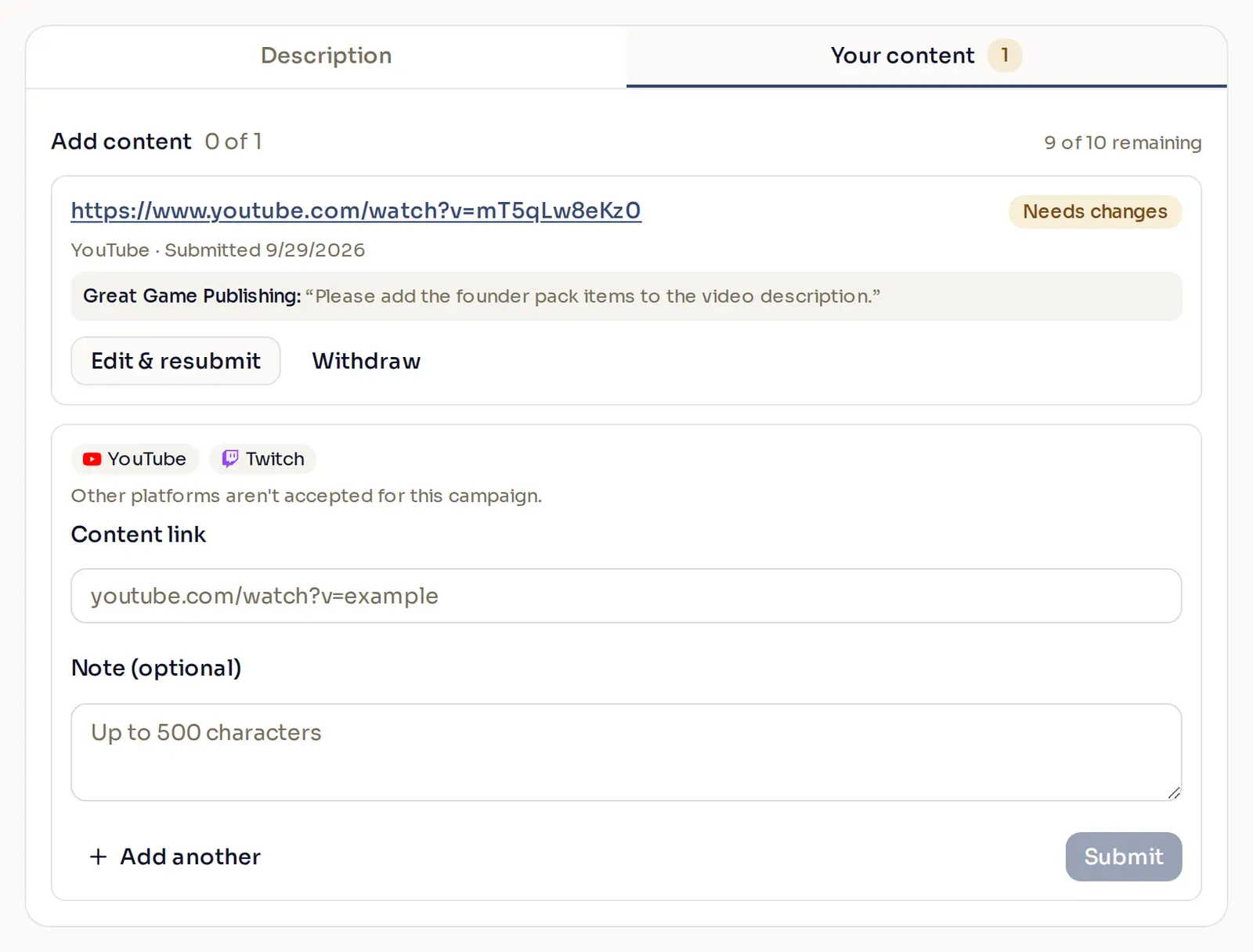
Say exactly what to change
The creator sees your note word for word next to their submission, so make it specific. For example: “Please add the founder pack items to the video description.”
## When the creator limit fills
[Section titled “When the creator limit fills”](#when-the-creator-limit-fills)
If the campaign has a creator limit, the **Creator limit** bar at the top of the panel shows how many spots are taken.
A creator takes a spot when they meet the content requirement:
* If you set a minimum number of posts per platform, that means every platform you gave a minimum has enough approved posts.
* Otherwise, it means they have the number of approved pieces set in **Approved pieces required**, or one approved piece if the campaign sends no keys on approval.
A creator counts once, however many pieces you approve. When every spot is taken, submission and approval close for the whole campaign, and **Approve** becomes unavailable. Creators can still opt in, and they still receive keys sent on opt-in.
A spot opens again when you edit the campaign to raise the limit, or when an accepted creator is removed or opts out.
## Release a reward early
[Section titled “Release a reward early”](#release-a-reward-early)
Sometimes you want to reward a creator before they meet the content requirement. They might not have submitted yet, or they posted somewhere the campaign does not officially accept. You can release the reward now and send it to them right away, without waiting for their content to be approved. Open their row menu and select **Release reward now**, and Nexus sends them the keys from the campaign’s key lists sent on approval. The option appears when the campaign sends keys on approval and the creator’s reward is still locked.
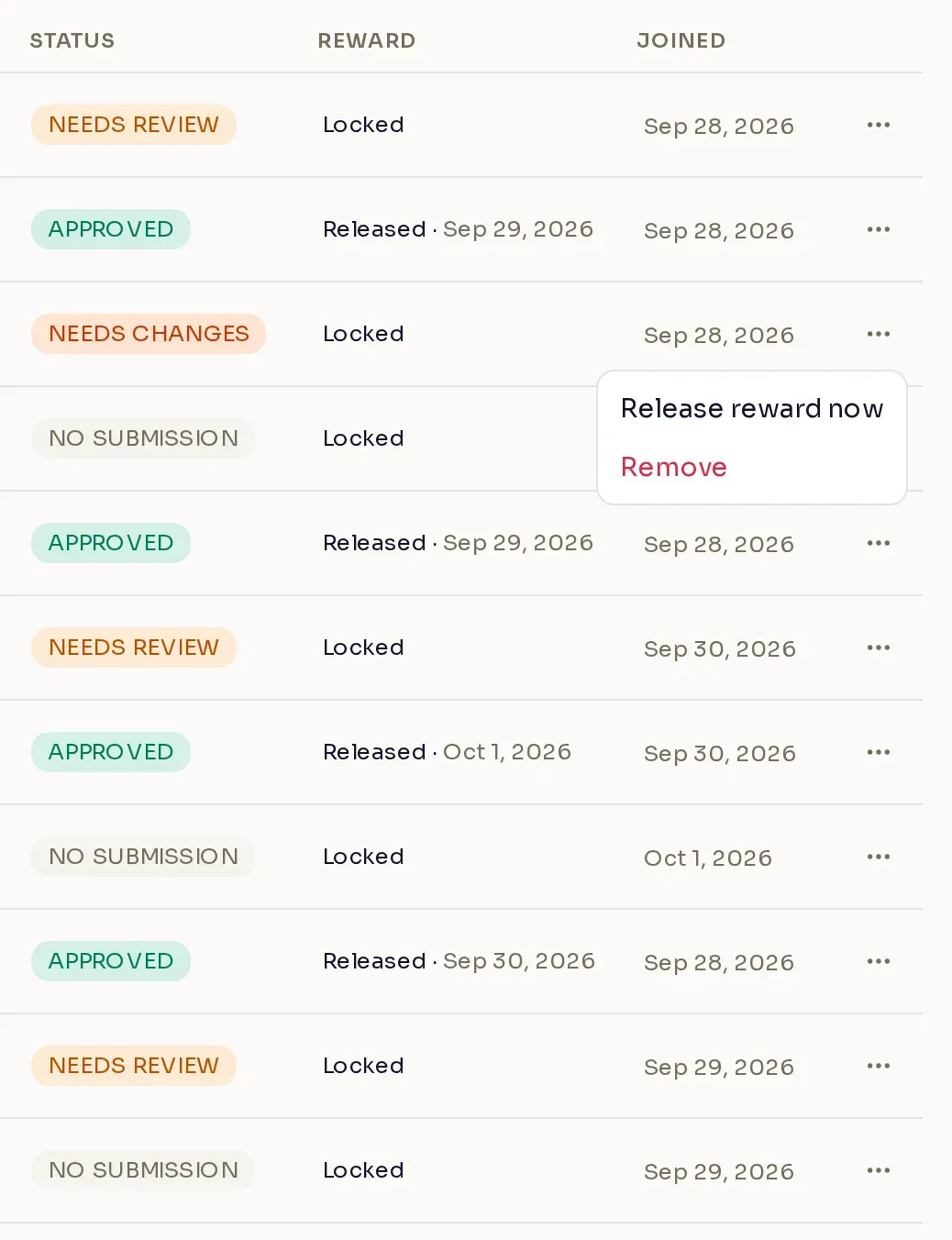
Tip
Early rewards come from the same key lists as every other reward, so keep a few spare keys in them.
## Remove a creator
[Section titled “Remove a creator”](#remove-a-creator)
Open the creator’s row menu and select **Remove**. Removing a creator:
* rejects their pending and approved content
* cancels rewards still waiting to be sent
* removes the tags the campaign assigned them
* frees their spot in the creator limit
* clears their accepted agreements
The creator gets a notice that they were removed, on the campaign’s announcement channels. Keys they already received stay with them.
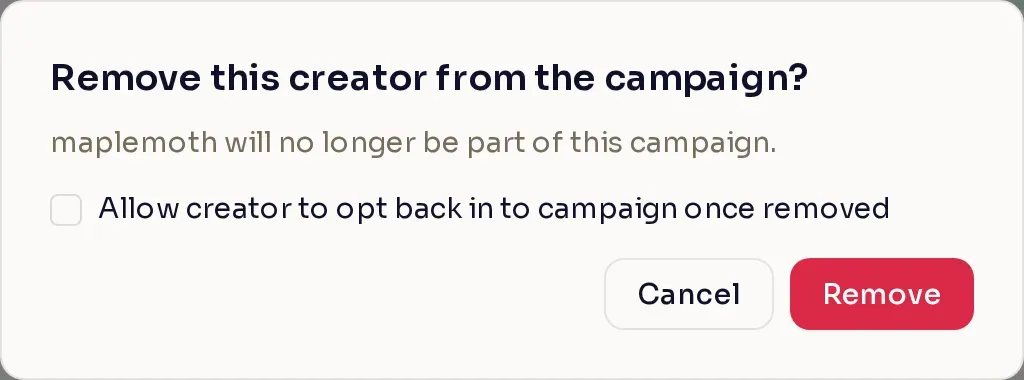
If you might want the creator back later, tick **Allow creator to opt back in to campaign once removed**. The option is there while the campaign is Active and its opt-in window is open. A creator removed this way can opt in again by accepting your agreements again. Without it, they cannot rejoin the campaign.
## When a creator opts out
[Section titled “When a creator opts out”](#when-a-creator-opts-out)
Creators can leave a campaign on their own while it runs. When a creator opts out:
* content still in review is rejected
* approved content is withdrawn
* rewards still waiting are canceled
* the campaign’s tags are removed
Keys they already received stay with them. They can opt back in later by accepting your agreements again.
## Export the list
[Section titled “Export the list”](#export-the-list)
Select **Export** to download a CSV of the creators who are opted in now. Creators who opted out or were removed are not in it. With filters applied, the file holds only the creators the list shows. Each piece of content is its own line, with the creator’s columns repeated on it, and carries the creator’s note from submission and your note from review. Each creator’s content columns list only the content those filters select; **Required met** still counts all of their content.
[Keys and creator limits](/publisher-guides/campaigns/keys-and-creator-limits/)When keys go out, how many each key list needs, and how the creator limit works.
# Run a campaign
> Create a campaign in the Publisher Dashboard, choose who can join and what they receive, and publish it to your creators.
A campaign is a promotion your creators opt into. Use one to rally creators around a launch, an update, or an event. You choose who is invited and when they can join, tell them what to make, give them game keys, and reward the content you approve.
## Before you start
[Section titled “Before you start”](#before-you-start)
Only program Admins can create and manage campaigns. If the Campaigns page shows **Admin access required**, ask an Admin on your team to change your role for this program.
A campaign can use your tiers, tags, key lists, and Discord bot. All of them are optional, but set up the ones you want before you create the campaign:
| To | Set up | Where |
| ---------------------------------------------------- | --------------- | ----------------------------------------------------------------------------------- |
| Invite creators by tier | Tiers | **Commissions** > **Creator tiers** (**Revenue Shares** in a revenue-share program) |
| Invite creators by tag, or tag the creators who join | Tags | **Tags** |
| Give creators game keys | Key lists | **Keys** > **Key lists** |
| Announce the campaign by Discord direct message | The Discord bot | **Program settings** > **Integrations** |
## Open your campaigns
[Section titled “Open your campaigns”](#open-your-campaigns)
Open [Campaigns](https://www.nexus.gg/publisher/dashboard/program/campaigns) in the Publisher Dashboard. The table lists every campaign in the program with its status, its start and end dates, and how many creators are opted in.
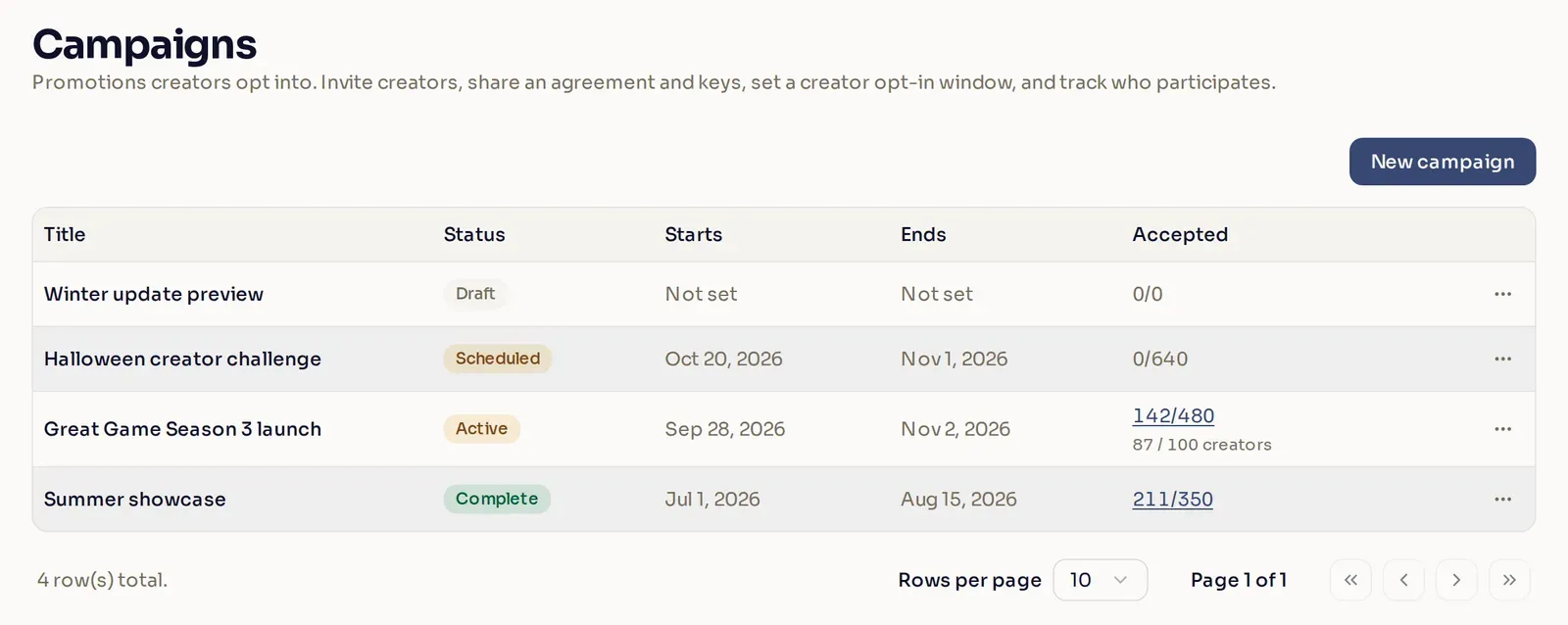
The **Accepted** column shows how many creators are opted in now, out of how many are eligible. Once creators start meeting the content requirement, a second line shows how many have, out of your creator limit if you set one. For example, **142/480** means 142 of 480 eligible creators are opted in. **87 / 100 creators** means 87 of the 100 spots in the creator limit are filled. [Edit a campaign](#edit-a-campaign) explains each status.
## Create a campaign
[Section titled “Create a campaign”](#create-a-campaign)
Select **New campaign** to open the campaign panel. The steps below follow the panel from top to bottom.
Most settings are optional
To publish, a campaign needs four things: who is invited, an opt-in window, a title, and a description. Everything marked optional below can stay at its default. To save a draft, you only need a title.
1. **Choose who is invited.** Under **Who’s invited?**, pick one of three options:
* **All members** invites everyone in your program.
* **Specific creators** invites only the creators you pick.
* **Filtered audience** invites creators by **Tier**, **Tag**, **Country**, **Language**, or **Platform**.
A filtered audience has three sections:
| Section | Who it invites |
| --------------------------------------------------- | ------------------------------------------------------------------------- |
| **Invite creators who match any of these** | Creators who match at least one of these filters. |
| **Only if they also match all of these** (optional) | Narrows the audience: creators must match every one of these filters too. |
| **Also invite these creators** (optional) | Creators you name, even if they match none of the filters. |
Each filter picks one or more values, and a creator matches the filter if they match any value in it. Select **Add filter** or **Add requirement** to add a filter to a section. The **Audience** card under the sections sums up who you are inviting.
For example, to invite creators in your Gold tier or tagged Launch partners, as long as they speak English, plus two partner streamers whatever their language:
| Section | Filters |
| ------------ | ---------------------------------------------------------- |
| Any of these | **Tier** is any of Gold; **Tag** is any of Launch partners |
| All of these | **Language** is any of English |
| Also invite | Your two partner streamers |
Country and language come from the creator’s Nexus profile, so creators who have not set them do not match those filters. **Platform** matches creators who connected one of the selected accounts (YouTube, Twitch, TikTok, X, Kick, Reddit, or Discord) to Nexus. A link the creator only pasted into their profile does not count. A filtered audience with no filters invites all members, and one with only named creators invites just those creators.
**Allow new creators to opt in** is on by default. It decides whether creators who become eligible after the campaign goes live can still join. [Creators who join later](#creators-who-join-later) explains how it works. It is not available for **Specific creators**, because that list never changes.
2. **Turn on content submission (optional).** Tick **Allow creators to submit content for this campaign** to have creators send you links to what they make. You review each link before it counts. A creator meets the campaign’s **content requirement** once you approve enough of their content: one piece by default, or the minimum for each platform if you set minimums.
With content submission on, two more settings appear:
* **Limit how many creators are accepted** (optional) sets a **creator limit**. Once that many creators meet the content requirement, submission and approval close. Opting in stays open to everyone eligible. If you tick it, enter a number from 1 to 99,999. **Show creators how many spots are left** appears under the limit and is on by default. Creators then see the count on the campaign, for example “63 of 100 left”. Untick it to keep the limit private: creators see no count, only that the campaign is full once every spot is taken.
* **Choose platforms** (optional) limits submissions to YouTube, Twitch, Instagram, TikTok, or X. Without it, the campaign accepts any platform. Once you pick a platform, two more options appear. Tick **Also accept links from other platforms** to take links from anywhere else too. Tick **Set a minimum number of posts per platform** to require a number of approved posts on each platform, up to 10 posts in total.
3. **Choose how creators hear about it (optional).** Open **Advanced settings** to see the announcement channels:
* **Nexus** shows a notification on the creator’s dashboard.
* **Email** sends the invitation by email. It only works with **Nexus** turned on too.
* **Discord** sends a direct message from the Discord bot to each creator who has linked a Discord account. It needs the Discord bot connected to your program.
Nexus and Email are on by default, and so is Discord when your program has the Discord bot connected. With every channel off, creators get no announcement, but invited creators can still find the campaign on their dashboard.
Caution
You cannot change the announcement channels once the campaign goes live, so set them before you publish.
4. **Set the dates.** Set the **Creator opt-in window**: when creators can start opting in, and when the campaign ends. Times are in your own timezone. Under **Go live**, choose **Publish now** or **Schedule a time** for the invitations to go out. Creators can opt in once the campaign is live and the opt-in window has started.
Go live when the window opens
Creators who get the invitation before the window starts see **This campaign has not started yet** and cannot opt in until it does. Schedule the go-live for the start of the window so the invitation arrives when creators can act on it.
5. **Write the invitation.** The title and description are what creators read when they decide whether to join, so treat them like a pitch. A good invitation answers three questions for the creator: what is happening, what to make, and what they get.
Enter a **Title**, then add a **Header image** (optional): a PNG or JPG up to 5 MB, which you crop to 16:9. Write the **Description** last, and format it with bold text and lists so it scans. Use the **Variable** menu to insert the creator’s name.
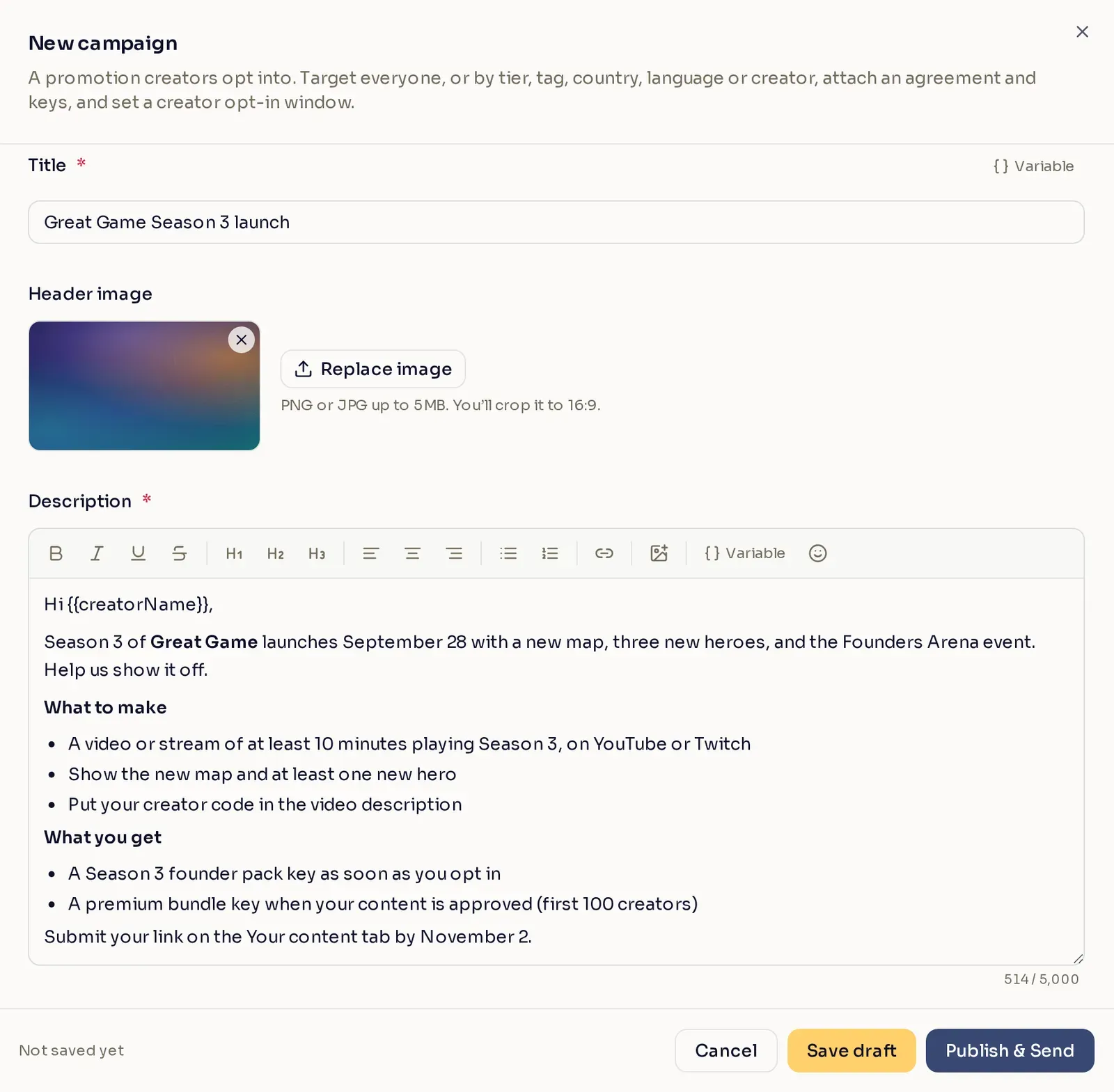
[What creators see](#what-creators-see) shows this same invitation from the creator’s side.
6. **Add tags and agreements (optional).** Under **Assign tags**, choose tags to apply to every creator who opts in. To make a new tag for the campaign, tick **Create a campaign tag**. Its **Tag name** starts as the campaign title, and you can change it (up to 50 characters). If a tag with that name already exists, choose another name, or use the link under the field to assign the existing tag instead.
Under **Agreements**, select **Add agreement** to add terms creators must accept when they opt in. An agreement can be a link to your terms, a rich-text block, or a short statement.
7. **Attach keys (optional).** Select **Add a key list** and pick one of your program’s key lists. Set how many keys each creator receives, and choose when they receive them:
* **On opt-in** sends keys to every creator who opts in, as soon as they opt in. The list needs enough keys for your whole audience.
* **On approval** sends keys to each creator once they meet the content requirement. It needs content submission turned on. The list needs enough keys for your creator limit, or for your whole audience if you set no limit. To ask for more than one approved piece, set **Approved pieces required**, which appears under your key lists.

Creator limits only cap approvals
Every creator who opts in still receives keys sent on opt-in, even after the creator limit fills, so stock those lists for your whole audience. [Keys and creator limits](/publisher-guides/campaigns/keys-and-creator-limits/) shows how to work out the numbers.
8. **Send yourself a preview (optional).** Select **Send a preview to yourself** to email a copy of the invitation to your own address. The button becomes available once the campaign has a title and a description.
9. **Save or publish.** Select **Save draft** to keep working later. Select **Publish & Send**, or **Schedule** if you chose a go-live time, to publish the campaign. If something needs fixing, a message appears in red at the bottom of the panel. Once it saves, the campaign appears in the list as Publishing or Scheduled.
## What creators see
[Section titled “What creators see”](#what-creators-see)
When the campaign goes live, each invited creator gets an announcement on the channels you turned on. The campaign appears under **Support a Creator** > **Campaigns** on their dashboard, with your invitation front and center:
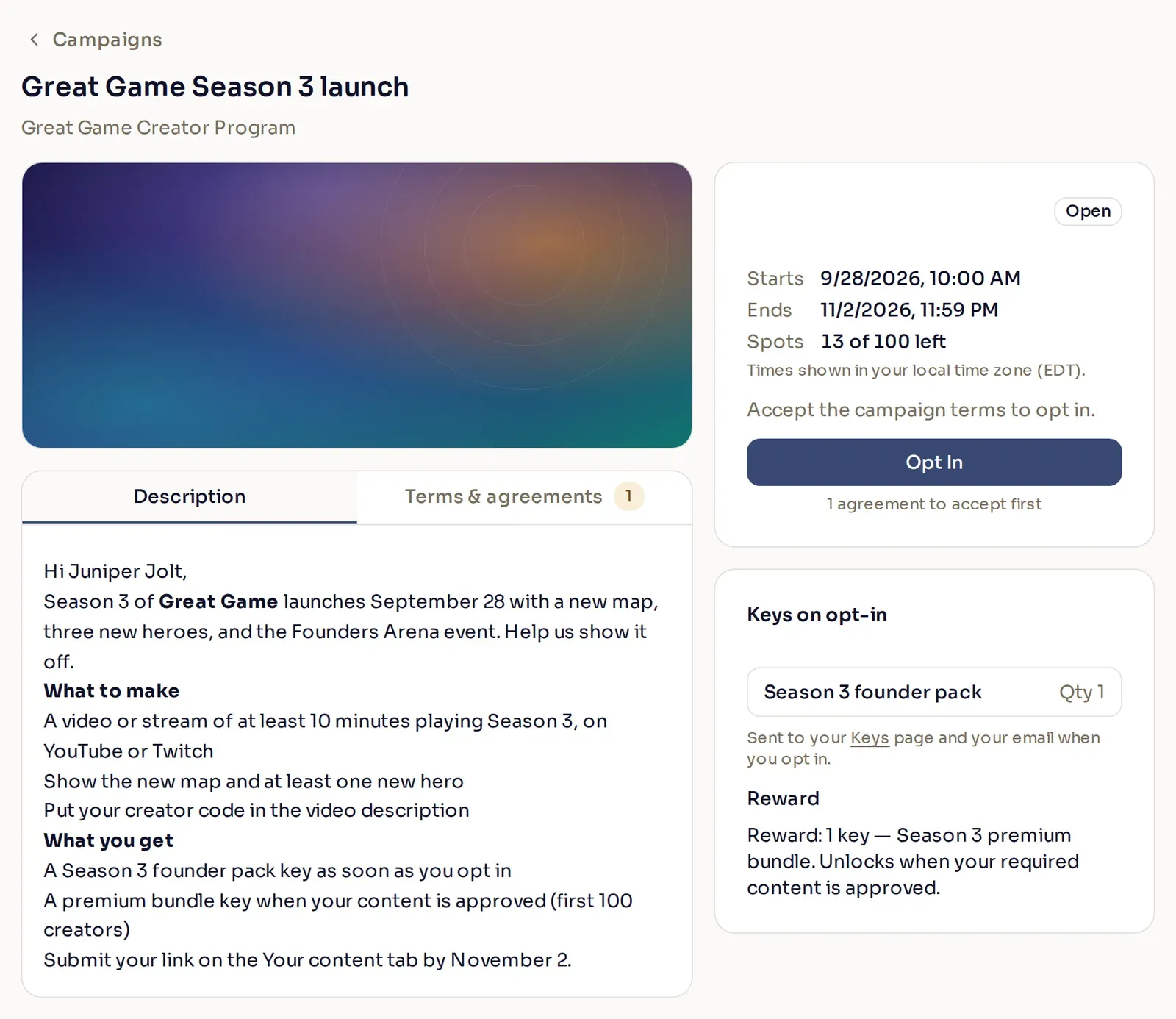
Next to the description, the creator sees the opt-in window, how many spots are left if you set a creator limit, and the keys they can earn. If you turned off **Show creators how many spots are left**, the creator sees no count, only **Full** once every spot is taken. Before they can opt in, they open and accept each of your agreements on the **Terms & agreements** tab:
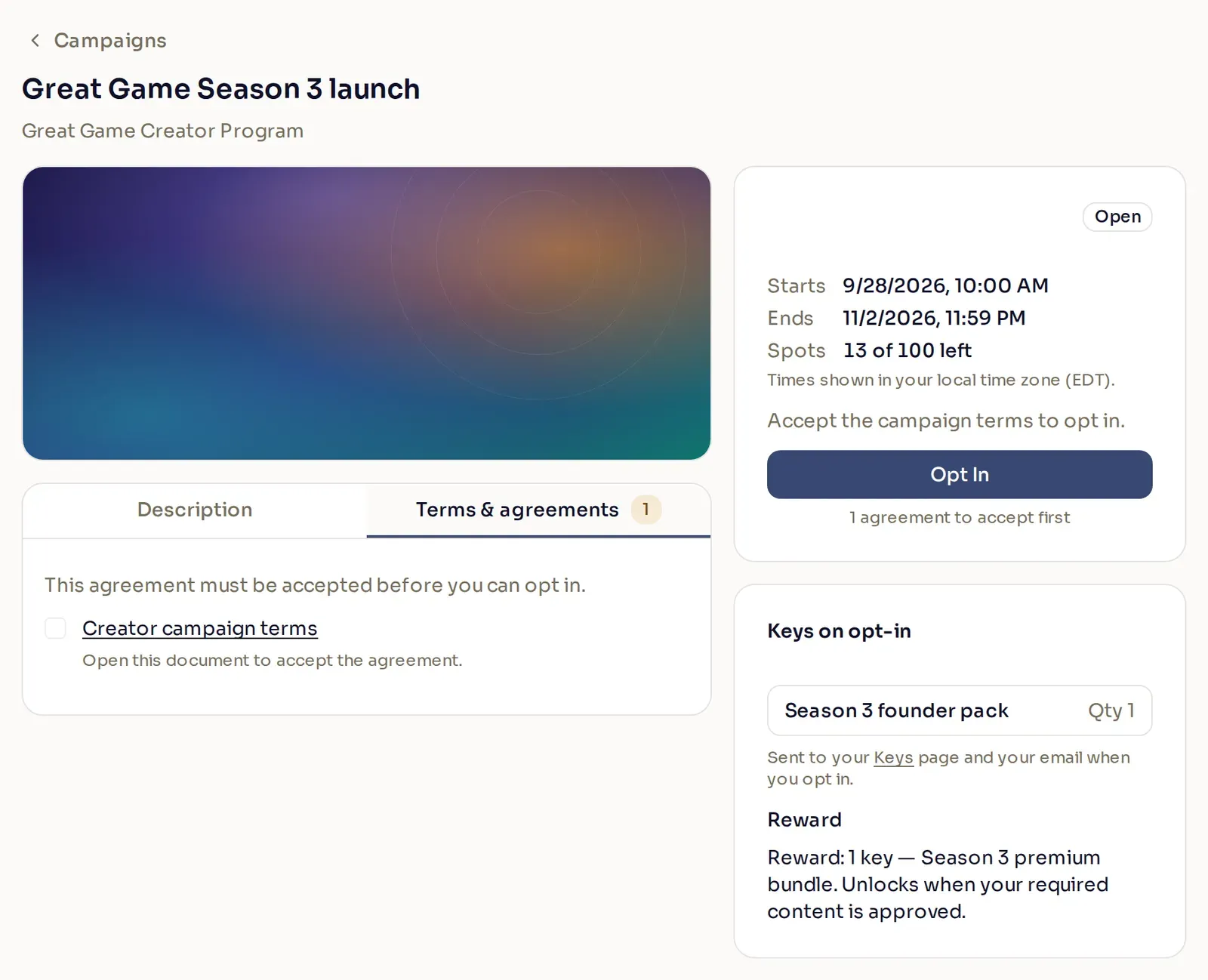
Once they select **Opt In**, they receive any tags you assigned and any keys sent on opt-in. Keys arrive on the creator’s **Keys** page, and by email if the Email channel is on and the creator has not turned off key emails.
If the campaign accepts content, the creator submits their links on the **Your content** tab. Each creator can submit up to 10 links per campaign, counting every link they ever submit, including ones they withdraw.
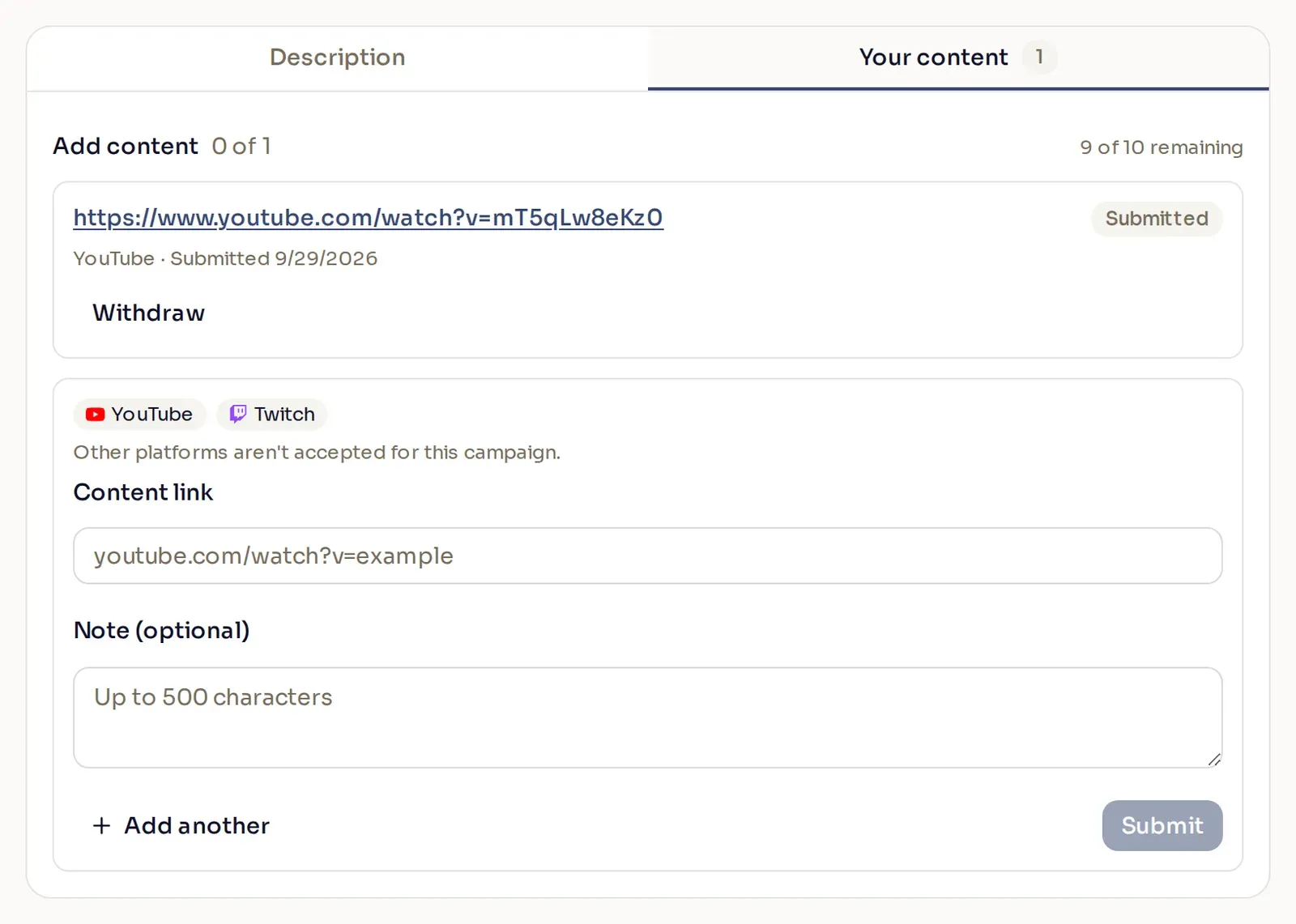
A creator can opt out while the campaign runs, and opt back in later by accepting your agreements again. Opting back in does not send keys sent on opt-in a second time.
### Creators who join later
[Section titled “Creators who join later”](#creators-who-join-later)
You cannot change the audience of a live campaign. Creators can still become eligible while it runs, for example when they join your program or get a tag the campaign targets. Whether they can join depends on **Allow new creators to opt in**:
| Allow new creators to opt in | A creator who becomes eligible after you publish |
| ---------------------------- | --------------------------------------------------------------------------------------------------- |
| Off | Cannot see or join the campaign. The creator list is set when you publish or schedule the campaign. |
| On | Sees the campaign on their dashboard and can opt in until the opt-in window ends. |
For example, you publish a campaign for your Gold tier with **Allow new creators to opt in** ticked. A week later, you move a creator from Silver to Gold. They can now find the campaign under **Support a Creator** > **Campaigns** and opt in. They get the campaign’s tags and keys sent on opt-in like everyone else. With the option off, the campaign never appears for them.
Tell late joiners yourself
Creators who join later get no announcement. To make sure they find the campaign, tell them about it yourself, for example in your Discord server.
## Run the live campaign
[Section titled “Run the live campaign”](#run-the-live-campaign)
Once creators start opting in, you run the campaign from the **Accepted creators** panel. There you can:
* review submissions and approve, reject, or request changes
* release a creator’s reward early
* remove a creator from the campaign
* export the list of creators in the campaign
[Review creator content](/publisher-guides/campaigns/review-creator-content/)Approve submissions, release rewards, and manage the creators who joined.
[Keys and creator limits](/publisher-guides/campaigns/keys-and-creator-limits/)When keys go out, how many each key list needs, and how the creator limit works.
## Edit a campaign
[Section titled “Edit a campaign”](#edit-a-campaign)
Select a campaign in the list to open it. Its status decides what you can change:
| Status | What it means | What you can change |
| ---------- | ---------------------------------------------------------------------- | -------------------------------------------------------------------------------- |
| Draft | Saved but not published. Creators cannot see it. | Anything. |
| Publishing | You selected **Publish now**, and Nexus is about to start sending it. | Most settings. Select **Publish & Send** again to save. |
| Scheduled | Published and waiting for the go-live time you chose. | Most settings. Select **Schedule** again to save. |
| Processing | Nexus is sending the invitations. | Nothing. You can only view it. |
| Active | Live. Creators can opt in once the opt-in window starts. | The details. [Change a live campaign](#change-a-live-campaign) lists what locks. |
| Complete | The opt-in window has ended. | Nothing. You can only view it. |
| Error | The invitations could not be sent. Contact your Nexus account manager. | Nothing. You can only view it. |
On a Publishing or Scheduled campaign, the send time of each key list you attached stays locked. While a campaign is Publishing, its announcement channels are locked too.
Saving a scheduled campaign
A Publishing or Scheduled campaign moves back to Draft while it saves. If the save fails, it stays in Draft and does not go out, so fix the problem and save again.
### Change a live campaign
[Section titled “Change a live campaign”](#change-a-live-campaign)
Once a campaign is live, these settings lock:
* the audience
* the go-live time
* the announcement channels
* the keys per creator and send time of each key list you published
The start of the opt-in window can only move earlier. Everything else can change, and saving does not send the announcement again:
| When you change | What happens |
| ------------------------------------- | ------------------------------------------------------------------------------------------------------------------------------------------------------------------------------------------------------------------ |
| Title, description, or header image | Creators see the new version on their campaign page. Emails and Discord messages already sent keep the old text. |
| End of the opt-in window | Creators can opt in and submit content until the new end. A date in the past ends the campaign right away. |
| Allow new creators to opt in | Turn it on, and creators who now match can find the campaign. Turn it off, and it disappears for creators who were not invited and have not opted in. |
| Content submission | Turn it off, and new submissions stop and the creator limit is removed, but you can still review the ones already in. You cannot turn it off while a key list is sent on approval. |
| Creator limit | Raising it reopens submission and approval. You cannot lower it below the number of creators who have already taken a spot. |
| Show creators how many spots are left | Creators see the change the next time they open the campaign. Turned off, they see only when the campaign is full. |
| Platforms and minimums | New submissions follow the new rules. Creators who now meet the content requirement receive their reward. |
| Agreements | New creators accept the updated agreements. Creators already in do not accept them again. |
| Assign tags | Applies to creators who opt in from now on. |
| Key lists | You can add or remove key lists. [Change keys on a live campaign](/publisher-guides/campaigns/keys-and-creator-limits/#change-keys-on-a-live-campaign) explains what each change sends and how many keys it needs. |
## Delete a campaign
[Section titled “Delete a campaign”](#delete-a-campaign)
Open the campaign’s row menu and select **Delete**. If the campaign was already sent, deleting it also removes it from the invited creators’ lists. **Delete** disappears from the menu while any creator is opted in. To delete the campaign after that, remove every opted-in creator first.
## Common questions
[Section titled “Common questions”](#common-questions)
### Why won’t my draft save?
[Section titled “Why won’t my draft save?”](#why-wont-my-draft-save)
A draft needs a title, and anything you started needs finishing:
* every filter in a filtered audience needs at least one value
* **Limit how many creators are accepted**, if ticked, needs a number from 1 to 99,999
* **Create a campaign tag**, if ticked, needs a tag name that no other tag uses
* a key list set to **On approval** needs content submission turned on
* every agreement needs its details
The message at the bottom of the panel names the problem.
### Can I add creators to a campaign that is already live?
[Section titled “Can I add creators to a campaign that is already live?”](#can-i-add-creators-to-a-campaign-that-is-already-live)
Not directly, because the audience locks when the campaign goes live. If **Allow new creators to opt in** is on, creators who come to match your audience can still find the campaign and opt in. Otherwise, create a new campaign for them.
### Can I reward a creator who posted somewhere the campaign does not accept?
[Section titled “Can I reward a creator who posted somewhere the campaign does not accept?”](#can-i-reward-a-creator-who-posted-somewhere-the-campaign-does-not-accept)
Yes. Open the campaign’s **Accepted creators** panel, open the creator’s row menu, and select **Release reward now**. [Release a reward early](/publisher-guides/campaigns/review-creator-content/#release-a-reward-early) explains how it works.
### Why does my preview email show Nexus branding?
[Section titled “Why does my preview email show Nexus branding?”](#why-does-my-preview-email-show-nexus-branding)
Campaign emails, including the invitation, review results, and key deliveries, use your program’s email branding once Nexus has set it up for campaigns. Until then, they show Nexus branding. Contact your Nexus account manager to set it up.
### Why does the panel say there aren’t enough keys?
[Section titled “Why does the panel say there aren’t enough keys?”](#why-does-the-panel-say-there-arent-enough-keys)
A key list does not hold enough keys for the creators who could receive them. You might see an amber warning under the key list while you build the campaign, or a red message when you publish. [Keys and creator limits](/publisher-guides/campaigns/keys-and-creator-limits/) explains how many keys each send time needs.
# Go-live checklist
> This checklist is used to confirm your Nexus integration is production-ready before launch.
Go-live progress0/0Clear
## Environment & keys
[Section titled “Environment & keys”](#environment--keys)
* [ ] Sandbox integration is fully tested end-to-end
* [ ] Production API keys have been created
* [ ] Keys are stored securely as environment variables (not in source control)
* [ ] Client only uses public key
* [ ] Server only uses private key
* [ ] Base URL updated to `https://api.nexus.gg/v1` for production
## Creator code validation
[Section titled “Creator code validation”](#creator-code-validation)
* [ ] Valid codes display correctly in the client
* [ ] Invalid codes display correctly in the client
* [ ] A validated code is cached/stored for later use at checkout
* [ ] Code is re-validated if the user edits it before purchase
## Tracking a creator purchase (attribution)
[Section titled “Tracking a creator purchase (attribution)”](#tracking-a-creator-purchase-attribution)
* [ ] Attribution POST is sent from backend after a confirmed purchase
* [ ] `transactionId` is unique and stable (receipt/order id)
* [ ] `subtotal` sent in correct units for that currency
* [ ] `currency` matches the actual sale currency
* [ ] A test attribution succeeds with `200 OK` in sandbox
* [ ] `playerId` sent on every attribution, pseudonymized if your own id is PII
## Metrics (recommended)
[Section titled “Metrics (recommended)”](#metrics-recommended)
* [ ] `skuId` provided when applicable
* [ ] `joinDate` sent when available
* [ ] `conversion.lastPurchaseDate` sent when available
* [ ] `conversion.totalSpendToDate` object sent when available
Metrics are optional for the API but required for full analytics and reporting.
## Multi-currency & UI behavior
[Section titled “Multi-currency & UI behavior”](#multi-currency--ui-behavior)
* [ ] At least one non-USD zero-decimal currency has been tested (JPY / KRW / etc)
* [ ] `subtotal` formatting verified for each tested currency
* [ ] UI handles “no code” and “invalid code” states correctly
* [ ] UI preserves a validated code through the checkout flow
## Production readiness
[Section titled “Production readiness”](#production-readiness)
* [ ] Environment switched from sandbox to production
* [ ] A real or “live test” transaction was attributed successfully
* [ ] Attribution appears in the Nexus Dashboard
* [ ] Logs exist for validation failures and attribution failures
* [ ] Team knows how to rotate keys if needed
[Track a purchase](/start-integrating/track-a-purchase/)Send the attribution POST after a confirmed purchase.
# Track a purchase
> Send a transaction to Nexus after a successful purchase to attribute revenue to the validated creator.
After a player completes a purchase while supporting a creator, send the transaction to Nexus from your backend so it can be attributed and reported. Authenticate with your **program-scoped** private key.
Caution
You should only call this after a purchase is confirmed. In most integrations this is triggered from the backend after the payment provider sends a “success” event.
## Required fields
[Section titled “Required fields”](#required-fields)
| Field | Type | Notes |
| ----------------- | -------------- | ------------------------------------------------------- |
| `code` | string | A previously validated creator code |
| `transactionId` | string | Must be unique. Use a receipt or order id from your PSP |
| `subtotal` | integer | Pass minor units (USD 9.99 → 999) |
| `currency` | enum | ISO code (`USD`, `EUR`, `JPY`, …) |
| `description` | string | SKU or product descriptor |
| `transactionDate` | RFC3339 string | Timestamp of purchase in ISO format |
## Recommended fields
[Section titled “Recommended fields”](#recommended-fields)
| Field | Type | Notes |
| ------------ | ------ | -------------------------------------------------------------------------------------------------- |
| `playerId` | string | Strongly recommended. Ties purchases to the same player. Pseudonymize (GUID or hashed id); no PII. |
| `playerName` | string | Optional, may also be pseudonymized. Shown to creators if present. |
| `metrics` | object | Optional but **crucial** for program analytics (see below). |
Note
Send `playerId` even though the API does not require it. `metrics` describes a single purchase, while `playerId` is what ties purchases to the same person over time. Without it Nexus cannot separate a repeat buyer from a new one, and the conversion and reactivation outcomes never resolve.
It only needs to be unique and stable for each player, not the id you use internally. If you treat that id as PII, send a hash or a GUID instead, as long as the same player always gets the same value. Nexus never needs the real one. See [Performance metrics](/creator-code-api/attributions/performance-metrics/) for what Nexus derives from it.
## Request example (curl)
[Section titled “Request example (curl)”](#request-example-curl)
POST`/attributions/transactions`
[View full reference](/api/operations/creatorattribution/)Parameters, responses, and status codes.
```bash
curl -X POST "$NEXUS_BASE_URL/attributions/transactions" \
-H "Content-Type: application/json" \
-H "X-SHARED-SECRET: $NEXUS_PRIVATE_KEY" \
-d '{
"code": "thesearing",
"subtotal": 199,
"currency": "USD",
"description": "bundle_100_gems",
"transactionId": "order-123",
"transactionDate": "2025-10-16T13:01:44.000Z",
"playerId": "6f10c7f4-psd-123",
"playerName": "CoolGuy1",
"metrics": {
"joinDate": "2017-07-22T17:32:28Z",
"conversion": {
"lastPurchaseDate": "2025-01-22T17:32:28Z",
"totalSpendToDate": {
"total": 12999,
"currency": "USD"
}
}
}
}'
```
The response is `200 OK` and indicates the attribution was accepted.
## About metrics
[Section titled “About metrics”](#about-metrics)
Metrics are optional in the request but **crucial for reporting**. They power insights such as:
* new player acquisition
* reactivation of churned players
* conversion from free to paid users
* long-term creator influence (LTV impact)
* SKU-based revenue share analytics
If you have access to this data at time of purchase, include it. Otherwise you can add fields later once available.
`playerId` is not part of `metrics`, but every outcome above depends on it. Nexus counts a player as [Converted](/creator-code-api/attributions/performance-metrics/#converted) at most once ever, and treats a later gap as a [Repeat Reactivation](/creator-code-api/attributions/performance-metrics/#repeat-reactivation) only by checking that player’s own history. Both need a stable identifier to attach that history to, so send `metrics` and `playerId` together or the reporting they feed stays incomplete.
# Validate your first creator code
> Validate a creator code before checkout using your Public key so you can store it and use it when tracking the purchase.
Before tracking purchases, you must validate the creator code in the client. This ensures the code is in the program and lets you:
* give immediate feedback to the player (Valid / Not found)
* prevent a checkout flow that will later be rejected
* store the valid code for use during the purchase flow
After a code is validated, you should persist it (session/local/in-memory) so that when the player completes a purchase, your backend can include the same code in the attribution request.
## Validation request
[Section titled “Validation request”](#validation-request)
Validation is a public-key route, so it is safe to call from a game client.
GET`/manage/members/{memberCode}`
```bash
curl -G "$NEXUS_BASE_URL/manage/members/thesearing" \
-H "X-SHARED-SECRET: $NEXUS_PUBLIC_KEY" \
--data-urlencode "groupId=$NEXUS_GROUP_ID"
```
Note
The `groupId` query parameter is only needed when using global API keys, which is not recommended.
[View full reference](/api/operations/getmemberbycode/)Parameters, responses, and status codes.
The validation call returns one of two outcomes:
* `200` valid code in this program
* `400` no matching member in this program
`400` should be treated as a normal “no such code” condition, not an exception.
### Response
[Section titled “Response”](#response)
```json
{
"groupId": "2ixlNNFdJh-9scoXek80w",
"groupName": "Creator Loop",
"groupDefaultRevShare": 10,
"id": "Hv98bvRCSm1jDDPhls1qC",
"name": "The Searing Podcast",
"logoImage": "https://cdn.nexus.gg/FzVN5qcpr8s8irlokp/iQJWVLokKREqYXPxkO/images/logo-image.jpg",
"tier": {
"id": "M9cgAXgP3DqyuZcoszkeE",
"name": "Tier 2",
"revShare": 15
},
"codes": [
{
"code": "thesearing",
"isPrimary": true,
"isGenerated": false,
"isManaged": false
}
]
}
```
## Next steps
[Section titled “Next steps”](#next-steps)
[Track a purchase](/start-integrating/track-a-purchase/)Send the validated code in an attribution after checkout.